Duplicate IRN Prevention Checklist for Multi-Branch Businesses
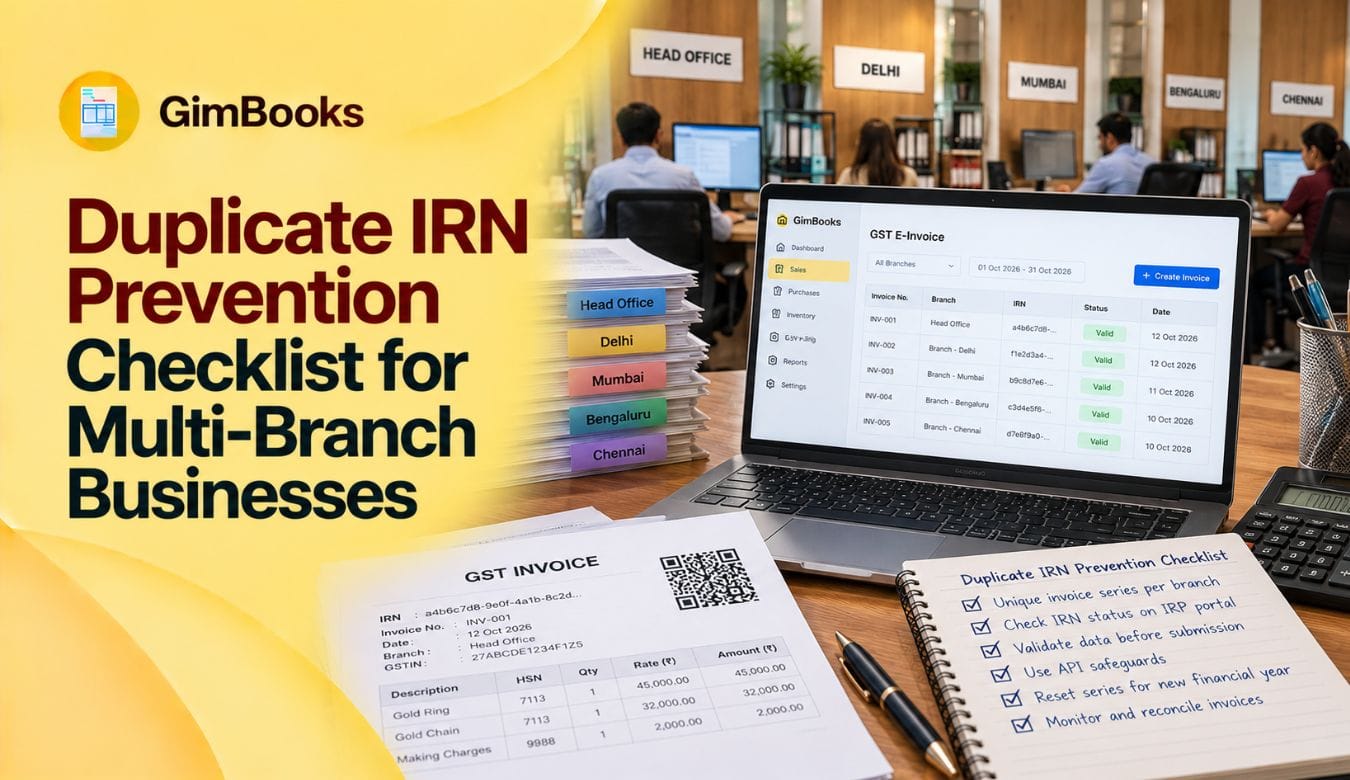
A duplicate IRN occurs when an invoice, debit note or credit note that has already been registered for e-invoicing is submitted again for IRN generation. It commonly appears as duplicate IRN error code 2150 on the Invoice Registration Portal (IRP).
If you receive a duplicate IRN error in e-invoice, do not keep resubmitting the same document. First check whether an IRN has already been generated and retrieve the existing IRN details before attempting another submission.
For multi-branch businesses, the risk can be higher because several branches, billing users or ERP systems may generate invoices under the same GSTIN. Duplicate invoice numbers, repeated API requests, network timeouts and unsynchronised branch systems can all result in the same document being submitted more than once.
It is also important to understand the difference between the invoice number created by your business and the IRN generated after successful registration. Read our detailed guide on IRN vs invoice number if your billing or finance team needs clarity on how these two identifiers work.
This guide explains what duplicate IRN means in e-invoice, why error code 2150 occurs, how to resolve it and the controls multi-branch businesses can use to prevent the same problem from recurring.
What Does Duplicate IRN Mean in E-Invoice?
Duplicate IRN means that the document being submitted has already been registered for e-invoicing and an IRN exists for it, or the same document has been submitted again before the earlier IRN-generation request was properly recorded in the billing system.
In most cases, this appears as error code 2150 in e-invoice.
How to Resolve Duplicate IRN in E-Invoice
If you receive a duplicate IRN error, follow these steps:
- Stop resubmitting the invoice. Repeated attempts will not solve the underlying problem.
- Check whether an IRN has already been generated against the invoice number.
- Retrieve the existing IRN and acknowledgement details from your e-invoicing system or IRP.
- Update the original invoice in your billing or ERP system with the existing IRN.
- Check whether another user, branch, ERP integration or IRP submitted the same document.
- If the problem resulted from duplicate invoice numbering, correct the invoice-series configuration before generating further invoices.
- If the original request timed out, check its status before sending another request.
If your invoice is being rejected for another reason instead of duplication, refer to the GimBooks guide on e-invoice error codes and fixes to identify the relevant IRP error and its resolution.
Key Takeaways
- A duplicate IRN commonly returns error code 2150.
- An IRN is based on the supplier GSTIN, financial year, document type and document number.
- Branches operating under the same GSTIN must not send the same document number and document type during the same financial year.
- Separate internal branch series are not sufficient unless the complete branch prefix is included in the document number sent to the IRP.
- Invoice numbers are treated as case-insensitive from 1 June 2025.
- Using another IRP does not allow a business to generate a second IRN for the same document.
- A document number cannot be reused after its IRN has been cancelled.
- Network timeouts should trigger an IRN-status check, not unlimited retries.
- Businesses with AATO of ₹10 crore or more must also complete reporting within the applicable 30-day window.
- Branch-level invoice controls should be reviewed before every financial-year change.
What Is Duplicate IRN Error Code 2150 in E-Invoice?
E-invoice error code 2150 indicates that an IRN has already been generated for the document being submitted. In simple terms, the Invoice Registration Portal recognises the request as a duplicate of a document that has already gone through IRN generation.
A duplicate IRN error can occur when:
- the same invoice is submitted twice;
- a user clicks the IRN-generation option repeatedly;
- an API automatically retries the request;
- the IRN is generated but the response is not saved in the ERP;
- another branch submits the same invoice number under the same GSTIN; or
- the document has already been registered through another IRP.
The IRN (Invoice Reference Number) is different from the invoice number generated by your business. The invoice number identifies the document within your billing records, while the IRN identifies the registered e-invoice in the e-invoicing system.
Therefore, when an e-invoice is rejected due to duplicate IRN, the first action should not be to create another invoice or repeatedly resubmit the same request. First establish whether a valid IRN already exists for the document.
Example
Suppose two outlets operate under one GSTIN:
If both branches send 0001 as the document number under the same supplier GSTIN, the second submission can be treated as a duplicate.
The branches should instead transmit numbers such as:
- MUM/26/00001
- PUN/26/00001
The branch prefix must be part of the document number submitted to the IRP.
Error Code 2150 in E-Invoice: Why Does It Appear?
The 2150 error in e-invoice is associated with a document for which an IRN has already been generated. However, the underlying reason the document was submitted again can vary.
The key point is that error code 2150 does not necessarily mean IRN generation failed. In some cases, the original request succeeded, but the billing software did not receive or store the successful response.
That is why every retry workflow should first verify whether an IRN already exists.
Why Multi-Branch Businesses Face More Duplicate IRN Errors
Example: Duplicate IRN Risk Across Two Branches
Suppose a business has Mumbai and Delhi branches operating under the same GSTIN.
If both branches independently generate the same invoice number, their records may look like this:
A better structure would use controlled branch-specific invoice series:
The branch identifier must be included in the document number actually used in the e-invoicing workflow. Merely storing “Mumbai” or “Delhi” in a separate ERP field does not solve a duplicate-number problem if the document number being submitted remains identical.
The objective is to maintain a unique, controlled invoice-numbering structure and ensure every branch follows the same billing policy.
Duplicate IRN Errors Relevant to Multi-Branch Businesses
For explanations of other portal errors, read the complete e-invoice validation error-code guide.
How IRN Uniqueness Works Across Branches
The correct prevention method depends on how the branches are registered.
Scenario 1: Multiple Branches Under the Same GSTIN
This is the highest-risk arrangement.
All branches share the same supplier GSTIN, so each branch must use a distinct document number or series.
Unsafe structure
Although the ERP may show different internal series, the IRP receives the same number from every branch.
Safer structure
The full branch identifier should be included in the transmitted invoice number.
Scenario 2: Branches With Separate GSTINs
Where each state or branch has its own GST registration, the supplier GSTIN differs.
The same visible invoice number may not create the same IRN because supplier GSTIN forms part of the unique combination.
However, branch-specific prefixes are still recommended because they:
- make reconciliation easier;
- reduce human error;
- support internal audits;
- simplify GSTR-1 reviews;
- distinguish documents in consolidated reports;
- help teams identify the originating branch;
- reduce confusion when documents are shared centrally.
Scenario 3: Central Billing With Several Warehouses
A central office may generate all invoices while different warehouses dispatch the goods.
In this arrangement:
- one central system should allocate the invoice number;
- warehouses should not independently create final tax invoices;
- dispatch documents should reference the centrally generated invoice;
- the invoice and e-way bill should use consistent dispatch-from and ship-to details;
- only one process should be authorised to request the IRN.
Scenario 4: Branches Using Different IRPs
A business may use more than one authorised Invoice Registration Portal for availability or business-continuity reasons.
This does not allow two IRNs for the same document. The central GST registry checks for duplication across IRPs.
If Branch A registers an invoice through one IRP and Branch B submits the same document through another IRP, the later request may receive error code 2295.
Every IRP integration should therefore read from and update one central document-status register.
Scenario 5: ERP and Manual Portal Upload Running Together
Some organisations use API-based IRN generation during normal operations but permit manual portal or bulk-file uploads during outages.
This creates duplicate risk when:
- the ERP sends the document;
- the response is delayed;
- a user uploads the same document manually;
- the ERP automatically retries;
- one process succeeds and the others return duplicate errors.
The business should define one authorised fallback process and require a status check before manual submission.
Main Causes of Duplicate IRN Errors
1. Reusing the Same Invoice Number Across Branches
Branches use identical sequences without transmitting a branch prefix.
2. Multiple Users Generate the Same E-Invoice
Two users open the same transaction and both click Generate IRN.
3. Automatic API Retry After a Timeout
The IRP generates the IRN, but the ERP does not receive or save the response because of a temporary network problem. The system then resends the same request.
4. IRN Response Is Not Saved
The IRN is successfully generated but is not written back to the accounting voucher.
The invoice continues to appear as “IRN pending,” allowing another submission.
5. Two IRPs Receive the Same Document
Different teams submit the same invoice through separate IRPs, assuming each portal operates independently.
6. Cancelled Invoice Number Is Reused
After an IRN is cancelled, the branch creates a corrected invoice using the same number.
The IRP does not permit regeneration for that document number.
7. Uppercase and Lowercase Variations Are Treated as Different Internally
A branch creates mum-001, while another creates MUM-001.
The internal ERP may treat them as different, but the IRP treats them as the same document number.
8. Financial-Year Cutover Is Not Controlled
Branches restart numbering before the new financial year begins or continue the previous year’s configuration after 1 April.
9. Credit Notes and Debit Notes Use Unclear Series
A branch may reuse its sales-invoice number as a credit-note or debit-note number without a clear document prefix.
Although document type is part of the IRN combination, separate series improve control and reduce reporting confusion.
10. Offline and Online Billing Systems Are Not Synced
A branch creates invoices offline during connectivity problems and later uploads them after the central system has already allocated the same numbers.
Latest Rule: Invoice Numbers Are Case-Insensitive
From 1 June 2025, Invoice Registration Portals treat invoice and document numbers as case-insensitive.
The IRP converts the document number to uppercase before generating the IRN.
Therefore:
Changing only the letter case does not create a new document number.
Required action for multi-branch businesses
- standardise all document numbers in uppercase;
- update ERP validation rules;
- compare numbers after converting them to uppercase;
- remove leading or trailing spaces;
- prevent users from using case variations as separate invoice numbers;
- apply the same logic to invoices, debit notes and credit notes.
GST Invoice Numbering Rules Branches Must Follow
Under GST invoice rules, a tax invoice number should be:
- consecutive;
- unique for the financial year;
- no longer than 16 characters;
- maintained in one or multiple series;
- composed of permitted letters, numbers, hyphens or slashes.
Multiple series are permitted, making branch-wise invoice numbering possible.
Read the detailed invoice-numbering rules under GST before configuring a new series.
Recommended Branch Invoice-Series Structure
The numbering system should be short, readable and transmitted exactly as shown on the invoice.
Option 1: Branch + year + sequence
Option 2: Document type + branch + sequence
Option 3: Channel + branch + sequence
Numbering design rules
- Keep the complete number within 16 characters.
- Assign one permanent branch code.
- Do not change branch codes during the financial year.
- Use separate document prefixes where operationally helpful.
- Avoid maintaining an invisible branch series that is excluded from the IRP document number.
- Allocate non-overlapping sequences.
- Document when and why numbers are skipped or cancelled.
- Test every branch series before live IRN generation.
Common Reasons for Rejection Due to Duplicate IRN
The reason for rejection due to duplicate IRN is usually that the same document has reached the IRP more than once. However, the operational cause can originate in your billing process, branch configuration or ERP integration.
1. Same Invoice Submitted More Than Once
A billing user may click Generate IRN again because the first request appears to be taking too long.
2. IRN Generated but Not Saved in the ERP
The IRP may successfully generate an IRN while a network interruption prevents the response from reaching the accounting system. The invoice may continue to appear as “Pending” even though an IRN already exists.
3. Automatic API Retry
An ERP integration may automatically resend a request after a timeout without first checking whether the original request succeeded.
4. Duplicate Invoice Numbers Across Branches
Two branches operating under the same GSTIN may independently create identical document numbers if branch-specific invoice series are not configured correctly.
5. Same Document Submitted Through Another IRP
A business using multiple IRPs or integrations may submit the same document through more than one system.
6. Poor Invoice-to-IRN Reconciliation
If invoice numbers and generated IRNs are not reconciled regularly, employees may unknowingly attempt to process an invoice that has already been registered.
A simple invoice-to-IRN reconciliation report can identify invoices with generated, pending, rejected or missing IRNs. For more detail on why both identifiers need to be maintained separately.
Duplicate IRN Prevention Checklist
A. Branch Setup Checklist
- Create a list of all branches, warehouses and billing locations.
- Record the GSTIN used by each branch.
- Identify which branches share the same GSTIN.
- Assign a unique short code to every branch.
- Define separate invoice, credit-note and debit-note series.
- Confirm that each complete document number remains within 16 characters.
- Configure the full branch prefix in the number sent to the IRP.
- Document who is authorised to change a series.
- Block local users from creating unapproved invoice series.
- Test sample documents in the applicable environment before go-live.
B. Invoice Creation Checklist
Before an invoice is approved:
- Confirm the correct supplier GSTIN.
- Confirm the correct branch or billing location.
- Verify the branch prefix.
- Verify the financial-year configuration.
- Check that the document number has not already been allocated.
- Convert the document number to uppercase.
- Confirm the correct document type.
- Check that the invoice is not a copy of an existing transaction.
- Lock the number after final invoice creation.
C. IRN Submission Checklist
Before sending data to an IRP:
- Check whether an IRN is already saved against the voucher.
- Check the central IRN register.
- Confirm that another user is not processing the same invoice.
- Confirm that another IRP has not already received the document.
- Create one controlled IRN request.
- Prevent repeated clicks on the Generate button.
- Record the request timestamp and request ID.
- Store the complete submitted payload.
- Wait for the response before initiating another request.
D. API and ERP Control Checklist
The technical team should implement:
- A unique request key based on supplier GSTIN, financial year, document type and normalised document number.
- Uppercase normalisation before duplicate checking.
- A processing lock while an IRN request is pending.
- An “IRN generated” status after success.
- Immediate storage of the IRN, acknowledgement number, acknowledgement date and signed QR code.
- A check for an existing IRN before every request.
- Controlled retry logic.
- GET IRN or status-retrieval logic after a timeout.
- Central logs for requests and responses from all branches.
- Alerts when the same request originates from different users or systems.
- Reconciliation between invoices created and IRNs received.
E. Network-Failure Checklist
When the request times out:
- Do not immediately create a new invoice.
- Do not repeatedly click Generate IRN.
- Mark the request as “status unknown.”
- Check the error response for existing IRN details.
- Use the available IRN retrieval or status-check facility.
- Search the invoice on the authorised IRP.
- Update the original voucher when the IRN is found.
- Retry generation only after confirming that no IRN exists.
F. Financial-Year Change Checklist
Complete this review before 1 April:
- Confirm the new financial-year series for every branch.
- Stop the old series at the approved cut-off.
- Prevent branches from starting the new series early.
- Update year codes consistently.
- Verify sequence starting numbers.
- Test invoice, credit-note and debit-note series.
- Recheck uppercase normalisation.
- Confirm the new series in every online and offline system.
- Communicate the go-live time to all branches.
- Review the first ten documents from every branch.
G. Daily Reconciliation Checklist
At the end of each business day:
- Compare invoices created with IRNs generated.
- Identify invoices marked as pending.
- Review duplicate IRN errors.
- Check requests submitted through backup IRPs.
- Investigate numbers used by more than one branch.
- Confirm cancelled IRNs.
- Verify that cancelled document numbers were not reused.
- Escalate old invoices approaching the reporting deadline.
- Store the reconciliation report.
How to Resolve Duplicate IRN Error Code 2150 in E-Invoice
When error code 2150 duplicate IRN appears, do not immediately create a new invoice or repeatedly submit the existing one. First determine whether the original IRN-generation request was successful.
Step 1: Check the Original Invoice
Verify:
- invoice number;
- invoice date;
- document type;
- supplier GSTIN;
- IRN status; and
- acknowledgement details.
Check whether the accounting or billing system already has an IRN stored against the invoice.
Step 2: Check Whether an IRN Already Exists
If your billing system does not show an IRN, check the document through your connected IRP or e-invoicing system.
If an existing IRN is found, retrieve:
- IRN;
- acknowledgement number;
- acknowledgement date;
- IRN status; and
- signed e-invoice/QR-code details where available.
Step 3: Update the Original Invoice
Once the existing IRN is identified, update the original invoice record instead of generating another document simply to bypass the error.
The invoice number and IRN perform different functions and should be stored separately in your accounting records.
Step 4: Identify Who Submitted the Duplicate Request
Check whether the second submission originated from:
- the same billing user;
- another user;
- another branch;
- an ERP/API retry;
- another billing application; or
- another IRP.
Identifying the source prevents the same duplicate IRN problem from affecting future invoices.
Step 5: Review API or Network Logs
If the error followed a timeout, check whether the first request actually reached the IRP.
A timeout at the ERP end does not necessarily mean the IRP failed to generate the IRN.
Your integration should follow:
Submit invoice → Wait for response → Check status → Retry only if necessary
rather than:
Submit invoice → No immediate response → Automatically resubmit
Step 6: Correct the Root Cause
Once the existing IRN is recovered, correct the underlying problem.
For example:
- duplicate branch numbers → correct invoice-series configuration;
- repeated manual submissions → disable or control repeated clicks;
- API retries → add an IRN-status check;
- response not saved → fix ERP response handling;
- multiple IRPs → centralise IRN-status synchronisation.
If the issue is not Error 2150 and the IRP is returning another validation message, use the e-invoice validation error codes guide to identify the specific error before resubmitting the document.
Error Code 2150 vs Error Code 2154 in E-Invoice
Do not assume every IRN-related rejection has the same cause. Error code 2150 in e-invoice is associated with a duplicate IRN/document submission, while other IRP error codes may indicate a different validation problem.
Always check the exact error code and message returned by the IRP before changing the invoice or attempting another submission.
For a complete breakdown of different codes and their fixes, refer to the GimBooks e-invoice error codes and IRP troubleshooting.
What Not to Do After a Duplicate IRN Error
When you encounter an e-invoice duplicate IRN problem, avoid these common responses:
Do Not Keep Clicking Generate IRN
Repeated submissions can create more confusion around the status of the original request.
Do Not Assume a Timeout Means Failure
The IRP may have processed the invoice even when your ERP did not receive the response.
Do Not Create Another Invoice Immediately
First check whether a valid IRN exists against the original document.
Do Not Reuse a Cancelled Invoice Number
If an IRN has been cancelled and a corrected transaction needs to be created, follow the applicable document-numbering and correction process rather than attempting to reuse the old number.
For cancellation scenarios, see the GimBooks guide on how to handle e-invoice cancellation within 24 hours.
Do Not Wait Until Month-End to Reconcile IRNs
Businesses processing large invoice volumes should compare invoices created against IRNs generated regularly. This helps identify missing responses, rejected invoices and duplicate submissions before they become larger reconciliation issues.
What to Do When the Same Document Was Generated Through Another IRP
Error code 2295 indicates that the document has already been registered through another IRP.
Take these steps:
- identify the branch or integration that submitted it;
- retrieve the valid IRN;
- verify that the invoice data is correct;
- save the IRN against the original voucher;
- stop the second IRP request;
- update the central status register;
- review why two IRPs were allowed to process the same document.
Multiple IRPs should provide operational continuity, not independent document queues.
Can a Cancelled Invoice Number Be Reused?
No. Once an IRN has been generated and later cancelled, the same document number cannot be used to generate another IRN.
The corrected transaction should use a fresh document number according to the approved series.
For the correct treatment of cancelled and amended e-invoices, read the e-invoice cancellation vs amendment guide.
Duplicate IRN and the 30-Day Reporting Rule
For taxpayers with AATO of ₹10 crore or more, eligible invoices, debit notes and credit notes must be reported within 30 days of the document date.
A duplicate IRN error does not extend this deadline.
This creates additional risk when:
- the branch discovers the error close to day 30;
- the existing IRN cannot be located;
- the original response was not stored;
- teams attempt cancellation and reissuance without reviewing the reporting period.
The business should treat duplicate errors on ageing documents as urgent.
Use the e-invoice 30-day reporting checklist to manage invoice-ageing controls.
Practical Multi-Branch Example
ABC Distributors operates Mumbai and Pune warehouses under the same Maharashtra GSTIN.
Both branches begin the financial year with invoice number INV-001.
What happens
- Mumbai reports INV-001.
- The IRP generates an IRN.
- Pune later reports its own INV-001.
- The supplier GSTIN, document type, document number and financial year match the Mumbai document.
- Pune receives a duplicate IRN error.
Correct approach
ABC Distributors should use:
- Mumbai: MUM/26/00001
- Pune: PUN/26/00001
The full branch-prefixed number should appear:
- in the accounting voucher;
- on the customer invoice;
- in the e-invoice JSON;
- in GSTR-1;
- in the e-way bill, where applicable;
- in branch and consolidated reports.
Branch Responsibility Matrix
Monthly Duplicate IRN Audit Report
Maintain the following report:
Track recurring patterns such as:
- one branch producing repeated duplicates;
- one ERP user submitting invoices twice;
- repeated API timeouts;
- duplicate requests through backup IRPs;
- financial-year configuration failures;
- cancelled numbers being reused.
A recurring error is usually a process-control problem, not an isolated portal issue.
Recommended Infographic: Duplicate IRN Prevention Flow
Placement: After the main prevention checklist.
Before IRN Generation
Select the correct branch and GSTIN↓Generate a branch-prefixed document number↓Convert the number to uppercase↓Check central records for an existing number↓Lock the invoice for processing↓Submit one request to the authorised IRP↓Store IRN, acknowledgement and QR code immediately↓Mark the invoice as IRN generated↓Reconcile all branches daily
If the Request Times Out
Do not retry immediately↓Check IRN status or error response↓Retrieve the existing IRN if generated↓Retry only when no IRN exists
Suggested infographic title:How Multi-Branch Businesses Can Prevent Duplicate IRNs
Suggested image alt text:Duplicate IRN prevention workflow for multi-branch businesses
How GimBooks Can Support E-Invoice Control
GimBooks helps businesses create and manage GST-compliant invoices through a structured digital workflow.
Its e-invoicing capabilities include:
- one-click e-invoice generation;
- IRN and signed QR-code records;
- single and bulk e-invoice generation;
- e-invoice reports;
- invoice storage and access;
- GST calculations;
- e-way bill workflows;
- mobile and web access;
- customer and inventory records.
For a multi-branch rollout, businesses should establish their branch codes, invoice series, user responsibilities and approval process before generating live IRNs.
A recommended workflow is:
Assign branch series → create invoice → verify document uniqueness → generate IRN → store acknowledgement → reconcile branch reports
Explore the GimBooks e-invoicing solution or follow the guide on creating e-invoices with GimBooks.
Multi-location wholesalers and distributors can also review the GimBooks distributor billing software page for billing and inventory workflows.
Final Duplicate IRN Prevention Checklist
Invoice-Series Controls
- Every branch has a unique code.
- Every shared-GSTIN branch uses a distinct transmitted series.
- Invoice numbers remain within 16 characters.
- Invoice, debit-note and credit-note series are clearly controlled.
- Document numbers are normalised to uppercase.
- New series are approved before use.
User Controls
- Only authorised users can generate IRNs.
- The Generate button locks after one submission.
- Users cannot edit the invoice number after IRN generation.
- Manual and API submissions cannot run simultaneously.
- Branch users can see the current IRN status.
System Controls
- The system checks for an existing IRN before submission.
- Every request and response is logged.
- Successful IRNs are stored immediately.
- Network timeouts trigger status retrieval.
- Automatic retries are restricted.
- All branches update one central IRN register.
- Multiple IRPs share the same document status.
Reconciliation Controls
- Invoices created are compared with IRNs generated daily.
- Duplicate errors are reviewed by branch.
- Cancelled document numbers are blocked from reuse.
- Ageing invoices are escalated.
- Financial-year reset is tested in advance.
- Recurring causes are assigned corrective actions.
Duplicate IRN Troubleshooting Flow
Use this process whenever your billing system returns a duplicate IRN error in e-invoice:
Duplicate IRN / Error 2150 received
↓
Check whether an IRN is already stored against the invoice
IRN found → Verify the IRN → Stop resubmission → Continue with the valid registered document.
IRN not found → Check the document status through the connected IRP/e-invoicing system.
↓
Existing IRN found on IRP?
Yes → Retrieve IRN and acknowledgement details → Update the original invoice → Investigate why the response was not stored.
No → Check submission history, API logs and other connected IRPs.
↓
Was the document submitted by another branch, user or integration?
Yes → Identify the duplicate source → Correct the process or system configuration.
No → Review the exact IRP error response before attempting another submission.
↓
Prevent recurrence
Apply unique invoice numbering, controlled retries, central IRN-status tracking and regular invoice-to-IRN reconciliation.
Frequently Asked Questions
What is a duplicate IRN?
A duplicate IRN error occurs when a document has already been registered using the same supplier GSTIN, financial year, document type and document number.
What does duplicate IRN error code 2150 mean?
Error code 2150 means that an IRN already exists for the document. The business should retrieve the existing IRN rather than repeatedly sending another generation request.
Can two branches use the same invoice number?
Branches sharing the same GSTIN should not transmit the same invoice number and document type during the same financial year. They should use branch-specific prefixes.
Branches with separate GSTINs may technically have separate IRN combinations, but distinct branch series are still recommended for operational control.
Does changing lowercase to uppercase create a new invoice number?
No. From 1 June 2025, invoice numbers are case-insensitive for IRN generation. inv-001, INV-001 and Inv-001 are treated as the same number.
Can I generate another IRN through a different IRP?
No. The central registry prevents more than one IRN from being generated for the same document, even when separate IRPs are used.
Can a cancelled e-invoice number be reused?
No. Once an IRN has been generated and cancelled, the same document number cannot be used to generate another IRN. A fresh document number is required.
What should I do if the IRP times out?
Do not immediately resend the invoice. First check whether the IRN was generated, review the returned error details and use the IRN retrieval facility before attempting another request.
Should every branch have a separate invoice series?
A separate branch series is strongly recommended when multiple branches generate invoices, particularly where they operate under the same GSTIN.
Does the branch code need to be included in the IRP document number?
Yes. An internal branch-series label does not prevent duplication if the actual document number transmitted to the IRP is identical. The complete prefix should be part of the submitted document number.
Does error code 2295 mean a duplicate IRN?
It means an IRN has already been generated for the document through another IRP. Retrieve and use the existing IRN instead of generating another one.
How can billing software help prevent duplicate IRNs?
Billing software can centralise invoice records, control document numbering, restrict repeat submissions, record IRN responses and support branch-level reconciliation. The organisation must still configure appropriate branch series and user controls.
Conclusion
Duplicate IRN errors in multi-branch businesses usually begin before the invoice reaches the government portal.
The root cause is commonly an uncontrolled branch series, repeated API request, missing IRN response, simultaneous user action or disconnected billing system.
The strongest prevention framework is to:
- identify every branch and GSTIN;
- assign branch-specific document series;
- transmit the complete branch prefix to the IRP;
- normalise numbers to uppercase;
- block repeat requests;
- save IRN responses immediately;
- retrieve status after network failures;
- reconcile invoices and IRNs daily;
- control financial-year resets;
- investigate every recurring duplicate error.
Using GimBooks e-invoicing software can help businesses organise GST invoices, generate IRNs and maintain invoice records through a more structured billing workflow.
Standardise branch invoice numbers and reduce duplicate IRN errors with GimBooks.