Mobile Bookkeeping App: Keep Your Business Books on Your Phone
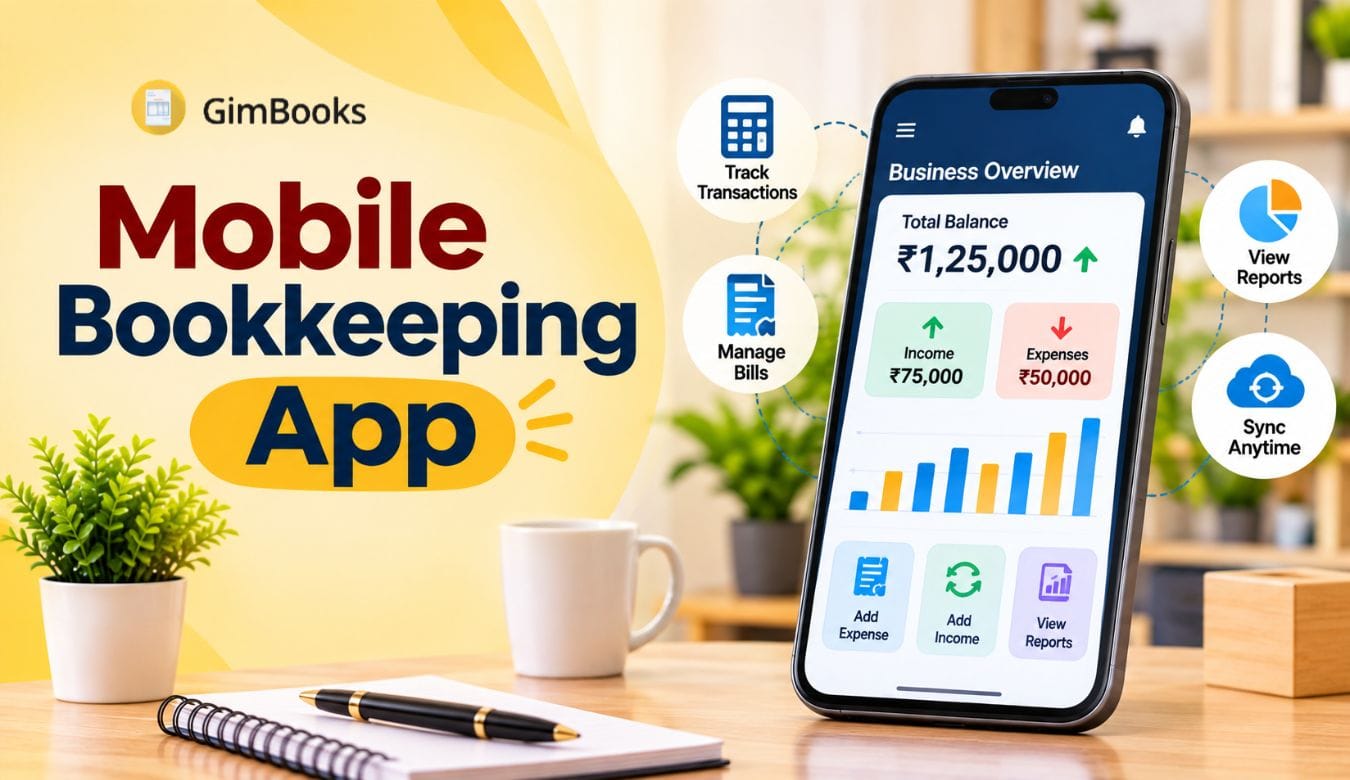
Running a business does not mean you can sit at the billing counter all day. You may be visiting suppliers, meeting customers, delivering orders or managing another location. But you still need to know how much your shop sold today, which customers have not paid and how much money is available for upcoming expenses.
A mobile bookkeeping app helps you manage these records directly from your smartphone. Instead of calling your accountant or checking registers at the shop, you can review sales, expenses, customer balances and business reports wherever you are.
For Indian small businesses, the right mobile bookkeeping report can also bring together GST invoices, purchases, inventory and payment information.
This guide explains how mobile bookkeeping works, which daily reports matter, what features to compare and how GimBooks helps small businesses manage their books using Android, iOS and web applications.
What Is a Mobile Bookkeeping App?
A mobile bookkeeping app is software that allows business owners to record and manage financial transactions using a smartphone. It helps maintain sales records, expenses, purchases, customer and supplier ledgers, payments and financial reports without relying entirely on paper registers or desktop computers.
Mobile bookkeeping is particularly useful for retailers, wholesalers, distributors, freelancers and small business owners who need access to updated records outside their workplace.
Some people also search for m bookkeeping, which generally refers to managing bookkeeping tasks through a mobile device.
Unlike a basic calculator or expense-recording application, a comprehensive bookkeeping app can connect everyday business transactions with invoicing, inventory and accounting reports.
How Does Mobile Bookkeeping Work?
A mobile bookkeeping system generally follows a simple process:
- Create a business account and enter your company details.
- Add customers, suppliers and products.
- Record sales invoices, purchases, payments and expenses.
- Update customer balances and business records.
- Review the available reports from your phone.
- Access the same business information through supported devices.
For example, a wholesaler travelling to a supplier can open their bookkeeping app to check outstanding customer payments before deciding how much stock to purchase.
The important benefit is not simply replacing a register with a smartphone. It is having updated information available when business decisions need to be made.
Why Small Businesses Need Mobile Bookkeeping
Many small businesses still maintain information across different places: billing software, cash registers, spreadsheets, WhatsApp messages and handwritten notebooks.
This makes it difficult to answer basic questions when the owner is away.
- How much have we sold today?
- How much money have customers actually paid?
- Which customers have overdue payments?
- What expenses were recorded?
- Which suppliers need to be paid?
- Is the available stock sufficient for tomorrow?
- Are the books updated for GST reporting?
A bookkeeping app for small business in India helps organise this information through connected transaction records and reports.
Consider a distributor who collects orders throughout the day while employees manage billing at the warehouse. Without remote access, the owner may need to call the office repeatedly for invoice details and payment updates.
With suitable mobile accounting software, the owner can review updated records through the application, provided transactions have been entered and synchronised correctly.
Mobile Bookkeeping Report: 7 Reports Every Business Owner Should Check
A useful mobile bookkeeping report should tell you what is happening in the business, not simply display a list of transactions.
These seven reports provide a practical starting point for small business owners.
The availability and detail of each report depend on the software and subscription plan.
1. Daily Sales Report: Know How Much Your Business Sold
A daily sales report app helps you review the value of sales recorded over a selected period.
For example, a retailer can compare today's sales with yesterday's sales or review which products generated the most revenue.
When reviewing sales, check whether the report includes invoices, returns, discounts and credit transactions.
A sales figure is not necessarily the same as money collected. An invoice issued on credit increases sales, but the customer may pay later.
2. Cash and Bank Report: Track Money Coming In and Going Out
A cash book app for small business helps maintain records of cash receipts, cash payments and available balances.
For a shop accepting cash, UPI and bank transfers, it is important to distinguish the payment method and ensure transactions are entered correctly.
For example, if a customer pays ₹5,000 through UPI, recording the payment against the correct invoice helps update their outstanding balance.
Compare recorded balances with actual cash and bank transactions. Software records are only as accurate as the entries and reconciliation supporting them.
3. Expense Report: Identify Where Business Money Is Going
An expense tracker for small business helps organise costs such as rent, electricity, delivery charges, packaging, repairs, salaries and other operating expenses.
Instead of reviewing a pile of receipts at the end of the month, business owners can record expenses regularly.
Expense reports can help answer:
- Which expense categories are increasing?
- How much was spent on deliveries?
- Are recurring costs higher than expected?
- Were any payments recorded twice?
Recording expenses consistently also gives the accountant better information for monthly reviews.
4. Customer Outstanding Report: Follow Up on Pending Payments
A customer ledger app helps track sales, receipts and outstanding balances for individual customers.
This is particularly useful for wholesalers, distributors and traders who frequently sell goods on credit.
Suppose you sold goods worth ₹25,000 to a customer and received ₹10,000. The remaining ₹15,000 should be reflected in that customer's outstanding balance, subject to any returns, discounts or adjustments.
You can then identify which customers need payment follow-ups instead of searching through old invoices.
5. Supplier Ledger: Plan Upcoming Payments
A supplier ledger records purchases, payments, credits and amounts owed to vendors.
It can help business owners review pending obligations before placing large new orders.
For instance, a shop owner preparing to purchase ₹40,000 worth of inventory should first review supplier balances and upcoming payment commitments.
6. Inventory Report: Check Stock Without Visiting the Shop
For product-based businesses, inventory management on mobile can be just as important as sales tracking.
An inventory report may help identify:
- Available stock quantities
- Products with low stock
- Fast-moving items
- Recorded purchases and sales
- Stock differences requiring investigation
A distributor can use this information while speaking to suppliers or customers.
However, inventory records need regular verification against physical stock, especially when returns, damaged goods or manual adjustments occur.
7. GST Report: Keep Tax Records Organised
For GST-registered businesses, a GST billing and accounting app should support the tax details relevant to their transactions.
Useful capabilities include GST invoices, applicable tax calculations, HSN/SAC information, purchase records and GST-related reports.
A mobile app can make GST information easier to access, but generating a report is not the same as completing every GST compliance requirement.
Businesses still need to verify applicable rules, reconcile records and review returns before filing.
Mobile Bookkeeping Report Today: A Practical Example
If you search for mobile bookkeeping report today, you are likely looking for a quick overview of your business's current financial activity.
Consider a small electronics retailer reviewing the following illustrative figures at closing time.
These figures tell the owner several different things.
Total sales: The shop invoiced ₹48,000 worth of products.
Collections: Customers paid ₹43,000 during the day, including ₹5,000 against older outstanding invoices.
New customer dues: ₹10,000 from today's credit sales remains to be collected.
Expenses: The business paid ₹4,000 in operating expenses.
Cash flow cannot be determined from sales alone. To calculate actual closing cash or bank balances, the owner must also consider opening balances, supplier payments, deposits, transfers, other transactions and the timing of receipts.
A useful daily business report on mobile should therefore make it easy to distinguish sales, collections, expenses and outstanding balances.
What Should You Check Before Closing Your Shop?
A simple five-minute review can help:
- Compare daily invoice totals with the sales register.
- Check whether cash, UPI and bank payments have been recorded.
- Review new credit sales and overdue customer amounts.
- Confirm that business expenses are entered.
- Identify stock or payment exceptions that need attention.
The aim is not to complete a full financial audit every evening. It is to recognise missing entries and unusual differences while the day's transactions are still fresh.
Must-Have Features in a Mobile Bookkeeping App for Indian Businesses
Not every application advertised as a mobile bookkeeping software solution provides the same level of financial management.
Use the following criteria when comparing products.
GST Billing and Invoice Management
For a GST-registered business, invoicing should support the required tax information.
Look for GSTIN details, HSN/SAC, applicable tax rates, invoice numbering, taxable values, tax amounts and relevant invoice formats.
GimBooks offers GST billing software for small businesses that combines invoice creation with payment tracking and business records.
E-Invoice and E-Way Bill Support
Some Indian businesses must generate e-invoices or e-way bills under applicable GST requirements.
Check whether the app supports these workflows, whether any additional subscription or credits are required and which transaction types are covered.
Not every small business is required to use e-invoicing. Applicability depends on the relevant GST rules, turnover conditions and exemptions.
Purchase and Expense Recording
A good application should make it easy to enter purchases, operating expenses and corresponding payments.
This is useful when your business buys stock from several suppliers or incurs expenses at different locations.
The recorded information should also help you review costs and balances later.
Customer and Supplier Ledgers
Look for a system that maintains individual transaction histories.
You should be able to find an invoice, review payment entries and identify amounts that remain due.
Inventory Management
If you sell physical products, your mobile business accounting app should ideally connect purchase and sales records with inventory.
Check how the application handles returns, stock adjustments and multiple stock locations if your business requires them.
Financial and GST Reports
Check whether the app provides the reports you actually use.
Depending on the business, these may include sales summaries, party ledgers, purchase reports, expenses, inventory, GST information and accounting statements.
Before subscribing, open a few sample reports and confirm that their figures are understandable.
Android, iOS and Web Access
A bookkeeping app for Android can be convenient for daily entries, while bookkeeping software for iPhone is useful for business owners using iOS devices.
Web access can be important for accountants or employees who prefer a larger screen.
GimBooks supports Android, iOS and web applications, allowing businesses to use supported features across devices.
Mobile Bookkeeping App vs Excel vs Desktop Accounting Software
Which option is best depends on your transaction volume, business complexity and where you work.
A spreadsheet may be sufficient for a business with very few transactions. But as invoices, purchases, credit sales and inventory records grow, manual tracking can become difficult.
Traditional desktop accounting software may suit businesses with complex accounting requirements.
For owners who work outside the shop, mobile access can be a major advantage.
To understand the wider differences, read GimBooks' guide to cloud accounting versus on-premise software.
Free vs Paid Mobile Bookkeeping Apps: What Do You Actually Get?
Searching for a free mobile bookkeeping app is a sensible starting point, especially for a newly established shop.
However, a free plan may not include every report, business user, GST workflow or integration you need.
Before choosing a plan, calculate your total requirements rather than looking only at the advertised monthly price.
For example, a distributor may find that an inexpensive plan supports invoicing but charges extra for required e-way bill usage.
A service business with no physical inventory may not need those features and could prioritise expense tracking and outstanding payments instead.
How Much Does GimBooks Cost?
GimBooks' published pricing page lists a Premium plan equivalent to approximately ₹278 per month when purchased for 36 months, before applicable GST. It also advertises a seven-day free trial.
Pricing depends on the chosen duration and product plan. E-invoicing availability, e-way bill credits and other conditions should be checked before purchase.
You can review the current GimBooks pricing and included features to confirm the total subscription cost.
How Secure Is Mobile Bookkeeping?
Financial records can contain customer information, supplier balances, tax data and business transactions. Security should therefore be part of your software evaluation.
Data Backups and Recovery
Ask how frequently your records are backed up and what happens if you lose your phone or replace it.
A cloud-based system can make records accessible from another authorised device, but the recovery process depends on the provider's policies.
Account Access and Permissions
Check how account access is protected and whether you can control access for employees and accountants.
Where available, review user permissions, sign-in security and the process for revoking access.
Avoid sharing the same account credentials among multiple staff members.
Mobile and Web Synchronisation
If you create an invoice on your phone, check whether it appears correctly when you log in through the web application.
Test how the system handles interrupted connectivity and whether data must be manually synchronised.
Do not assume that every mobile bookkeeping app offers complete offline functionality.
Data Export and Ownership
Before subscribing, find out how you can export your records.
A business should be able to understand what happens to its invoices, ledgers and transaction history if it stops using the service.
For a broader comparison of products and accounting capabilities, see GimBooks' best accounting software guide.
How to Choose and Set Up a Mobile Bookkeeping App Without Losing Records
Switching from a register, spreadsheet or another software system requires more preparation than installing a new app.
Step 1: Identify Your Daily Requirements
Write down the activities you want to manage.
A retail shop may prioritise invoices, expenses, stock and daily sales reports.
A wholesaler may need customer outstanding balances, supplier ledgers and purchase records.
A freelancer may mainly require invoicing, receipts and expense tracking.
Step 2: Review Your Existing Records
Collect the information needed for the new system, such as:
- Customer and supplier details
- Outstanding receivables and payables
- Product information and opening stock
- Opening cash and bank balances
- Relevant GST details
- Previous invoices and accounting records
Step 3: Check Available Import Options
Ask whether the software supports importing records and which file formats it accepts.
Not every product supports direct migration from Excel, Tally or another bookkeeping platform.
If automated migration is unavailable, plan how opening balances and necessary records will be entered.
Step 4: Test With Real Transactions
During the trial, create sample invoices, record payments, enter expenses and check the related reports.
Verify that the results agree with your existing records.
Step 5: Reconcile Opening Balances
Before fully switching, review customer dues, supplier balances, inventory quantities and cash or bank balances.
These figures form the starting point for your new bookkeeping system.
Step 6: Train Employees and Establish a Daily Routine
Even good software can produce incorrect reports when transactions are omitted or entered under the wrong account.
Decide who records sales, who records purchases, who updates payments and who reviews the reports.
Step 7: Preserve Historical Records
Keep access to historical records and backups for the periods required by your business and applicable law.
Avoid deleting old records simply because you have started using a new application.
How GimBooks Helps You Manage Business Books on Your Phone
GimBooks combines billing, bookkeeping, accounting and GST-related workflows for Indian small businesses.
Its published feature list includes bookkeeping, expenses, party ledgers, purchase management, inventory, payment reminders, GST-related tools and more than 30 reports.
Businesses can access supported functionality through Android, iOS and web applications.
Create Invoices and Maintain Sales Records
Issue invoices for your products or services and maintain corresponding business records.
This helps keep billing information organised instead of maintaining separate invoice documents and manual registers.
Review Customer Ledgers and Pending Payments
Track recorded customer transactions, review outstanding balances and follow up on pending payments.
For businesses that regularly sell on credit, this can help reduce the need to search individual invoices.
Manage Purchases, Expenses and Inventory
Maintain purchase records, track business expenses and manage inventory-related information in the same platform.
This is useful for retailers, wholesalers and distributors handling regular stock movements.
Access Business Reports from Mobile or Web
GimBooks provides a range of business reports covering bookkeeping and accounting requirements.
Owners can review available reports using supported devices instead of depending entirely on the shop computer.
This is particularly helpful when the business owner, billing employee and accountant work from different locations.
Support GST-Related Workflows
GimBooks lists support for GST-compliant vouchers, GSTR-1 and GSTR-3B workflows, e-invoicing and e-way bills, subject to applicable plan and usage conditions.
These features can help organise compliance-related information, although records and returns still require appropriate review.
Try GimBooks With Your Own Business Data
The best way to assess a mobile bookkeeping app is to use it for tasks you perform regularly.
During the seven-day trial, test invoice creation, expense entry, customer ledgers and reports. Compare the outputs with your existing records and check whether the workflow suits your staff.
Keep your ledgers, reports and GST-related records organised in one app.
Start Your 7-Day Free Trial with GimBooks
Who Should Use a Mobile Bookkeeping App?
Different businesses can use mobile bookkeeping to solve different operational problems.
For sole proprietors who want to compare broader software options, GimBooks also has a guide to bookkeeping software for sole traders.
The decision should depend on what your business needs to record and review, not simply on the number of features advertised.
Common Mobile Bookkeeping Mistakes to Avoid
Using a mobile app does not automatically make the books accurate.
Recording sales but forgetting collections: Sales and actual payments must be tracked separately, especially when customers buy on credit.
Missing cash expenses: Small cash payments for transport, packing or repairs can create unexplained cash differences if they are not recorded.
Ignoring customer balances: An invoice remaining unpaid does not mean the sale was never recorded. Regular ledger review helps distinguish sales from collections.
Not reconciling bank transactions: Payment entries should be compared with bank and UPI records to identify omissions or incorrect amounts.
Relying only on dashboard totals: A daily summary is useful, but important financial decisions may require detailed ledgers and reconciliations.
Not reviewing staff entries: Business owners should periodically check transactions entered by employees and correct identified errors.
Choosing software without testing reports: An app may offer many features but still lack the specific report your business needs.
Establishing a daily review routine helps make mobile bookkeeping more reliable over time.
Frequently Asked Questions
What is a mobile bookkeeping report?
A mobile bookkeeping report is a financial or business activity summary accessible through a smartphone. Depending on the application, it may display sales, expenses, purchases, customer balances, supplier dues, inventory and accounting information.
How can I check my mobile bookkeeping report today?
Open your bookkeeping application, select the relevant report and choose today's date. Review recorded sales, collections, expenses and outstanding balances. Make sure transactions have been entered and synchronised before relying on the totals.
Which is the best mobile bookkeeping app for small businesses in India?
The best application depends on the business's needs. Compare GST invoicing, customer and supplier ledgers, expense tracking, inventory, daily reports, device compatibility, pricing and support. GimBooks is one option for Indian businesses that want billing, bookkeeping and reports through mobile and web applications.
Is mobile bookkeeping free?
Some bookkeeping providers offer free plans, while others offer limited-duration trials. Features, transaction limits, export options and paid add-ons vary. GimBooks advertises a seven-day free trial for evaluating its features.
Can I maintain my business accounts on an Android phone?
Yes. An Android bookkeeping app can help record sales, expenses, purchases and payments. Depending on the platform, you may also be able to create invoices, manage ledgers and view reports without using a desktop computer for routine tasks.
Can I use mobile bookkeeping on an iPhone?
Yes. Some providers support iOS as well as Android. GimBooks lists an iOS application alongside its Android and web applications. Check which required features are supported on your device before subscribing.
What is the difference between bookkeeping and accounting?
Bookkeeping focuses on recording financial transactions such as sales, purchases, receipts and expenses. Accounting uses those records to prepare reports, analyse financial performance and support financial decisions.
For a detailed explanation, read GimBooks' guide to the difference between bookkeeping and accounting.
Can a mobile bookkeeping app calculate GST?
Many India-focused apps support GST calculations and GST invoice creation. However, the software must be configured correctly, and the business remains responsible for reviewing the applicable GST treatment and return information.
Can mobile bookkeeping help track customer dues?
Yes. Apps with customer ledger and payment-tracking features can display recorded invoices, receipts and outstanding balances. This makes it easier to identify customers whose payments are pending.
Can I generate daily sales and expense reports on my phone?
Yes, provided the application supports those reports. A daily sales and expense report app can help business owners review recorded activity without opening multiple spreadsheets or paper registers.
Is mobile bookkeeping safe for business data?
It can be, but security depends on the provider and how the business uses the application. Check backup arrangements, account security, access controls, data export and recovery options before choosing a product.
Can I use mobile bookkeeping and desktop accounting together?
Yes. Some products provide mobile and web access to the same business records. Others may require imports, exports or integrations. Confirm how the specific platform synchronises information before adopting a combined workflow.
Conclusion
Managing business books should not depend entirely on being physically present at the shop.
A mobile bookkeeping app can help small business owners record transactions, review sales, track expenses, manage customer dues and access relevant financial information from their phones.
The most useful feature is not simply having a dashboard. It is being able to understand what the figures mean and act on them.
For Indian MSMEs, choosing software that combines bookkeeping with GST billing, ledgers, purchases, inventory and reporting can help keep records better organised.
GimBooks brings these capabilities together through Android, iOS and web applications, with a seven-day trial available to evaluate the workflow.
Want to manage your business books wherever you work?