E-Invoice Validation Error Codes and Fixes: Complete IRP Troubleshooting Guide
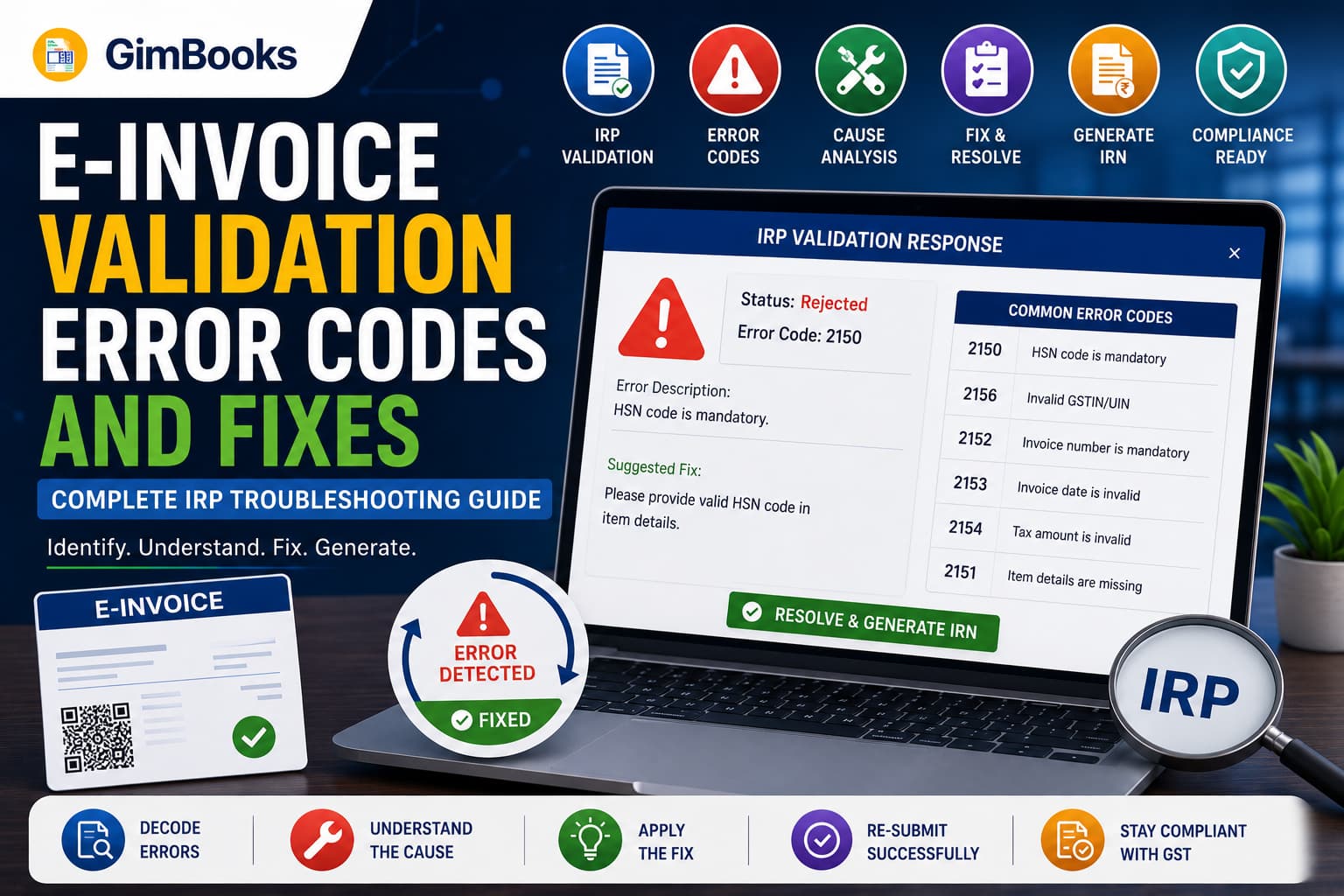
An e-invoice error occurs when the Invoice Registration Portal cannot validate the invoice data submitted for Invoice Reference Number generation.
The error may be caused by something as simple as an incorrect PIN code or as complex as a mismatch between line-item tax calculations and invoice-level totals. Until the error is corrected, the IRP will not generate a valid IRN and signed QR code.
For businesses issuing a high volume of B2B invoices, repeated e-invoice validation errors can delay dispatch, customer payments, e-way bill generation and GST return preparation.
This guide explains the most common e invoice error codes, what causes them and how to fix them before resubmitting the invoice.
Key Takeaways
- An IRN is generated only after the invoice passes the IRP’s schema, tax, GSTIN and business-rule validations.
- Do not keep resubmitting the same invoice without understanding the error message.
- Duplicate IRN, invalid GSTIN, incorrect HSN, tax mismatch and place-of-supply errors are among the most common issues.
- Invoice-level totals must reconcile with line-item taxable values, taxes, cess, discounts and other charges.
- The supplier GSTIN, recipient GSTIN, state code and PIN code must agree with each other.
- Businesses with AATO of ₹10 crore or more cannot report eligible documents after the applicable 30-day window.
- From 1 June 2025, invoice numbers are treated as case-insensitive during IRN generation.
- Certain RSP-based invoice validations were relaxed from 1 February 2026.
- Additional Ship-to GSTIN validations are scheduled to apply from 1 August 2026 where an e-way bill is generated with or through an IRN.
What Are E-Invoice Validation Errors?
An e-invoice validation error is a rejection message returned by an Invoice Registration Portal when the submitted invoice does not satisfy the prescribed e-invoice schema or GST business rules.
Before generating an IRN, the portal validates details such as:
- supplier GSTIN;
- recipient GSTIN;
- document type;
- invoice number;
- invoice date;
- transaction type;
- HSN or SAC code;
- quantity and unit;
- taxable value;
- GST rate;
- CGST, SGST and IGST;
- place of supply;
- state and PIN code;
- export details;
- invoice-level totals;
- duplicate-document status.
If one or more fields fail validation, the request is returned with an error code and message.
Businesses can refer to the official NIC IRP error-code list when diagnosing a rejected request.
E-Invoice Error vs GST Invoice Error
An e-invoice error and a general GST invoice error are related but not identical.
For general invoice mistakes, refer to the GimBooks guide on common GST invoice errors.
Types of E-Invoice Errors
Most e-invoice error codes fall into one of the following categories.
Master-Data Errors
These involve incorrect or outdated:
- GSTINs;
- state codes;
- PIN codes;
- HSN or SAC codes;
- units of measurement;
- customer details;
- supplier details.
Tax-Calculation Errors
These occur when:
- CGST and SGST are unequal;
- IGST is used for an intrastate transaction;
- CGST and SGST are used for an interstate transaction;
- line-item tax does not match the tax rate;
- invoice-level tax totals do not match line-item totals.
Document Errors
These include:
- duplicate invoice numbers;
- future invoice dates;
- invalid document types;
- unsupported characters;
- incorrect invoice-number format;
- reuse of a cancelled invoice number.
Transaction-Type Errors
These arise when:
- B2B is selected instead of export;
- URP is used where a registered GSTIN is required;
- an SEZ transaction is classified incorrectly;
- reverse charge is selected for an ineligible transaction;
- place of supply does not match the transaction type.
API and Authentication Errors
These usually affect ERP, GSP or API users and may involve:
- expired tokens;
- incorrect client ID or secret;
- invalid user credentials;
- header GSTIN mismatch;
- incorrect payload structure;
- application or server failure.
Quick E-Invoice Error Code List
How to Fix the Most Common E-Invoice Errors
Error Code 2150: Duplicate IRN
Why It Happens
The same document has already been registered, or the billing system sent the IRN-generation request more than once.
This often happens when:
- the user clicks Generate repeatedly;
- the API times out but the IRN is successfully created;
- two users submit the same invoice;
- an automatic retry runs before the original response is stored;
- the invoice was generated through another IRP.
How to Fix It
Do not create another invoice immediately.
First:
- Search for the document using its invoice number, date and document type.
- Check whether an IRN already exists.
- Retrieve the IRN and acknowledgement details.
- Update the accounting record with the existing IRN.
- Disable duplicate retry requests for the same document.
If the invoice was registered through a different IRP, the same IRN remains valid across the e-invoice system.
Error Codes 2172 and 2174: Wrong Tax Type
Error 2172
This occurs when IGST is entered for a transaction that appears to be intrastate.
For a standard intrastate transaction:
- supplier state = place of supply;
- CGST and SGST generally apply.
Error 2174
This occurs when CGST and SGST are entered for a transaction that appears to be interstate.
For a standard interstate transaction:
- supplier state ≠ place of supply;
- IGST generally applies.
How to Fix Them
Review:
- supplier state code;
- buyer state code;
- place of supply;
- bill-to and ship-to arrangement;
- transaction type;
- GST treatment.
Do not fix the error by changing the tax type alone. Confirm that the place of supply is legally correct for the transaction.
Error Code 2176: Invalid HSN Code
Why It Happens
The HSN or SAC submitted does not match the IRP’s classification master.
Possible reasons include:
- typing error;
- obsolete code;
- insufficient number of digits;
- goods classified as services;
- services classified as goods;
- spaces or special characters;
- product master not updated.
How to Fix It
- Search for the HSN or SAC through the IRP master.
- Confirm whether the item is goods or services.
- Check the required number of HSN digits.
- Update the item master in the billing software.
- Regenerate the request.
Taxpayers with AATO above ₹5 crore are generally required to report six-digit HSN codes for outward supplies. Use the official HSN-search functionality rather than guessing a code.
Error Code 2177: Invalid Unit Quantity Code
The unit entered in the invoice does not match the permitted UQC master.
For example, an internal unit such as “BOXES” may need to be mapped to a recognised unit code.
Fix
- check the official UQC master;
- map internal units to accepted codes;
- update the item master;
- avoid manually entering a new unit for every invoice.
Error Codes 2182–2189: Invoice-Level Total Mismatches
These errors indicate that the totals submitted at invoice level do not agree with the sum of line items.
A valid reconciliation should broadly follow:
Total taxable value = Sum of taxable values of all line items
Invoice value = Taxable value + GST + cess + other charges − invoice-level discount
The portal allows only prescribed rounding tolerance.
Fix
Check:
- item quantity;
- unit price;
- line discount;
- taxable value;
- tax rate;
- CGST and SGST;
- IGST;
- cess;
- other charges;
- round-off;
- invoice-level discount.
Avoid manually overriding the final invoice total after line-item values have been calculated.
Error Code 2193: Assessable Amount Is Incorrect
The assessable or taxable value for a line item should normally equal:
Total item amount − discount
Example:
If ₹10,000 is sent as the assessable value while a ₹500 discount is also reported, the IRP may reject the request.
Error Codes 2194, 2234 and 2235: Item-Level Tax Mismatch
These codes occur when the item’s final value or tax does not agree with the taxable value and GST rate.
Standard Fix
Recalculate:
- assessable value;
- CGST and SGST;
- IGST;
- cess;
- other charges;
- total item value.
Important 2026 Update for RSP-Based Invoices
From 1 February 2026, specified item-value validations were relaxed for invoices involving notified HSNs subject to Retail Sale Price-based tax calculation.
For qualifying invoices:
- error 2194 may be suppressed;
- error 2234 may be suppressed;
- error 2235 may be suppressed.
The relaxation applies only when the prescribed RSP-based conditions are met. Businesses should not disable their normal tax checks for other invoices.
Error Code 2211: Supplier and Recipient GSTIN Are the Same
The IRP does not accept an ordinary e-invoice where the supplier and recipient GSTIN are identical.
Fix
Check whether:
- the wrong customer was selected;
- the supplier GSTIN was copied into the buyer field;
- the transaction should be treated through another GST mechanism;
- the document is an internal transfer requiring a different GSTIN or branch treatment.
Error Code 2212: URP Used in a B2B Transaction
URP represents an unregistered person. It cannot be used as the recipient GSTIN for a standard B2B transaction.
Fix
- enter the registered buyer’s GSTIN;
- change the transaction type if the customer is genuinely unregistered;
- verify whether the document requires an e-invoice.
Error Code 2227: CGST and SGST Are Unequal
CGST and SGST should generally be equal for a standard intrastate supply.
Example:
Fix
Recalculate both taxes using half of the applicable combined GST rate.
Error Code 2233: Duplicate Item Serial Numbers
Each line item in the e-invoice JSON must have a unique serial number.
The following will fail:
- Item 1: serial number 1
- Item 2: serial number 1
Use:
- Item 1: serial number 1
- Item 2: serial number 2
This is different from the product SKU or batch number. It is the sequence of items within the invoice payload.
Error Code 2240: Invalid GST Rate
The tax rate submitted does not match a permitted rate in the IRP master or is not applicable in the submitted format.
Fix
- verify the item’s HSN/SAC;
- check the notified GST rate;
- update the tax-rate master;
- avoid free-text rate values;
- confirm whether the item is exempt, nil-rated or taxable.
Do not change the rate only to pass portal validation. The GST treatment must be legally correct.
Error Codes 2258 and 2265: GSTIN and State-Code Mismatch
The first two digits of a GSTIN represent its state or jurisdiction code.
If the GSTIN begins with 27, but Maharashtra is not selected as the related state, the system may reject the record.
Fix
Check:
- GSTIN;
- supplier state;
- recipient state;
- billing address;
- shipping address;
- state code;
- place of supply.
Update the party master so the mistake is not repeated on future invoices.
Error Code 2270: IRN Cancellation Time Limit Crossed
An IRN can generally be cancelled on the IRP only within 24 hours of generation, subject to applicable conditions.
After the cancellation window closes, the portal will reject the cancellation request.
Read the GimBooks guide on e-invoice cancellation vs amendment for the appropriate correction workflow.
Error Code 2278: Reusing a Cancelled Invoice Number
Once an IRN for a document number has been generated and subsequently cancelled, the same supplier cannot generate another IRN using that same document number.
Fix
Create the corrected invoice using a fresh, unique invoice number.
Do not attempt to alter only the invoice date or letter case.
Error Codes 2284 and 2305: Invoice Outside Reporting Window
These errors indicate that the document date is older than the reporting period permitted for the taxpayer.
From 1 April 2025, businesses with AATO of ₹10 crore or more must report eligible invoices, debit notes and credit notes within 30 days of the document date.
For example, a document dated 1 April must be reported on or before 30 April.
Read the E-Invoice 30-Day Reporting Checklist for a complete deadline-control workflow.
Fix
- verify that the document date is correct;
- confirm the taxpayer’s AATO;
- check whether the document is covered;
- stop backdating invoices;
- generate IRNs on the same day or next day;
- escalate expired documents to a GST professional.
Changing a genuine document date only to bypass the validation may create serious compliance problems.
Error Codes 2288, 3028, 3029 and 3076: GSTIN Errors
These errors occur when the GSTIN is:
- structurally invalid;
- not available in the IRP database;
- inactive;
- cancelled;
- not valid on the document date.
Fix
- Check the GSTIN on the GST Portal.
- Confirm the legal name and registration status.
- Check the effective registration or cancellation date.
- Use the Sync GSTIN or Update option where available.
- Correct the customer or supplier master.
- Resubmit the invoice only after validation.
Error Codes 3038 and 3039: PIN-Code Validation
Error 3038
The submitted PIN code does not exist in the system master.
Error 3039
The PIN code is valid, but it does not belong to the selected state.
Fix
Verify:
- dispatch-from PIN;
- supplier PIN;
- buyer PIN;
- ship-to PIN;
- selected state code.
Do not use a head-office PIN code for every customer or warehouse.
Error Codes 3047 and 3048: Goods/Services Classification Mismatch
Code 3047
The submitted HSN does not belong to goods.
Code 3048
The submitted code does not belong to services.
Fix
- confirm whether the item is a product or service;
- use the appropriate HSN or SAC;
- update the item category in the billing system;
- check mixed invoices carefully.
Error Codes 1005, 1010, 1015 and 1019: API Authentication Problems
These codes mainly affect API-integrated systems.
API users should also verify whether they are using sandbox credentials in production or production keys in the sandbox.
Error Codes 5001 and 5002: Application or Schema Failure
These errors can have different causes depending on the operation being performed.
Possible causes include:
- missing mandatory field;
- incorrect JSON data type;
- unsupported schema version;
- invalid field length;
- malformed payload;
- server-side application issue;
- new conditional validation.
Fix
- Validate the payload against the latest schema.
- check required and optional fields;
- verify maximum field lengths;
- retry after a short interval for server errors;
- retain the request JSON, error response and timestamp;
- raise a support ticket if the issue continues.
New Ship-to GSTIN Validations from 1 August 2026
GSTN has announced additional validations for transactions where an e-way bill is generated along with an IRN or subsequently through an IRN.
From 1 August 2026:
- Ship-to GSTIN will become conditionally mandatory where Ship-to details are provided and an e-way bill is required.
- If the Ship-to party is unregistered, URP may be entered where applicable.
- Bill-to and Ship-to GSTINs must not be the same in a genuine Bill-to/Ship-to transaction.
- Ship-to GSTIN, state code and PIN code will be validated together.
Indicative validation codes include:
Businesses using ERP or API integration should update and test their system before the production implementation date.
Refer to the GSTN June 2026 advisory on Ship-to GSTIN changes.
Invoice Numbers Are Now Case-Insensitive
From 1 June 2025, IRPs treat invoice and document numbers as case-insensitive.
This means:
- inv-101
- INV-101
- Inv-101
are treated as the same document number for IRN generation.
The number is normalised to uppercase to reduce duplicate IRNs and align treatment with GSTR-1.
Businesses should standardise invoice numbering in their billing software rather than relying on uppercase and lowercase differences.
Step-by-Step Process to Resolve Any IRP Error
Step 1: Save the Exact Error Response
Record:
- error code;
- complete message;
- invoice number;
- document date;
- GSTIN;
- date and time;
- request source;
- submitted JSON, where applicable.
Step 2: Identify the Error Category
Classify it as:
- master data;
- tax calculation;
- document detail;
- transaction type;
- date/time-limit;
- API/authentication;
- portal/server.
Step 3: Compare the Invoice With Source Records
Check the invoice against:
- customer master;
- product master;
- GSTIN search;
- HSN master;
- tax-rate master;
- sales order;
- dispatch information;
- place-of-supply rules.
Step 4: Correct the Source, Not Only the Upload File
If the customer state is wrong in the billing software, correct the party master. Editing only one JSON file allows the same error to recur.
Step 5: Recalculate the Invoice
Regenerate:
- taxable value;
- discount;
- GST;
- cess;
- item totals;
- invoice total.
Step 6: Resubmit Only Once
Avoid repeated clicks or parallel API calls. Wait for the response and store the IRN immediately.
Step 7: Confirm Successful IRN Generation
Verify that the response includes:
- IRN;
- acknowledgement number;
- acknowledgement date;
- signed invoice;
- signed QR code;
- active status.
How to Prevent E-Invoice Errors
Validate GSTINs Before Billing
Do not wait until IRN generation to discover that the buyer’s GSTIN is incorrect or inactive.
Maintain a Controlled Item Master
Each product or service should have:
- correct HSN/SAC;
- goods/service classification;
- GST rate;
- valid UQC;
- description;
- cess treatment, where applicable.
Automate Tax Calculation
Avoid manually typing CGST, SGST and IGST values.
Standardise Invoice Numbers
Use one invoice-number sequence per configured series and financial year. Do not distinguish invoices only by letter case.
Generate IRNs Immediately
Same-day IRN generation reduces the risk of missed reporting limits and month-end backlogs.
Monitor Error Frequency
Maintain a report showing:
A repeated code usually indicates a process or master-data problem rather than a one-time user mistake.
How GimBooks Helps Reduce E-Invoice Errors
GimBooks helps businesses create and manage GST-compliant invoices through a structured digital workflow.
Its e-invoicing capabilities support:
- GST invoice creation;
- customer and item masters;
- GST calculations;
- HSN/SAC details;
- IRN generation;
- QR-code inclusion;
- e-way bill workflows;
- invoice records and reports;
- digital invoice sharing;
- mobile and web access.
By maintaining invoice data in a central billing system, businesses can reduce repeated manual entry and identify incorrect values before they become IRP rejections.
A recommended process is:
Create invoice in GimBooks → verify GSTIN and item data → review tax and place of supply → generate e-invoice → confirm IRN and QR code → store and share the authenticated invoice
Explore the GimBooks e-invoicing solution or follow the guide on how to create an e-invoice with GimBooks.
E-Invoice Validation Checklist Before IRP Submission
Document Details
- Invoice number is unique
- Document type is correct
- Document date is not in the future
- Invoice is within the applicable reporting period
- Cancelled invoice number has not been reused
GSTIN and Address
- Supplier GSTIN is active
- Recipient GSTIN is valid
- GSTIN state code matches selected state
- PIN code belongs to the selected state
- Bill-to and Ship-to details are correct
- Export recipient is treated correctly
Item Details
- Every line has a unique serial number
- HSN or SAC is valid
- Goods/services classification is correct
- Quantity is entered
- UQC is valid
- Description meets schema requirements
Tax and Value
- Quantity × price is correct
- Discounts are deducted correctly
- Taxable value is correct
- CGST and SGST are equal where applicable
- IGST is used for interstate supply
- Item taxes match the GST rate
- Line totals match invoice totals
- Round-off is within permitted tolerance
Submission
- Latest schema is being used
- Authentication token is valid
- Correct GSTIN is passed in the API header
- Request is submitted only once
- IRN response is stored
- Signed QR code is added to the final invoice
Frequently Asked Questions
What are e invoice error codes?
E invoice error codes are numbered rejection messages returned by the Invoice Registration Portal when invoice data fails schema, GSTIN, tax, HSN, date or business-rule validation.
Why is my e-invoice not generating?
An e-invoice may not generate because of an invalid GSTIN, incorrect HSN code, duplicate invoice, tax-value mismatch, place-of-supply error, expired reporting window or technical API failure.
What does error code 2150 mean?
Code 2150 means that an IRN has already been generated for the document. Retrieve the existing IRN instead of resubmitting the invoice.
How do I fix an invalid HSN error?
Verify the HSN or SAC through the IRP master, confirm whether the item is goods or services, update the item master and resubmit the corrected invoice.
Why does the IRP show a taxable-value mismatch?
The sum of line-item taxable values does not match the invoice-level taxable value. Recalculate quantities, prices, discounts and taxable amounts.
Can I use the same invoice number after cancelling an IRN?
No. Once an IRN has been generated and cancelled, the same supplier cannot generate another IRN using that document number. Use a new invoice number.
How do I fix an inactive GSTIN error?
Check the GSTIN on the GST Portal, confirm its registration status and effective dates, update or sync the GSTIN on the IRP and correct the customer or supplier master.
What is error code 2305?
Code 2305 relates to a document date outside the reporting window permitted for the taxpayer’s turnover category. For businesses with AATO of ₹10 crore or more, eligible documents must currently be reported within 30 days.
Can I edit an e-invoice after IRN generation?
The invoice cannot be edited directly on the IRP after IRN generation. It may be cancelled within the permitted period, or corrected through the applicable return, credit-note or amendment process.
What should I do if an IRP application error continues?
Save the request JSON, error response and timestamp, validate the schema, retry after a short interval and raise a ticket with the IRP helpdesk if the error persists.
Conclusion
Most e-invoice validation errors are preventable.
They usually originate from four areas:
- inaccurate customer or item master data;
- incorrect transaction classification;
- mismatched tax calculations;
- uncontrolled invoice-generation processes.
The fastest way to fix an IRP error is to identify the exact code, correct the source record, regenerate the invoice data and resubmit one controlled request.
Businesses should not treat error resolution as a final portal task. Repeated errors must be traced back to customer onboarding, product classification, tax configuration, billing controls or API integration.
Using GimBooks e-invoicing software can help businesses maintain structured GST invoice data, reduce manual entry and manage IRN generation through a more organised billing workflow.
Create accurate GST invoices and simplify e-invoicing with GimBooks.