How to Find PAN from GSTIN: GSTIN Structure & PAN Identification
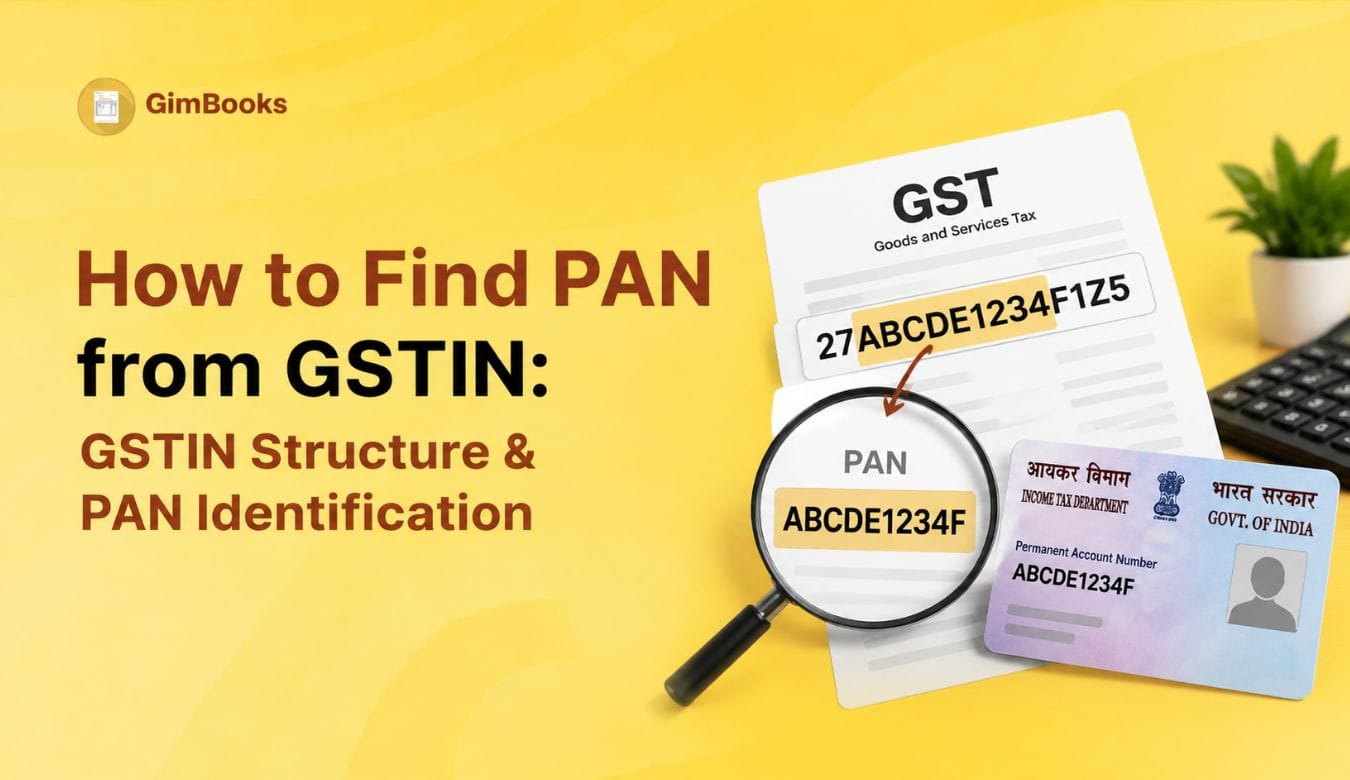
When you receive a GSTIN from a customer, supplier or vendor, you may want to check which PAN is linked to that GST number. This is useful when you are verifying vendor details, checking customer GST information, creating GST invoices or confirming whether multiple GSTINs belong to the same business entity.
The good news is that you can identify the PAN from a GSTIN by reading the GSTIN structure correctly. A GSTIN is a 15-character alphanumeric number, and the PAN is embedded inside it.
In simple terms, the 3rd to 12th characters of a GSTIN represent the PAN.
For example, if the GSTIN is:
27ABCDE1234F1Z5
Then the PAN is:
ABCDE1234F
This guide explains how to find PAN from GSTIN, how the GSTIN structure works, which digits represent the state code, entity code and checksum, and how businesses can use this information for GST verification.
What Is GSTIN?
GSTIN stands for Goods and Services Tax Identification Number. It is a unique registration number given to a GST-registered taxpayer in India.
Businesses use GSTIN for:
- GST invoices
- E-invoices
- E-way bills
- GST returns
- Vendor verification
- Customer GST validation
- Input Tax Credit checks
- Purchase and sales records
- Business compliance documentation
If you deal with GST-registered customers or suppliers, GSTIN verification should be part of your billing and purchase workflow.
With GimBooks GST billing software, businesses can manage GST invoices, customer records, vendor details and billing documents in a more organised way.
What Is PAN in GSTIN?
PAN stands for Permanent Account Number. It is issued by the Income Tax Department and is used as a key identity number for individuals, companies, firms and other entities.
Under GST, PAN is important because GST registration is linked to PAN. A business may have multiple GSTINs in different states, but the PAN part can help identify whether those GSTINs belong to the same legal entity.
Businesses checking vendor details should also verify GST registration information before saving records. The GST number verification process helps identify incorrect, inactive or mismatched GST details.
For example:
In this example, the GST state code is different, but the PAN is the same. This means the registrations may belong to the same PAN-based entity in different states.
GSTIN Structure Explained
A GSTIN has 15 characters. Each part has a meaning.
Example GSTIN:
27ABCDE1234F1Z5
So, from this GSTIN, the PAN is ABCDE1234F.
Understanding GSTIN structure is also useful while checking invoice details because incorrect GSTIN information can affect tax calculations, reporting and buyer reconciliation. Businesses can follow a GST invoice mandatory fields checklist to verify GSTIN and other invoice information.
How to Find PAN from GSTIN
To find PAN from GSTIN, follow this simple method:
- Take the full 15-character GSTIN.
- Ignore the first two digits.
- Select characters from position 3 to position 12.
- The selected 10 characters are the PAN.
- Verify the GSTIN on the GST portal or through a reliable GST verification tool.
Example:
This is the easiest way to do PAN identification from GSTIN manually.
GSTIN to PAN Example
Let’s decode another GSTIN example:
GSTIN: 29AAACP1234Q1Z7
So, the PAN from this GSTIN is:
AAACP1234Q
This is why many businesses search for pan by gst or GSTIN to PAN when verifying customer and supplier details.
Which Digits Are PAN in GSTIN?
The PAN is located from the 3rd character to the 12th character of the GSTIN.
So, whenever you need to find the PAN from a GSTIN, extract only the 3rd to 12th characters.
Example:
GSTIN: 24ABCDE1234F2Z9PAN: ABCDE1234F
PAN by GST: Quick Identification Table
This table can help accounts teams quickly understand how PAN appears inside GSTIN.
Why Businesses Need to Find PAN from GSTIN
Businesses often need to identify PAN from GSTIN during customer, supplier and vendor checks.
This verification becomes especially important for businesses managing multiple vendors and purchase invoices. Maintaining accurate vendor information helps prevent common GST invoice errors caused by incorrect GSTIN, customer details or tax information.
Common use cases include:
- Verifying whether multiple GSTINs belong to the same vendor
- Checking customer GST details before creating invoices
- Matching supplier PAN with purchase records
- Identifying state-wise GST registrations under one PAN
- Checking whether a vendor’s GSTIN is structured correctly
- Avoiding wrong GSTIN entry in GST invoices
- Reducing e-invoice and e-way bill validation errors
- Improving vendor master and customer master accuracy
For businesses handling many vendors or customers, GSTIN-to-PAN checks are useful before creating invoices, purchase records or e-way bills.
How PAN Helps in Vendor GST Verification
PAN helps identify the legal entity behind a GSTIN. A business may have separate GST registrations in different states, but the PAN can show whether those GSTINs are linked to the same entity.
For example:
If your purchase team sees the same PAN across multiple GSTINs, it may indicate that these registrations belong to the same PAN-based business entity operating in different states.
However, PAN identification alone is not enough. You should also verify the GSTIN status, legal name, trade name, registration type and address before finalising vendor records.
GSTIN Structure and State Code
The first two digits of a GSTIN represent the GST state or union territory code.
Example:
For example, in GSTIN 27ABCDE1234F1Z5, the first two digits 27 indicate Maharashtra.
The state code helps businesses understand where the GST registration belongs. This is useful when checking GST invoices, e-way bills, e-invoices and place-of-supply details.
For invoice field checks, you can also read GimBooks’ GST Invoice Mandatory Fields Audit Checklist.
Since GSTIN state code determines the registration state, businesses should also verify the correct state mapping before generating invoices or e-way bills. Refer to the GST state code list for quick state-wise GSTIN code reference.
Entity Code in GSTIN
The 13th character of a GSTIN is the entity code. It identifies the registration/entity number of that PAN in the same state.
Example:
If the same PAN has more than one registration in the same state, the entity code helps distinguish between them.
This is useful for businesses that deal with companies having multiple branches, business verticals or registrations.
What Does the 14th Character “Z” Mean?
The 14th character of a GSTIN is usually Z. It is a default character used in the GSTIN structure.
Example:
27ABCDE1234F1Z5
Here, the 14th character is Z.
When checking GSTIN format manually, make sure the 14th character is usually Z. If it is different, the GSTIN may need further verification.
What Is the Last Character in GSTIN?
The 15th character of a GSTIN is a checksum character. It can be a number or letter and is used for validation.
Example:
27ABCDE1234F1Z5
Here, the last character is 5.
The checksum helps detect errors in the GSTIN format. However, manually checking the checksum is difficult for most users. It is better to verify GSTIN using the GST portal or a trusted GSTIN validation tool.
How to Verify PAN Identified from GSTIN
After finding the PAN from GSTIN, you should still verify the GSTIN details.
A basic verification process should include:
This process helps reduce incorrect GSTIN entries in invoices, e-way bills and e-invoices.
PAN from GSTIN vs GSTIN Search by PAN
These two checks are related, but they are not the same.
If you only have a GSTIN, you can identify PAN from the 3rd to 12th characters. If you have PAN and want to find all GST registrations linked to it, use GSTIN search by PAN on the GST portal or a GST verification tool.
Why PAN Identification Matters for GST Invoices
When you create a GST invoice, the buyer’s GSTIN must be entered correctly. If the GSTIN is wrong, the invoice may create issues for the buyer’s Input Tax Credit, GST return reconciliation and e-invoice validation.
PAN identification helps accounts teams:
- Check whether the customer GSTIN looks genuine
- Match GSTIN with customer master
- Identify multiple registrations of the same business
- Avoid entering wrong GSTIN in invoice
- Reduce billing corrections later
- Improve B2B invoice accuracy
For creating cleaner GST invoices, businesses can use GimBooks GST billing software to manage customer records, GSTIN details and invoice workflows.
PAN Identification for E-Invoice and E-Way Bill Workflows
PAN from GSTIN is also useful in e-invoice and e-way bill workflows.
For e-invoicing, GSTIN errors can cause IRP validation failures. For e-way bills, wrong GSTIN, state code or ship-to details can create movement document issues.
Businesses facing invoice validation issues can also review e-invoice error codes and fixes to understand common GSTIN, invoice and IRP-related errors.
PAN identification can help teams:
- Check vendor/customer GSTIN before IRN generation
- Verify GSTIN-state mapping
- Identify whether multiple GSTINs belong to the same PAN
- Reduce wrong buyer GSTIN errors
- Maintain cleaner party masters
- Improve e-way bill and e-invoice data accuracy
For related operational guides, read:
- E-Invoice Error Codes and Fixes
- How to Fix E-Invoice PIN Code and State Code Validation Errors
- E-Way Bill Ship-to GSTIN Error: Causes and Fixes
Common Mistakes While Finding PAN from GSTIN
This checklist is useful for purchase teams and billing teams that manually maintain customer or supplier data.
Vendor Master Checklist for GSTIN and PAN Verification
Before saving a vendor or customer GSTIN in your records, check the following:
Maintaining this information in the vendor master helps reduce billing and purchase errors.
Businesses managing multiple vendors can improve accuracy by maintaining structured GST records and following a proper GST billing and invoicing process.
For purchase-side workflows, you can also explore GimBooks Purchases.
How GimBooks Helps with GSTIN and PAN-Based Records
Manual GSTIN checks become difficult when a business handles many customers, vendors, branches and purchase records. One wrong GSTIN can affect invoices, e-way bills, e-invoices and GST reconciliation.
With GimBooks GST billing software, businesses can manage GST-ready invoices, customer details, vendor records and billing documents in one place.
GimBooks helps businesses:
- Maintain customer and supplier records
- Create GST invoices with correct GSTIN details
- Manage purchase and sales documents
- Organise billing records
- Reduce manual GST data-entry errors
- Keep business records ready for GST workflows
For businesses using e-way bill and e-invoice workflows, clean GSTIN and PAN-based records help avoid repeated validation issues.
Practical Checklist: How to Find PAN from GSTIN
Use this checklist whenever you need to identify PAN from a GSTIN:
- Take the full 15-character GSTIN.
- Confirm the GSTIN has 15 characters.
- Check the first two digits as state code.
- Extract the 3rd to 12th characters.
- Treat those 10 characters as the PAN.
- Check whether PAN follows the standard format.
- Check 13th character as entity code.
- Check 14th character as Z.
- Treat 15th character as checksum.
- Verify GSTIN status before using it in invoices.
- Match legal name and trade name with vendor/customer records.
- Save verified GSTIN and PAN details in customer or vendor master.
Conclusion
Finding PAN from GSTIN is simple once you understand the GSTIN structure. The PAN is embedded in the GSTIN from the 3rd to 12th characters.
For example, in GSTIN 27ABCDE1234F1Z5, the PAN is ABCDE1234F.
However, PAN identification is only the first step. Businesses should also verify GSTIN status, legal name, trade name, state code, address and registration details before using the GSTIN in invoices, e-way bills, e-invoices or purchase records.
For accountants, purchase teams and business owners, a clean GSTIN verification process helps reduce billing mistakes, improve vendor records and maintain better GST-ready documentation.
FAQs
How can I find PAN from GSTIN?
You can find PAN from GSTIN by extracting the 3rd to 12th characters of the 15-character GSTIN. These 10 characters represent the PAN.
Which digits are PAN in GSTIN?
The PAN is found from the 3rd to the 12th character of the GSTIN.
What is the structure of GSTIN?
A GSTIN has 15 characters. The first two characters are the state code, the next ten characters are PAN, the 13th character is the entity code, the 14th character is usually Z and the 15th character is the checksum.
Can I get PAN by GST number?
Yes. If you have a valid GSTIN, you can identify the PAN by taking characters 3 to 12 from the GSTIN.
Is PAN the same for all GSTINs of one business?
If the GSTINs belong to the same PAN-based legal entity, the PAN part will be the same. However, the state code and entity code may differ across registrations.
Can I verify GSTIN using PAN?
Yes. GSTIN search by PAN can help identify GST registrations linked to a PAN. Businesses should use GST portal or reliable GST verification tools to check status and details.
Does PAN from GSTIN confirm that GSTIN is active?
No. Extracting PAN from GSTIN only helps identify the PAN embedded in the GSTIN. It does not confirm whether the GSTIN is active. You should verify GSTIN status separately.
Why is PAN identification from GSTIN useful?
PAN identification is useful for vendor verification, customer master cleanup, purchase checks, GST invoice accuracy, e-invoice validation and e-way bill data accuracy.
What is the 13th character in GSTIN?
The 13th character is the entity code. It helps identify different registrations under the same PAN in the same state.
What is the last character in GSTIN?
The last character is a checksum character used for GSTIN validation.