E-Invoice JSON Explained: What Businesses Need to Know
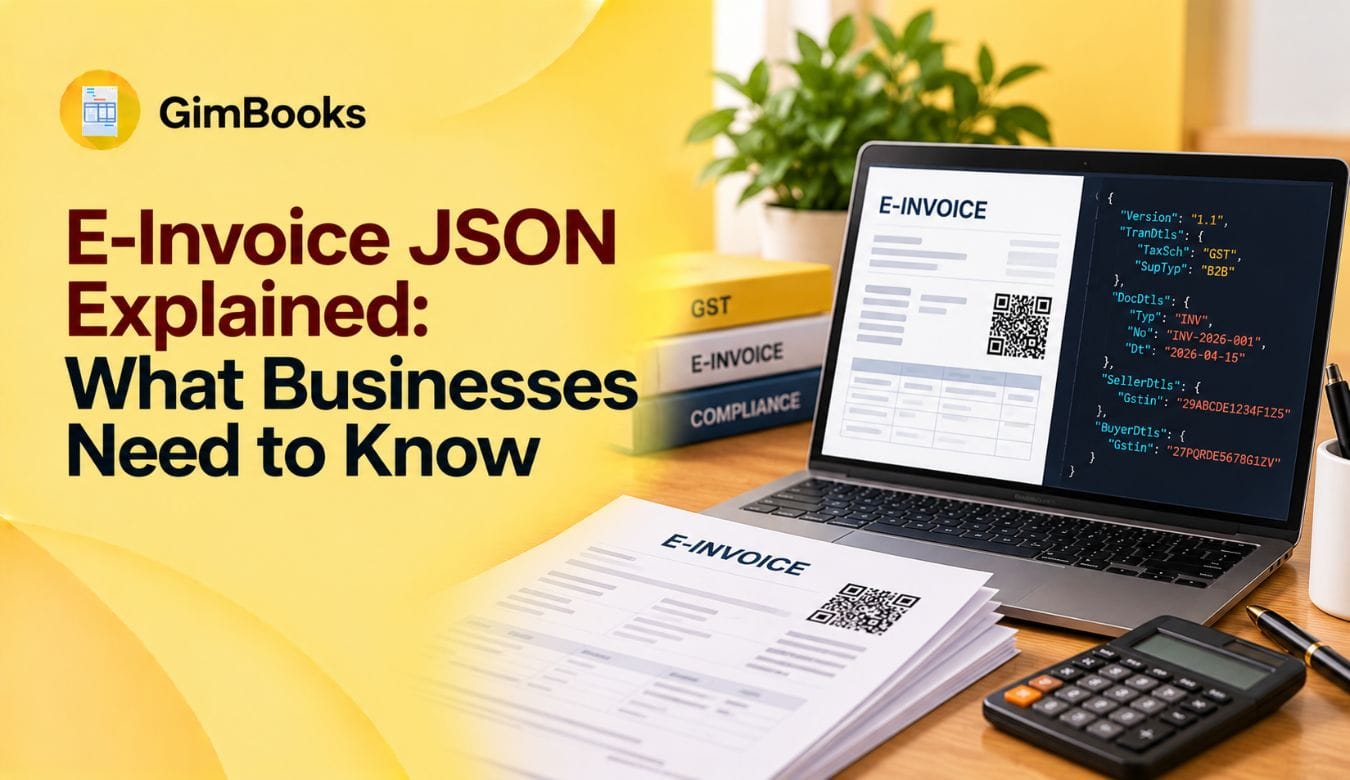
When a business generates an e-invoice under GST, the process involves more than creating a digital invoice or saving it as a PDF. Behind the scenes, the invoice information must be converted into a structured format that the government's Invoice Registration Portal (IRP) can understand.
That format is JSON.
For accountants, business owners and billing teams, understanding this process helps explain why invoices sometimes get rejected, how Invoice Reference Numbers (IRNs) are generated and why accurate billing data matters.
In this guide, you'll find e invoice JSON explained in simple terms, including its purpose, structure, mandatory information, working process, common mistakes and how billing software can simplify the process.
What Is an E-Invoice JSON File?
An e invoice JSON file is a structured digital file containing invoice details in JavaScript Object Notation (JSON) format. Under India's GST e-invoicing system, eligible invoice information is reported to an Invoice Registration Portal using the prescribed JSON schema.
JSON allows different software systems to exchange invoice information in a standard, machine-readable format.
Rather than reading an invoice as a person would read a PDF or printed bill, the IRP processes individual data fields such as:
- Supplier and buyer GSTIN
- Invoice number and date
- Invoice type
- Product or service details
- HSN or SAC code
- Taxable value
- GST rate and amount
- Total invoice value
- Place of supply
The IRP validates the submitted information and, when the document is successfully registered, generates an IRN and returns digitally signed information, including a signed QR code.
In simple terms: JSON is the language through which your billing system communicates invoice details to the GST e-invoicing system.
Why Is JSON Used in GST E-Invoicing?
Businesses often use different billing and accounting systems. One company may create invoices through an ERP, another may use cloud billing software, while a third may maintain records in an accounting application.
Without a standard format, exchanging invoice data between these systems would be difficult.
The GST e invoice JSON format addresses this problem by providing a common structure for invoice reporting.
1. Standardised invoice information
The prescribed format defines how different invoice details should be represented, helping systems interpret them consistently.
2. Faster system-to-system communication
JSON allows billing software to exchange structured invoice data with an IRP, reducing the need to re-enter information manually.
3. Automated data validation
The IRP can check submitted invoice information against the applicable technical specifications and business rules.
4. Reduced duplicate reporting
The IRP checks whether a document has already been registered, helping prevent duplicate IRN generation.
5. Better integration with GST workflows
Authenticated e-invoice information can be shared with the GST and e-way bill systems, supporting downstream reporting and reducing repeated data entry.
However, JSON itself does not guarantee GST compliance. The submitted details must still be accurate and meet the applicable requirements.
E-Invoice JSON Format: Understanding Its Main Components
The e invoice JSON format follows the prescribed e invoice schema, which defines field names, data types, permitted values and mandatory or optional information.
The format groups related invoice information into structured sections.
Some sections are mandatory, while others are optional or conditionally required.
For example, dispatch and shipping details may become relevant when the goods are delivered to a location different from the billing address.
Similarly, information required for an export transaction may differ from a standard domestic B2B supply.
For a detailed technical breakdown of the individual fields, refer to GimBooks' e-invoice schema, format and JSON file guide.
E-Invoice JSON Example: How Invoice Data Is Represented
Consider a fictional wholesaler in Maharashtra selling goods to a registered business in Karnataka.
The commercial invoice contains the following information:
The GST rate is illustrative and should not be treated as a determination of the correct rate for a particular product.
In a JSON file for e invoicing, these details are arranged using recognised field names.
For example:
- DocDtls.No represents the document number.
- DocDtls.Dt represents the document date.
- SellerDtls.Gstin identifies the supplier's GSTIN.
- BuyerDtls.Gstin identifies the buyer's GSTIN.
- ItemList contains the line-item information.
- ValDtls.TotInvVal represents the total invoice value.
Each field follows the required data structure and format.
The actual JSON also contains other mandatory information, including valid GSTINs, location details, supply classification, applicable item information and tax calculations.
This example explains how invoice data is organised; it is not a complete JSON payload ready for IRP submission.
Why does the structure matter?
Suppose your accounting software shows an invoice total of ₹23,600, but the JSON contains ₹23,000.
Even though the invoice looks correct in the billing system, the submitted data may fail validation because the invoice-level values do not reconcile.
This is why accurate data conversion matters just as much as accurate invoice creation.
How Does E-Invoice JSON Work? Step-by-Step Process
The process becomes easier to understand when broken down into individual stages.
Step 1: Create the invoice in your billing software
The business prepares the invoice using its accounting, ERP or billing application.
Relevant details include the customer, invoice date, items, taxable value, GST rate and tax amounts.
Step 2: Convert invoice information into JSON
The software maps the invoice information into the prescribed e-invoicing format.
For example, the invoice number entered in the billing interface is mapped to the relevant document-number field in JSON.
Step 3: Submit JSON to the IRP
The invoice information is reported to an authorised Invoice Registration Portal.
Depending on the chosen solution, this may happen through:
- Integrated API-based reporting
- Compatible accounting software
- Supported offline or bulk-upload utilities
- Other facilities provided by authorised IRPs
The exact submission method depends on the portal and software.
Step 4: IRP validates the invoice data
The IRP checks the submitted information against the applicable schema and business rules.
These checks can include GSTIN validity, document duplication, classification codes, invoice amounts and tax information.
Step 5: IRN and signed response are generated
When the invoice passes validation, the IRP registers the document and provides the Invoice Reference Number (IRN) and signed QR code.
The response also contains related acknowledgement and authenticated document information.
Step 6: Update the original invoice record
The business should store the IRN, acknowledgement details and signed QR code against the correct invoice in its billing or accounting system.
The final customer-facing invoice should contain the applicable e-invoicing particulars, including the signed QR code.
Step 7: Retain and reconcile the records
The business should retain its original invoice, registration response and other relevant documents.
It should also reconcile successfully registered invoices with its books and applicable GST return data.
Overall workflow:
Invoice created → JSON prepared → IRP submission → Validation → IRN generated → Signed response received → Invoice record updated
Input JSON vs Signed E-Invoice JSON: What's the Difference?
One of the most important distinctions is between the data sent to the IRP and the authenticated information received afterward.
A signed e invoice JSON response is important because it provides evidence that the invoice information was successfully registered.
Does creating JSON mean the e-invoice is generated?
No.
Creating or exporting a JSON file only prepares the information for submission.
The document must be successfully registered through the applicable IRP process to receive an IRN.
Similarly, uploading JSON does not guarantee success. The portal can reject a submission if it fails validation.
How to Generate and Upload an E-Invoice JSON File
Businesses can prepare and report invoice JSON using a compatible billing or ERP system or supported government-provided utilities.
Method 1: Through GST billing software
A compatible software solution can use information already recorded in the invoice to prepare the required JSON.
Where supported, API integration can also submit the data and retrieve the authenticated response.
This reduces the amount of manual file handling required.
Method 2: Through an offline utility
Where a supported offline or bulk tool is available, the business can prepare invoice data using the utility and generate the required JSON output.
The generated file can then be submitted through a compatible IRP facility.
Method 3: Through ERP or API integration
Businesses processing larger invoice volumes may use ERP-integrated solutions.
With suitable integration, invoice information can flow from the ERP to an authorised IRP and the response can be stored automatically.
What should you check before uploading?
- Invoice number and date
- Supplier and recipient GSTIN
- Correct document type
- GST rate and tax type
- HSN/SAC classification
- Place of supply
- Taxable amount and total value
- Applicable schema version
- Duplicate submission status
- Reporting time restrictions
A business should also verify that the intended document is covered by GST e-invoicing rules.
How to Download and Read an E-Invoice JSON File
An e invoice JSON download may be available through the business's software or an authorised portal facility, depending on the system used and the permitted retrieval process.
After successful registration, the business may be able to access the relevant JSON response and authenticated invoice details.
JSON is a text-based format, so its contents can be viewed with compatible text editors or JSON viewers.
However, opening the file does not automatically present it as a conventional invoice.
How is JSON different from an invoice PDF?
A PDF is designed primarily for displaying a document in a readable layout.
JSON is designed for exchanging structured data between computer systems.
A business may use both formats in the same workflow.
For example, the billing software can report the invoice data to the IRP through JSON and then prepare a customer-facing PDF containing the required IRN-linked QR code.
Common E-Invoice JSON Errors Businesses Should Know
A file may appear technically correct but still fail because its underlying information is inconsistent or violates the relevant validation rules.
Here are some common categories of e invoice JSON validation problems.
What should you do when JSON validation fails?
First, read the error returned by the IRP.
Then identify whether the problem originates from the invoice itself, the customer or item master, the JSON conversion process or the submission method.
Correct the underlying issue and resubmit where permitted.
Repeatedly uploading the same incorrect file will not resolve the problem.
For specific rejection messages and troubleshooting steps, see GimBooks' e-invoice validation error codes and fixes.
Why JSON Validation Matters for GST Compliance
The e invoice JSON upload process is not just a technical task. Errors can affect several parts of business operations.
Invoice processing
If a document requiring an IRN fails registration, the business may be unable to complete its e-invoicing obligations for that transaction.
Customer documentation
Incorrect customer GSTINs or invoice values can lead to discrepancies between the supplier's records and the authenticated document.
GST return reconciliation
E-invoice details transmitted to GST systems can support return preparation, but businesses must still check the information against their books.
Dispatch operations
For applicable goods movements, invoice registration and e-way bill workflows may be connected.
Incorrect transport or delivery information can create additional processing problems.
Reporting deadlines
For taxpayers with annual aggregate turnover of ₹10 crore or more who are covered by the relevant reporting restriction, eligible e-invoice documents must be reported within 30 days of the document date. This restriction has applied since 1 April 2025.
Businesses should monitor pending submissions rather than leaving JSON uploads until the end of the reporting window.
For a dedicated review process, use the e-invoice 30-day reporting checklist.
E-Invoice JSON and API Integration: What Businesses Should Understand
An Application Programming Interface (API) allows one software system to exchange information with another through a defined interface.
In an e-invoicing workflow, a compatible API integration can help accounting software communicate with an authorised IRP.
For example, imagine a distributor generating 150 eligible invoices in a day.
Without integrated reporting, the finance team may need to prepare, upload and track invoice files using supported manual or batch processes.
With a suitable API-integrated system, much of the submission and response-handling workflow can happen through the software.
Potential benefits include:
- Less repeated data entry
- Faster processing of invoice information
- Consistent field mapping
- Easier tracking of successful and rejected submissions
- Automatic retrieval of IRNs and signed QR codes, where supported
- Better reconciliation between accounting and IRP records
However, API integration should include error handling, duplicate-submission protection and a process to verify successful registration.
The software sending a request does not necessarily mean that the IRP has accepted it.
Best Practices for Managing E-Invoice JSON Files
Businesses do not need to understand programming to manage JSON-related risks. They need clear processes for invoice data accuracy and registration tracking.
1. Maintain accurate customer and supplier records
Keep GSTINs, legal names, state codes and addresses up to date.
2. Standardise product information
Use consistent HSN/SAC codes, tax rates, units and product descriptions.
3. Avoid manual changes to generated JSON
Unless performed by an authorised and technically competent person, manually changing JSON can introduce formatting or calculation errors.
Correct the source invoice data wherever possible.
4. Track every registration response
Maintain a record of the document number, submission result, IRN, acknowledgement and any rejection details.
5. Avoid duplicate submissions
If an invoice has already been registered, retrieve and review the existing record instead of attempting to generate a second IRN for the same document.
6. Protect sensitive business information
Invoice JSON can contain GSTINs, addresses, commercial values and other transaction details.
Store it securely and restrict access to authorised staff.
7. Reconcile authenticated invoices regularly
Compare successfully registered documents with your accounting records to identify missing IRNs, rejected submissions or value differences.
8. Train billing and accounts staff
Employees should understand the difference between preparing an invoice, generating JSON and obtaining successful IRP registration.
For an operational training approach, read GimBooks' e-invoice staff training guide.
How GST Billing Software Can Simplify E-Invoice JSON Management
For many businesses, the biggest challenge is not understanding the JSON code itself.
It is ensuring that the invoice information entered by employees is accurate and correctly processed.
A compatible GST e invoicing software solution can help businesses maintain structured invoice information and manage the data required for e-invoicing workflows.
GimBooks provides GST billing and e-invoicing capabilities designed to help businesses manage invoice creation and related records.
Using suitable billing software can make it easier to maintain customer details, item information, tax calculations and invoice histories.
Depending on the features and integration available, it may also reduce manual effort involved in preparing and processing e-invoice information.
Before choosing any software, businesses should confirm that it supports their applicable GST requirements, the relevant IRP workflow and current schema specifications.
Simplify GST invoicing with GimBooks: Keep business invoices and billing records organised with a digital invoicing solution built for Indian businesses.
Frequently Asked Questions
1. What is JSON in GST e-invoicing?
JSON stands for JavaScript Object Notation. In GST e-invoicing, it is the structured, machine-readable format used to report prescribed invoice details to an Invoice Registration Portal.
2. Is a JSON file mandatory for e-invoicing?
Eligible invoice details must be reported in the prescribed JSON format. However, businesses using compatible software may not need to manually create or handle a JSON file because the software can manage the data exchange.
3. How do I generate an e-invoice JSON file?
You can use compatible billing software, an ERP system or a supported offline utility to prepare invoice information in the prescribed JSON structure. The exact method depends on the software and IRP facility used.
4. What is the difference between e-invoice JSON and IRN?
JSON is the format used to transmit invoice data. An IRN is the unique reference number generated when the document is successfully registered by the IRP.
5. Can I convert an invoice PDF into JSON?
Technically, invoice information can be extracted from a PDF and transformed into JSON, but that does not guarantee a valid GST e-invoice payload. The data must be accurately mapped to the applicable schema, satisfy validation rules and be successfully registered.
6. What happens if the e-invoice JSON is rejected?
The IRP returns an error response. The business must investigate the issue, correct the relevant information and resubmit where permitted. Rejection means the attempted registration has not succeeded.
7. Can I edit an e-invoice JSON file after IRN generation?
Editing a local JSON copy does not change the invoice already registered with the IRP. Corrections to registered documents must follow the applicable cancellation, credit/debit note or GST return procedures.
8. Is JSON the same as a signed e-invoice?
No. The JSON prepared for submission is invoice data awaiting registration. The signed e-invoice information is returned by the IRP after successful registration and authentication.
9. Can JSON be used for bulk e-invoice generation?
Yes. Supported bulk-upload utilities and integrated systems can process multiple invoice records using the relevant JSON structures and submission procedures. Each eligible document must still be validated and registered.
10. Can I open an e-invoice JSON file in Excel?
JSON data can be imported or transformed using tools such as Excel Power Query, but the result may need restructuring for easy reading. Opening or editing JSON in Excel does not guarantee that the exported file will remain compatible with the IRP schema.
11. Does generating JSON automatically update GSTR-1?
No. Simply generating JSON does not report an invoice to the IRP. Successfully registered e-invoice information can be transmitted to the GST system for GSTR-1 auto-population, but businesses must still reconcile and review their return data.
12. Do all GST-registered businesses need e-invoice JSON?
No. GST e-invoicing applies only to taxpayers and transactions covered by the applicable rules, thresholds and exemptions. Businesses should check their current eligibility and obligations before implementing the process.
Conclusion
With e invoice JSON explained, the key thing to understand is that JSON is the structured format connecting a business's invoice data with India's GST e-invoicing system.
It allows different billing applications and government systems to communicate using a common data structure.
But generating a JSON file is only one part of the process. Businesses must also ensure accurate invoice data, successful IRP validation, IRN generation, correct document handling and regular reconciliation.
By maintaining reliable billing records and using compatible digital invoicing tools such as GimBooks, businesses can reduce unnecessary manual work and build a more organised e-invoicing process.