
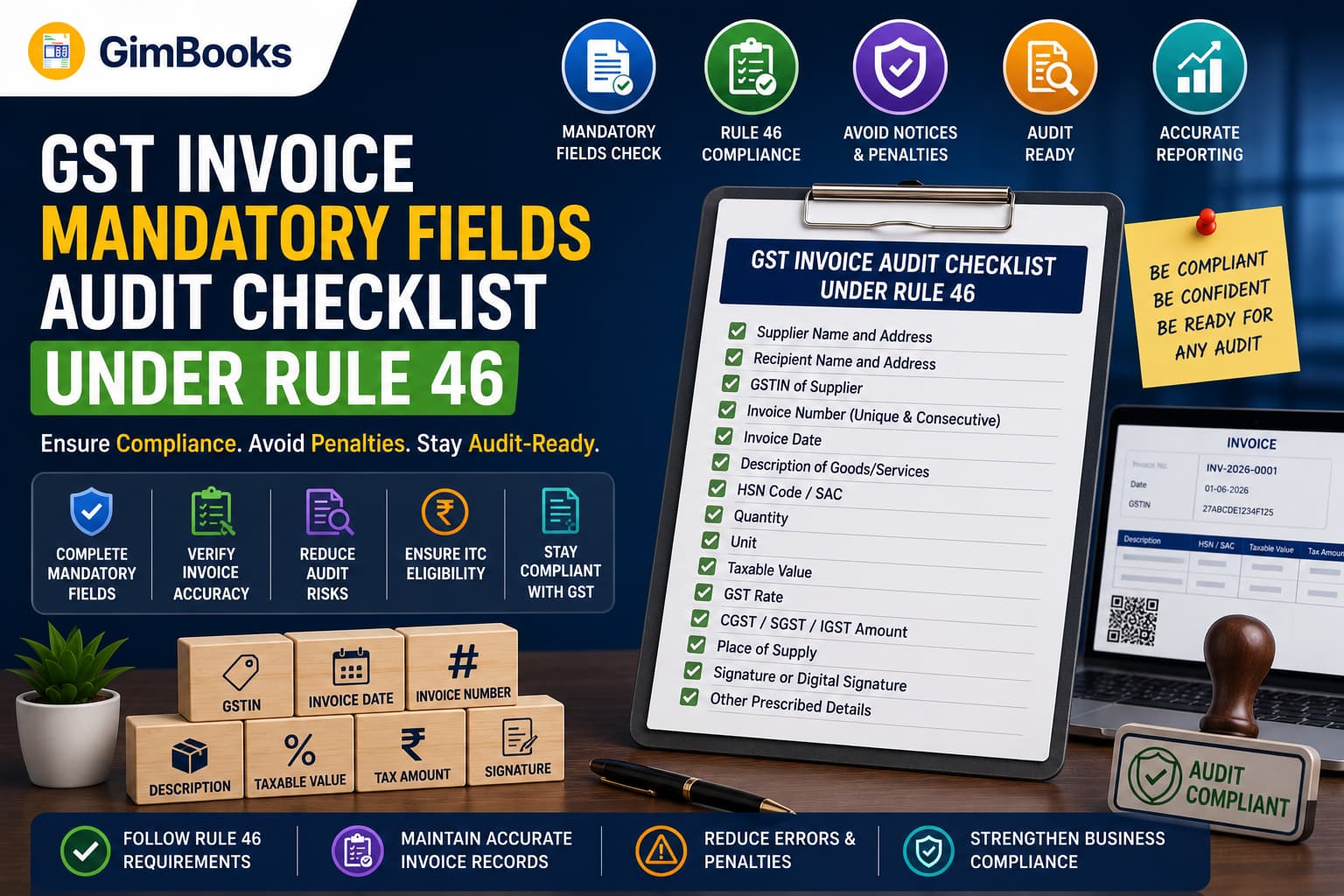
GST Invoice Mandatory Fields Audit Checklist Under Rule 46
A GST invoice is more than a request for payment. It is a tax document used for GST reporting, Input Tax Credit reconciliation, e-invoice generation, e-way bill processing and transaction verification.
Missing or incorrect invoice fields can create problems even when the taxable value and GST amount are correct. An incorrect GSTIN may affect the buyer’s credit, an invalid invoice number may create reporting mismatches, and a missing place of supply may result in the wrong tax type being charged.
Rule 46 of the Central Goods and Services Tax Rules, 2017 prescribes the particulars that a GST tax invoice must contain. It does not require businesses to use one fixed invoice design. Businesses may use their own format as long as all applicable mandatory particulars are present and accurate.
This guide provides a field-by-field GST invoice mandatory fields checklist that businesses can use to audit invoices before issuing them or filing GSTR-1.
Key Takeaways
- Rule 46 prescribes the particulars required on a GST tax invoice.
- GST law does not prescribe one compulsory visual invoice format.
- Every invoice must contain a unique serial number not exceeding 16 characters.
- Supplier and recipient information must match the applicable GST registrations.
- HSN or SAC, description, taxable value, tax rate and tax amount must be correctly reported.
- Place of supply must be stated for interstate transactions.
- Delivery address must be included where it differs from the place of supply.
- The invoice must indicate whether tax is payable under reverse charge.
- E-invoices covered under Rule 48(4) must display the signed QR code containing the IRN.
- Taxpayers above the e-invoice threshold but exempt from e-invoicing must add the prescribed declaration.
- Certain invoice fields are conditional and apply only to B2B, export, SEZ, reverse-charge or e-invoice transactions.
- An invoice audit should check both whether a field exists and whether the information entered is correct.
What Is Rule 46 Under GST?
Rule 46 of the CGST Rules prescribes the particulars to be included in a tax invoice issued under Section 31 of the CGST Act.
The rule applies subject to special invoice provisions under Rule 54 for specified industries and transaction types.
A business may create an invoice using billing software, an ERP system, Excel or another method. The layout, colours, logo and design can vary. Compliance depends on whether all applicable invoice particulars are included correctly.
The official requirements can be checked through the CBIC tax invoice rules.
GST Invoice Mandatory Fields Under Rule 46
The following table can be used as a quick GST invoice audit checklist.
Not every row applies to every transaction. The auditor must determine which fields are mandatory based on the customer’s registration status, supply type, turnover, place of supply and e-invoice applicability.
Detailed GST Invoice Mandatory Fields Audit
1. Supplier Name, Address and GSTIN
Every tax invoice should show the supplier’s:
- legal name;
- business address;
- GSTIN.
The GSTIN should belong to the registration from which the supply is being made.
A company with GST registrations in Delhi, Maharashtra and Karnataka should not use the Maharashtra GSTIN for a supply being invoiced from its Delhi registration.
Audit checks
- Is the supplier’s legal name correct?
- Does the GSTIN belong to the supplier?
- Does the first two-digit GSTIN state code match the invoicing state?
- Is the correct branch or registration being used?
- Does the address agree with the selected GST registration?
Common failure
A business operates from multiple states but uses one GSTIN on all invoices.
Recommended fix
Configure each GST registration separately in the billing system and restrict users to the correct invoice series and GSTIN.
2. Consecutive Invoice Number
The GST invoice number must:
- be consecutive;
- be unique within the financial year;
- not exceed 16 characters;
- contain permitted alphabets, numerals, hyphens or slashes;
- belong to a controlled invoice series.
Businesses may maintain multiple series for different branches, locations or business units, provided each series is properly controlled.
Valid examples
- INV-001
- FY26/1001
- DEL-INV-015
- MUM/26/0025
Audit checks
- Is the invoice number within 16 characters?
- Is it unique for the financial year?
- Are there unexplained duplicate numbers?
- Are missing numbers documented?
- Is the correct branch series being used?
- Has a cancelled e-invoice number been reused?
Read the complete guide to invoice numbering rules under GST.
3. Invoice Date
The invoice should state the correct date of issue.
The date affects:
- return reporting period;
- time of supply;
- e-invoice reporting deadline;
- tax liability;
- customer ITC reconciliation;
- accounting period.
Audit checks
- Is the invoice future-dated?
- Does the invoice date belong to the active financial year?
- Does it agree with the delivery or service records?
- Was the invoice issued within the applicable legal timeline?
- If e-invoicing applies, is it within the IRP reporting window?
For taxpayers with AATO of ₹10 crore or more, eligible e-invoice documents are subject to the applicable 30-day IRP reporting restriction.
Read the e-invoice 30-day reporting checklist.
4. Recipient Name, Address and GSTIN
For a registered recipient, the tax invoice should contain:
- recipient’s name;
- recipient’s address;
- GSTIN or UIN.
The GSTIN entered on the invoice should belong to the entity purchasing the goods or services.
Audit checks
- Is the recipient registered or unregistered?
- Is the buyer GSTIN structurally valid?
- Is the registration active?
- Does the legal name match the GSTIN?
- Does the buyer’s state agree with the GSTIN prefix?
- Is the correct billing address being used?
Unregistered recipients
Where the recipient is unregistered and the taxable supply is ₹50,000 or more, the invoice should generally include:
- recipient’s name;
- recipient’s address;
- delivery address;
- name of the state;
- state code.
For a taxable supply below ₹50,000, these details should be included where the unregistered recipient requests them.
5. HSN or SAC Code
Goods are classified using HSN codes, while services are classified using SAC codes.
The invoice should contain the correct classification and the required number of digits.
Audit checks
- Is the code valid?
- Does it describe the product or service supplied?
- Is a goods HSN being used for a service?
- Is a service SAC being used for goods?
- Is the required number of digits included?
- Does the GST rate agree with the classification?
Use the GimBooks HSN code and GST rate guide to understand classification requirements.
6. Description of Goods or Services
Every invoice line should contain a clear description of the supply.
Descriptions such as “item,” “service,” “goods” or “charges” may not provide enough information for customers, auditors or tax teams to understand the transaction.
Better examples
The description should agree with the HSN or SAC classification.
7. Quantity and Unit Quantity Code
For goods, the invoice should contain:
- quantity supplied;
- applicable unit or UQC.
Examples include:
- NOS;
- KGS;
- LTR;
- MTR;
- PCS;
- BOX;
- SET.
The applicable code should agree with the unit maintained in the product master and with the e-invoice or GSTR reporting requirement.
Audit checks
- Is quantity entered for every goods line?
- Is the UQC valid?
- Does the unit agree with the sales order or dispatch record?
- Is a service incorrectly being assigned a stock quantity?
- Does quantity multiplied by unit price equal the gross item value?
8. Total Value of Supply
The invoice should display the total value of goods or services supplied.
The auditor should reconcile:
**Gross line value− line-level discounts= taxable value
- GST
- cess
- other charges− invoice-level discount, where correctly applied= invoice total**
The final invoice total should agree with the accounting entry and customer balance.
9. Taxable Value and Discounts
Taxable value is the value on which GST is calculated after considering applicable discounts or abatements.
The invoice should clearly distinguish:
- gross value;
- discount;
- taxable value;
- non-taxable charges, if any;
- GST amount;
- final invoice value.
Audit checks
- Is the discount applied before or after tax correctly?
- Does the taxable value match the line-item calculation?
- Is an invoice-level discount allocated properly?
- Has a post-supply discount been treated according to GST requirements?
- Does the taxable value agree with the sales register?
10. GST Rate
The invoice should show the applicable rate of:
- CGST;
- SGST;
- IGST;
- UTGST;
- cess, where relevant.
The rate must agree with the HSN or SAC classification and the nature of the transaction.
Audit checks
- Is the current rate being used?
- Is the product classified correctly?
- Is IGST used for interstate supply?
- Are CGST and SGST used for intrastate supply?
- Are CGST and SGST equal?
- Is an exempt or nil-rated supply being taxed incorrectly?
11. GST Amount
The invoice must state the amount of tax charged.
Section 33 of the CGST Act also requires the tax amount forming part of the price to be indicated in the tax invoice and other specified documents.
The invoice should clearly separate:
- CGST amount;
- SGST amount;
- IGST amount;
- UTGST amount;
- cess amount.
Audit checks
- Does tax equal taxable value multiplied by the applicable rate?
- Do item-level taxes agree with invoice-level totals?
- Are round-off differences within the system’s accepted tolerance?
- Does the tax amount agree with GSTR-1 data?
- Does the tax type agree with the place of supply?
12. Place of Supply
For an interstate supply, the invoice should include the place of supply along with the name of the state and its code.
Place of supply helps determine whether the transaction attracts:
- CGST and SGST; or
- IGST.
It should not automatically be copied from the customer’s billing address without checking the actual place-of-supply provisions.
Audit checks
- Is the transaction interstate or intrastate?
- Is the place of supply legally correct?
- Does the state code agree with the selected state?
- Does the tax type agree with the place of supply?
- Has a bill-to/ship-to arrangement been considered?
13. Delivery Address
The delivery address must be included where it differs from the place of supply or billing address.
This is particularly important for:
- bill-to/ship-to transactions;
- warehouse deliveries;
- branch deliveries;
- drop shipments;
- export consignments;
- third-party logistics.
Audit checks
- Is the delivery address complete?
- Is the delivery state correct?
- Does the PIN code belong to that state?
- Does it agree with the e-way bill?
- Does the ship-to information agree with the e-invoice data?
14. Reverse-Charge Declaration
The invoice should state whether tax is payable under reverse charge.
A simple field such as the following may be used:
Tax payable under reverse charge: Yes / No
Do not mark reverse charge as “Yes” merely because the supplier is not charging GST. Reverse charge applies only to transactions covered by the applicable legal provisions.
15. Signature or Digital Signature
Rule 46 includes the signature or digital signature of the supplier or authorised representative.
However, a signature or digital signature is not required where an electronic invoice is issued in accordance with the Information Technology Act, 2000.
Businesses should maintain internal controls identifying:
- authorised signatories;
- digital-signature usage;
- electronic invoice approval;
- invoice access permissions.
16. Signed QR Code for E-Invoices
Where the invoice is issued under Rule 48(4), the invoice must contain the signed QR code with the embedded Invoice Reference Number.
The QR code is generated by the Invoice Registration Portal after successful invoice registration.
Audit checks
- Was an IRN successfully generated?
- Is the signed QR code printed or displayed on the invoice?
- Is the QR code clear and scannable?
- Does it correspond to the correct invoice?
- Has an internal payment QR code been mistaken for the signed IRP QR code?
The signed e-invoice QR code and a payment QR code serve different purposes.
Read the guide to e-invoice validation error codes if the IRP rejects the invoice data.
17. E-Invoice Exemption Declaration
A taxpayer may cross the notified turnover threshold but remain outside e-invoicing for a specified exemption.
Where such a taxpayer issues an invoice without following Rule 48(4), Rule 46 requires the prescribed declaration.
The declaration states that although the taxpayer’s aggregate turnover crossed the notified threshold in a preceding financial year, the taxpayer is not required to prepare the invoice under Rule 48(4).
This field is not required for every business. It applies where:
- the turnover condition is met;
- the taxpayer falls under a valid e-invoice exemption;
- the invoice is not issued through the IRP process.
18. Export and SEZ Invoice Endorsement
For exports or qualifying supplies to an SEZ unit or SEZ developer, the invoice should contain the applicable endorsement indicating whether the supply is:
- on payment of integrated tax; or
- under bond or Letter of Undertaking without payment of integrated tax.
The invoice should also contain applicable details such as:
- recipient name and address;
- delivery address;
- country of destination;
- export or SEZ classification;
- currency and shipping information, where relevant.
Conditional GST Invoice Fields by Transaction Type
Signed E-Invoice QR Code vs Dynamic B2C QR Code
These two QR-code requirements are often confused.
The dynamic B2C QR requirement generally applies to specified registered persons whose annual aggregate turnover exceeded ₹500 crore in a financial year from 2017–18 onward, subject to exemptions.
GST Invoice Audit Process
A proper invoice audit should not be limited to checking whether a field is visible. The auditor must also confirm that each field is accurate and consistent with supporting records.
Step 1: Define the Audit Scope
Choose the:
- GSTIN;
- branch or location;
- invoice period;
- invoice series;
- transaction types;
- customer categories;
- value threshold.
Include invoices from different risk categories rather than selecting only ordinary local transactions.
Step 2: Select an Audit Sample
A practical sample can include:
- highest-value invoices;
- interstate invoices;
- exports;
- SEZ supplies;
- reverse-charge transactions;
- invoices with discounts;
- credit and debit notes;
- e-invoices;
- bill-to/ship-to supplies;
- invoices created manually;
- cancelled or amended invoices.
Step 3: Audit Master Data
Verify the underlying:
- supplier GST registration;
- customer GSTIN;
- item master;
- HSN/SAC;
- GST rate;
- UQC;
- state and PIN code;
- invoice series.
Correcting only the invoice without fixing the master record will allow the same error to happen again.
Step 4: Audit Invoice Calculations
Recalculate:
- quantity × price;
- gross item value;
- discount;
- taxable value;
- CGST and SGST;
- IGST;
- cess;
- additional charges;
- total invoice value.
Step 5: Check Conditional Fields
Determine whether the invoice requires:
- place of supply;
- separate delivery address;
- reverse-charge declaration;
- export or SEZ endorsement;
- IRN and signed QR code;
- e-invoice exemption declaration;
- dynamic B2C QR code.
Step 6: Reconcile With GST Records
Compare the invoice with:
- sales register;
- IRP data;
- e-way bill;
- GSTR-1;
- customer ledger;
- credit or debit note register;
- payment records.
Step 7: Document Findings
For every exception, record:
This converts the review from an informal check into an auditable compliance process.
GST Invoice Audit Scorecard
The following scorecard can be used as an internal quality-control tool.
Suggested internal rating
This score is only an internal operational measure. It does not replace legal review.
A missing critical field—such as supplier GSTIN, invoice number, buyer GSTIN on a B2B invoice or signed QR code on a mandatory e-invoice—should be treated as a critical failure even if the overall score appears high.
Practical GST Invoice Audit Example
Assume a Maharashtra supplier invoices a registered customer in Karnataka.
The invoice shows:
- supplier GSTIN with Maharashtra state code;
- customer GSTIN with Karnataka state code;
- place of supply as Karnataka;
- taxable value of ₹1,00,000;
- CGST of ₹9,000;
- SGST of ₹9,000.
Although the tax calculation totals 18%, the invoice is incorrect because the supply is interstate. IGST should generally apply instead of CGST and SGST.
The auditor should:
- verify the place of supply;
- confirm that the buyer GSTIN is correct;
- correct the tax type;
- regenerate the invoice;
- correct IRP data if e-invoicing applies;
- check the e-way bill;
- ensure the corrected transaction is reported properly in GSTR-1.
This example shows why an invoice can contain every mandatory field and still fail a compliance audit.
Common GST Invoice Audit Failures and Fixes
Recommended Audit Frequency
Infographic: GST Invoice Rule 46 Audit Flow
Recommended placement: After the GST invoice audit process.
GST Invoice Mandatory Fields Audit
1. VERIFY THE SUPPLIER
- Legal name
- Address
- GSTIN
- Correct registration and branch
↓
2. CHECK THE DOCUMENT
- Unique invoice number
- Maximum 16 characters
- Correct invoice date
- Correct financial year
↓
3. VERIFY THE BUYER
- Name and address
- GSTIN or UIN
- State and state code
- Delivery address
↓
4. CHECK THE SUPPLY
- HSN or SAC
- Description
- Quantity
- UQC
- Taxable value
↓
5. VALIDATE GST
- Correct GST rate
- CGST + SGST or IGST
- Tax amount
- Place of supply
- Reverse-charge status
↓
6. CHECK CONDITIONAL FIELDS
- Export or SEZ endorsement
- IRN-linked signed QR code
- E-invoice exemption declaration
- Dynamic B2C QR code, where applicable
↓
7. RECONCILE
- Sales register
- IRP data
- E-way bill
- GSTR-1
- Customer ledger
↓
PASS, CORRECT OR ESCALATE
Suggested infographic title:GST Invoice Mandatory Fields Audit Under Rule 46
Suggested alt text:GST invoice mandatory fields audit checklist under Rule 46
How GimBooks Helps Maintain GST Invoice Fields
Manual invoice creation increases the risk of missing GSTINs, inconsistent invoice numbers, wrong HSN/SAC codes and incorrect tax calculations.
GimBooks helps businesses maintain structured billing records through:
- GST-compliant invoice generation;
- customer and supplier records;
- product and service masters;
- HSN/SAC details;
- GST-rate configuration;
- automatic tax calculations;
- invoice numbering;
- inventory and purchase records;
- e-invoice generation;
- e-way bill workflows;
- business and GST reports;
- mobile and web access.
A practical workflow is:
Configure party and item masters → create GST invoice → validate tax and place of supply → generate IRN where required → review the final invoice → reconcile before GSTR-1
Explore the GimBooks GST invoice generator and GimBooks e-invoicing solution.
Final GST Invoice Mandatory Fields Checklist
Supplier Details
- Legal name
- Address
- Correct GSTIN
- Correct branch or registration
Invoice Details
- Unique serial number
- Number does not exceed 16 characters
- Correct invoice date
- Correct financial year and series
Recipient Details
- Recipient name
- Billing address
- GSTIN or UIN, where registered
- Delivery address, where applicable
- State name and code
Supply Details
- HSN or SAC
- Clear description
- Quantity for goods
- Valid UQC
- Gross value
- Discount
- Taxable value
Tax Details
- Correct GST rate
- Correct CGST and SGST
- Correct IGST
- Cess, where applicable
- Tax amount shown separately
- Invoice total reconciled
Transaction Details
- Place of supply
- Delivery address
- Reverse-charge indicator
- Export or SEZ endorsement
- Country of destination, where required
Digital Compliance
- IRN generated, where required
- Signed QR code present
- QR code is scannable
- E-invoice exemption declaration included, where applicable
- Invoice agrees with e-way bill
- Invoice agrees with GSTR-1 data
Frequently Asked Questions
What are the mandatory fields in a GST invoice?
The main GST invoice mandatory fields include the supplier’s name, address and GSTIN; invoice number and date; recipient details; HSN or SAC; description; quantity and UQC for goods; total and taxable value; GST rate and amount; place of supply for interstate transactions; delivery address where applicable; reverse-charge status; and signature or applicable electronic-invoice particulars.
Is there a prescribed GST invoice format?
No single visual format is prescribed. Businesses may design their own invoice template as long as it contains all applicable particulars required under Rule 46 and other relevant GST provisions.
What is the maximum length of a GST invoice number?
A GST invoice serial number must not exceed 16 characters. It should be consecutive and unique for the financial year.
Is the buyer’s GSTIN mandatory?
The recipient’s GSTIN or UIN is mandatory where the recipient is registered. It is essential for B2B reporting and buyer-side ITC reconciliation.
Is the place of supply mandatory on every invoice?
Rule 46 specifically requires the place of supply, along with the state name, for interstate supplies. Many businesses also display it on other invoices as an internal control.
Is HSN or SAC mandatory on GST invoices?
HSN or SAC reporting depends on turnover and transaction type. Taxpayers with turnover above ₹5 crore generally report six digits, while taxpayers up to ₹5 crore generally report four digits for B2B supplies.
Is a signature mandatory on an electronic GST invoice?
Rule 46 includes the supplier’s signature or digital signature. However, it is not required where the electronic invoice is issued in accordance with the Information Technology Act, 2000.
Is a QR code mandatory on every GST invoice?
No. The signed IRP QR code is mandatory on invoices covered by e-invoicing under Rule 48(4). A separate dynamic QR requirement applies to specified B2C invoices of covered taxpayers.
Is IRN required to be printed separately?
The IRN is embedded in the signed QR code generated by the IRP. Businesses may also display the IRN and acknowledgement details separately for operational convenience.
What declaration is required for an e-invoice-exempt taxpayer?
A taxpayer whose turnover exceeds the notified e-invoice threshold but who is validly exempt must include the prescribed declaration on invoices not issued under Rule 48(4).
What happens if a GST invoice is missing a mandatory field?
A missing or incorrect field can create return mismatches, ITC disputes, e-invoice rejection, e-way bill inconsistencies, audit observations or the need to issue a corrected document.
Can GST billing software check mandatory invoice fields?
GST billing software can help structure customer, product, tax and invoice information, automate calculations and prevent certain missing fields. Businesses should still perform periodic compliance audits and verify conditional requirements.
Conclusion
A GST invoice audit should answer two questions:
- Are all applicable mandatory fields present?
- Is the information in those fields accurate?
Simply adding GSTIN, HSN and tax values to an invoice does not guarantee compliance. The invoice must also use the correct registration, invoice series, recipient details, tax type, place of supply and conditional declarations.
Businesses should audit GST invoices regularly, correct source master data and reconcile invoices with IRP records, e-way bills and GSTR-1.
Using GimBooks GST billing software can help businesses create organised GST invoices, maintain customer and item records, calculate tax and support e-invoice and e-way bill workflows.
Create accurate GST invoices and strengthen your billing compliance with GimBooks.