
E-Invoice for Bill To–Ship To Transactions: Data Entry Checklist
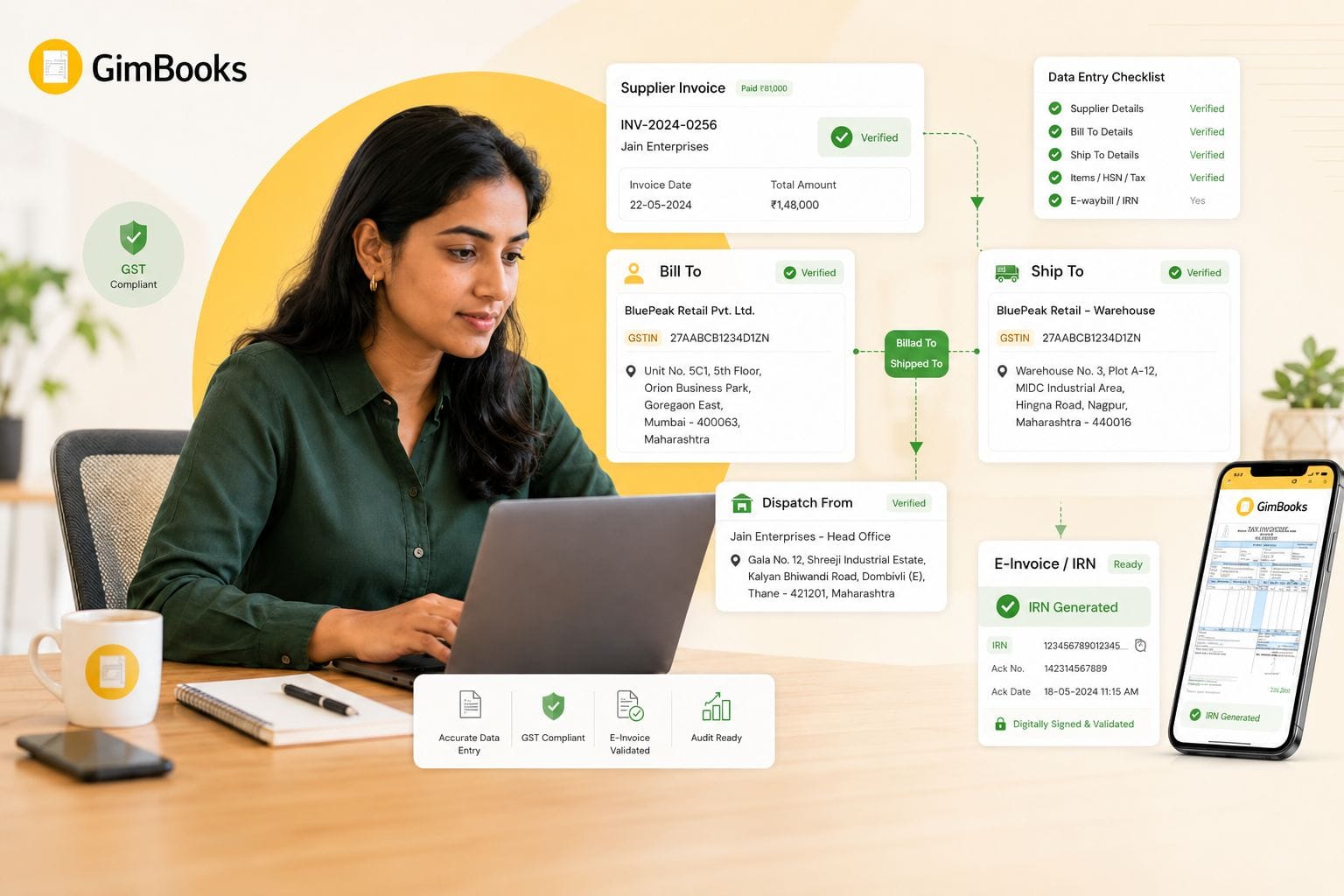
Bill To–Ship To transactions are common for traders, distributors, wholesalers, manufacturers and multi-location businesses. In these transactions, the supplier raises the invoice to one buyer but delivers the goods to another person or location as instructed by the buyer.
This creates extra data-entry responsibility during e-invoice and e-way bill generation. The billing team must correctly capture the buyer, consignee, delivery address, Ship-to GSTIN, place of supply, dispatch details and transport information.
A wrong entry can lead to IRP validation errors, e-way bill mismatches, incorrect tax type, buyer ITC disputes or delivery delays.
From 1 August 2026, GSTN’s updated API validation makes Ship-to GSTIN more important in Bill-to/Ship-to cases where e-way bill generation is required. If Ship-to details are provided in the e-invoice schema, Ship-to GSTIN becomes conditionally mandatory. Where the consignee is unregistered, “URP” may be entered where applicable.
This guide explains how to enter Bill-to and Ship-to details correctly before generating an IRN or e-way bill.
Key Takeaways
- A Bill-to/Ship-to transaction means the invoice is raised to the buyer, but goods are delivered to another party as per the buyer’s instruction.
- The Bill-to party is the buyer on the tax invoice.
- The Ship-to party is the consignee or final delivery recipient.
- For goods delivered on the direction of a third person, place of supply is generally determined with reference to that third person under Section 10(1)(b) of the IGST Act.
- From 1 August 2026, Ship-to GSTIN becomes conditionally mandatory in e-invoice and e-way bill API flows where Ship-to details are provided and e-way bill generation is required.
- If the Ship-to party is unregistered, “URP” may be entered where applicable.
- In B2B or SEZ transactions, Ship-to details entered at IRN generation should not be treated casually because they may not be overridden later during e-way bill generation.
- Businesses should validate buyer GSTIN, Ship-to GSTIN, state, PIN code, place of supply and dispatch details before IRN generation.
- GimBooks users should maintain accurate buyer and shipping details before creating e-invoices or generating e-way bills.
What Is a Bill To–Ship To Transaction?
A Bill-to/Ship-to transaction is a three-party supply scenario.
The supplier raises the invoice to the buyer, but the goods are delivered to another person or location based on the buyer’s instruction.
Example
- Supplier: A Ltd.
- Buyer / Bill-to party: B Ltd.
- Consignee / Ship-to party: C Ltd.
A Ltd. raises the tax invoice to B Ltd., but ships the goods directly to C Ltd. because B Ltd. instructed A Ltd. to do so.
In this case:
This structure is common in wholesale distribution, drop shipment, project supply, dealer networks, multi-warehouse delivery and customer-directed shipment.
Bill-to vs Ship-to vs Dispatch-from
Many invoice and e-way bill errors happen because these terms are used interchangeably.
A Bill-to/Ship-to transaction should not be confused with a Dispatch-from transaction.
Bill-to/Ship-to
Invoice is issued to the buyer, but goods are shipped to another person or location based on buyer instruction.
Bill-from/Dispatch-from
Invoice is issued by the supplier, but goods are dispatched from a different location, such as a warehouse, third-party logistics partner or job-worker location.
Combination Transaction
Both situations exist together. The supplier bills one party, goods are dispatched from a third-party location and delivered to another party.
Why Bill-to/Ship-to Details Matter in E-Invoicing
E-invoicing is not only about invoice number, taxable value and GST amount. The e-invoice schema also captures structured party, address, dispatch and shipping information.
For Bill-to/Ship-to transactions, incorrect data can create issues such as:
- invalid Ship-to GSTIN;
- wrong state code;
- incorrect place of supply;
- mismatch between invoice and e-way bill;
- incorrect CGST/SGST or IGST treatment;
- delivery to the wrong consignee;
- buyer ITC disputes;
- IRP or e-way bill API validation errors;
- inability to update Ship-to details later;
- transport delays due to mismatched documents.
Businesses using GimBooks e-invoicing software should therefore verify buyer and shipping details before IRN generation.
Latest 2026 Update: Ship-to GSTIN in E-Invoice and E-Way Bill API
GSTN issued an advisory on e-Invoice API and e-Way Bill by IRN API changes for mandatory capture of Ship-to GSTIN and voluntary closure of e-way bills.
The production rollout is scheduled from 1 August 2026.
The update states that where Ship-to Legal Name and Ship-to Address are provided in the e-invoice schema and e-way bill generation is required, the Ship-to GSTIN field becomes conditionally mandatory.
Where the Ship-to GSTIN is not available because the consignee is unregistered, “URP” may be entered wherever applicable.
For B2B and SEZ transactions, Ship-to details entered during IRN generation should be checked carefully because they may not be overridden later during e-way bill generation through the e-way bill by IRN API.
GSTN advisory on e-Invoice API and e-Way Bill by IRN API changes
E-Invoice Bill To–Ship To Data Entry Checklist
Use this checklist before generating the IRN.
1. Confirm the Transaction Type
Before entering party details, identify the correct transaction structure.
Do not select Bill-to/Ship-to only because the delivery address is different. Check whether the goods are being delivered to a third party or to a different location of the same buyer.
2. Enter Supplier Details Correctly
The supplier details should match the GST registration used for billing.
Check:
- supplier legal name;
- supplier GSTIN;
- registered address;
- supplier state;
- supplier PIN code;
- branch or warehouse issuing the invoice;
- correct invoice series.
Incorrect supplier state or GSTIN can affect both tax type and IRP validation.
3. Enter Bill-to Buyer Details
The Bill-to party is the buyer on the tax invoice.
Capture:
- buyer legal name;
- buyer GSTIN;
- buyer address;
- buyer state;
- buyer state code;
- buyer PIN code;
- place of supply;
- buyer contact details, where required.
For B2B supplies, the buyer GSTIN must be valid and active.
Use the buyer’s GSTIN and place-of-supply details carefully because these affect GST reporting and the buyer’s ITC reconciliation.
4. Enter Ship-to Consignee Details
The Ship-to party is the person or location where goods are delivered.
Capture:
- Ship-to legal name;
- Ship-to GSTIN, where registered;
- “URP” where the consignee is unregistered and the system permits it;
- complete delivery address;
- Ship-to state;
- Ship-to state code;
- Ship-to PIN code;
- contact person or mobile number, where operationally required.
From 1 August 2026, businesses using API-based e-invoice and e-way bill flows should ensure Ship-to GSTIN is captured wherever the transaction requires it.
5. Do Not Confuse Buyer GSTIN With Ship-to GSTIN
The Bill-to GSTIN and Ship-to GSTIN may be different in a true Bill-to/Ship-to transaction.
Example
Entering the buyer GSTIN again in the Ship-to field can create incorrect consignee data if the goods are actually going to another registered person.
6. Check Place of Supply Before Choosing Tax Type
In Bill-to/Ship-to transactions, place of supply can be misunderstood because the delivery location and buyer location may be different.
Under Section 10(1)(b) of the IGST Act, where goods are delivered to a recipient or another person on the direction of a third person, that third person is deemed to have received the goods and the place of supply is the principal place of business of that third person.
In simple terms, for a supplier billing the buyer and shipping to the buyer’s customer, the place of supply is generally linked to the buyer who instructed the delivery, not automatically the final Ship-to address.
Example
Businesses should verify place-of-supply treatment with their GST advisor for complex transactions.
Official reference: Section 10 of the IGST Act
7. Validate State Code and PIN Code
State and PIN code mismatches are common causes of e-invoice and e-way bill errors.
Check:
- supplier state and PIN;
- buyer state and PIN;
- Ship-to state and PIN;
- dispatch-from state and PIN;
- whether the PIN belongs to the selected state;
- whether the GSTIN state code matches the selected state.
A wrong PIN code may not only create API errors but can also affect distance calculation for e-way bill generation.
For broader IRP rejection handling, read the e-invoice validation error codes and fixes.
8. Enter Dispatch-from Details When Goods Move From Another Location
If goods are dispatched from a warehouse, branch, job worker or third-party logistics location, capture Dispatch-from details separately.
Check:
- dispatch-from legal name, if applicable;
- dispatch-from address;
- state;
- PIN code;
- GSTIN, if applicable;
- warehouse or branch reference;
- whether the dispatch location differs from the supplier’s registered address.
Do not use the supplier’s office address as the dispatch location if the goods are physically moving from another warehouse.
9. Match E-Invoice and E-Way Bill Data
For goods movement, e-way bill data must align with invoice and shipping data.
Check:
GimBooks allows businesses to generate e-way bills from invoices, debit notes, credit notes, purchases and delivery challans, helping reduce repeated manual entry.
10. Check Item-Level Details
Bill-to/Ship-to errors are not limited to address fields. Item data also affects IRP and e-way bill validation.
Before submitting the e-invoice, verify:
- item description;
- HSN code;
- quantity;
- unit;
- taxable value;
- GST rate;
- CGST, SGST or IGST;
- total invoice value;
- invoice-level totals.
For invoice-field compliance, read the GST invoice mandatory fields checklist.
11. Confirm Transport Details
Where e-way bill generation is required, capture movement details such as:
- transporter ID;
- transporter name;
- transport mode;
- vehicle number;
- approximate distance;
- dispatch date;
- document details;
- destination PIN code.
Businesses can also read GimBooks’ guide on how billing software automatically generates e-way bills to understand how invoice-linked workflows reduce duplicate data entry.
12. Recheck Before IRN Generation
Before clicking Generate IRN, confirm:
- Bill-to GSTIN is correct;
- Ship-to GSTIN or URP is correct;
- Ship-to address is complete;
- place of supply is correct;
- tax type is correct;
- dispatch-from details are correct;
- invoice number is correct;
- e-way bill requirement is assessed;
- no manual override is pending.
Once the IRN is generated, correcting some data may require cancellation, credit note, debit note or return-level treatment.
Data Entry Matrix for Bill-to/Ship-to E-Invoices
Practical Example: Bill-to/Ship-to E-Invoice
Scenario
A supplier in Maharashtra sells goods to a buyer in Delhi. The buyer asks the supplier to ship the goods directly to its customer in Karnataka.
Why this matters
The invoice is raised to the Delhi buyer, but the goods physically move to Karnataka. If the billing team uses Karnataka as place of supply without reviewing Section 10(1)(b), the tax treatment may be wrong.
At the same time, the e-way bill must still reflect the actual movement and delivery details.
Common Bill-to/Ship-to Mistakes
Mistake 1: Using the Ship-to Party as the Buyer
The buyer and consignee may be different. The tax invoice should show the correct buyer in the Bill-to field.
Mistake 2: Leaving Ship-to GSTIN Blank
From 1 August 2026, Ship-to GSTIN becomes conditionally mandatory where Ship-to details are provided and e-way bill generation is required. Use the registered consignee’s GSTIN or URP where applicable.
Mistake 3: Using the Delivery State as Place of Supply Automatically
The place of supply is not always the same as the delivery state in Bill-to/Ship-to transactions. Review Section 10(1)(b).
Mistake 4: Entering Dispatch-from Details as Supplier Details
If the goods move from a different warehouse or third-party location, dispatch details should be entered separately.
Mistake 5: Generating IRN Before Checking E-Way Bill Fields
Some Ship-to details may flow into the e-way bill process. Review the e-way bill requirement before generating the IRN.
Mistake 6: Treating Buyer’s Own Branch Delivery as Third-Party Ship-to Without Review
If the goods are delivered to the same buyer’s own location, first determine whether it is a normal delivery to the buyer, a dispatch-location issue or a true Bill-to/Ship-to transaction.
Mistake 7: Not Updating Customer Master Data
If the buyer GSTIN, Ship-to GSTIN or address is wrong in the master record, the same error will repeat across invoices.
Bill-to/Ship-to Data Entry Checklist Before IRN Generation
Buyer and Consignee
- Buyer legal name verified
- Buyer GSTIN verified
- Buyer state and PIN verified
- Ship-to party identified
- Ship-to GSTIN or URP entered
- Ship-to address complete
- Ship-to state and PIN verified
Place of Supply and Tax
- Section 10(1)(b) reviewed where applicable
- Correct place of supply selected
- CGST/SGST or IGST selected correctly
- Tax values reviewed
- Invoice totals reconciled
Dispatch and Transport
- Dispatch-from address verified
- Warehouse or branch details checked
- E-way bill requirement assessed
- Transporter ID or vehicle details captured
- Distance and destination PIN checked
System and Compliance
- Correct invoice series selected
- Invoice number verified
- IRN not already generated
- E-way bill data matches invoice
- Final invoice PDF includes required details
- IRN and signed QR code stored after generation
Recommended Infographic: Bill-to/Ship-to Field Flow
Placement: After the practical example section.
Infographic copy
Supplier / Bill FromIssues the tax invoice
↓
Bill-to BuyerReceives the invoice and is the commercial buyer
↓
Ship-to ConsigneeReceives the goods at the delivery location
↓
Place of Supply CheckApply Section 10(1)(b) where goods are delivered on buyer instruction
↓
E-Invoice Data CheckBuyer GSTIN, Ship-to GSTIN, address, tax type and item values
↓
E-Way Bill Data CheckDispatch-from, delivery address, transporter, distance and vehicle details
↓
Generate IRN and E-Way BillStore IRN, QR code and e-way bill number
Suggested infographic title:E-Invoice Bill-to/Ship-to Data Entry Flow
Suggested alt text:Bill-to Ship-to e-invoice data entry checklist for buyer consignee and e-way bill details
How GimBooks Helps With Bill-to/Ship-to E-Invoice Workflows
Bill-to/Ship-to mistakes often happen when businesses maintain buyer details, shipping addresses, invoice data and transport records in separate spreadsheets or systems.
GimBooks helps businesses create GST-compliant invoices and manage related billing workflows from a structured platform.
GimBooks supports:
- GST invoice creation;
- customer and party records;
- item and inventory details;
- e-invoice generation;
- e-way bill workflows;
- credit and debit notes;
- invoice reports;
- mobile and web access;
- billing records for traders, distributors and wholesalers.
A recommended workflow is:
Add buyer and shipping details → create GST invoice → verify place of supply → generate e-invoice → generate e-way bill where required → store IRN and movement details
Explore the GimBooks e-invoicing solution and GimBooks e-way bill software for invoice-linked compliance workflows.
For distributors and wholesalers managing multiple buyers and delivery locations, also review GimBooks distributor billing software.
Official References
Use official sources to verify current requirements:
- GSTN Advisory on e-Invoice API and e-Way Bill by IRN API changes
- GSTN FAQs on mandatory Ship-to field
- E-Way Bill API Release Notes
- Section 10 of the IGST Act – Place of Supply of Goods
- E-Invoice enablement checker
Frequently Asked Questions
What is e invoice bill to ship to?
E invoice Bill-to/Ship-to refers to an e-invoice scenario where the supplier raises the invoice to the buyer but ships the goods to another person or location as instructed by the buyer.
Is Ship-to GSTIN mandatory in e-invoice?
From 1 August 2026, Ship-to GSTIN becomes conditionally mandatory in API-based flows where Ship-to details are provided in the e-invoice schema and e-way bill generation is required. If the consignee is unregistered, URP may be entered where applicable.
What is the difference between Bill-to and Ship-to in GST?
Bill-to refers to the buyer on the tax invoice. Ship-to refers to the consignee or delivery recipient who physically receives the goods.
Can Bill-to GSTIN and Ship-to GSTIN be different?
Yes. In a true Bill-to/Ship-to transaction, the buyer and consignee may be different persons with different GSTINs.
Can Bill-to GSTIN and Ship-to GSTIN be the same?
If the buyer and delivery recipient are the same person, it may not be a true Bill-to/Ship-to transaction. Review whether the transaction is regular delivery, dispatch-from or a separate Bill-to/Ship-to case.
What should be entered if the Ship-to party is unregistered?
Where the Ship-to party is unregistered and the system permits it, enter “URP” in the Ship-to GSTIN field and ensure the address and state details are correct.
Which state decides the GST tax type in Bill-to/Ship-to transactions?
For goods delivered on the direction of a third person, Section 10(1)(b) of the IGST Act may deem that third person to have received the goods, and the place of supply is linked to that person’s principal place of business. Tax type should be selected based on the correct place-of-supply rule, not blindly on the delivery state.
Can Ship-to details be changed after IRN generation?
Businesses should not rely on later changes. In B2B or SEZ transactions, Ship-to details entered during IRN generation may not be overridden during e-way bill generation through the e-way bill by IRN API.
Why does Bill-to/Ship-to data cause e-way bill mismatch?
Mismatches happen when invoice data, consignee details, dispatch address, PIN code, state code or transport details differ between the e-invoice and e-way bill.
How can software reduce Bill-to/Ship-to errors?
Billing software can maintain buyer, shipping, item and tax records in one place, reduce repeated data entry and help generate e-invoices and e-way bills from connected invoice data.
Conclusion
Bill-to/Ship-to transactions need more careful data entry than standard B2B invoices because buyer, consignee, dispatch and delivery details may all be different.
The safest approach is to verify:
- who is being billed;
- who is receiving the goods;
- where the goods are dispatched from;
- where the goods are delivered;
- which GSTIN belongs in each field;
- which state is the correct place of supply;
- whether e-way bill generation is required;
- whether Ship-to GSTIN or URP is entered correctly;
- whether the same information is reflected in the e-invoice and e-way bill.
Using GimBooks e-invoicing software can help businesses maintain structured GST invoices, generate IRNs and manage e-way bill workflows more efficiently.
Create accurate e-invoices and reduce Bill-to/Ship-to data-entry errors with GimBooks.