How to Create Professional GST Invoices for B2B Customers
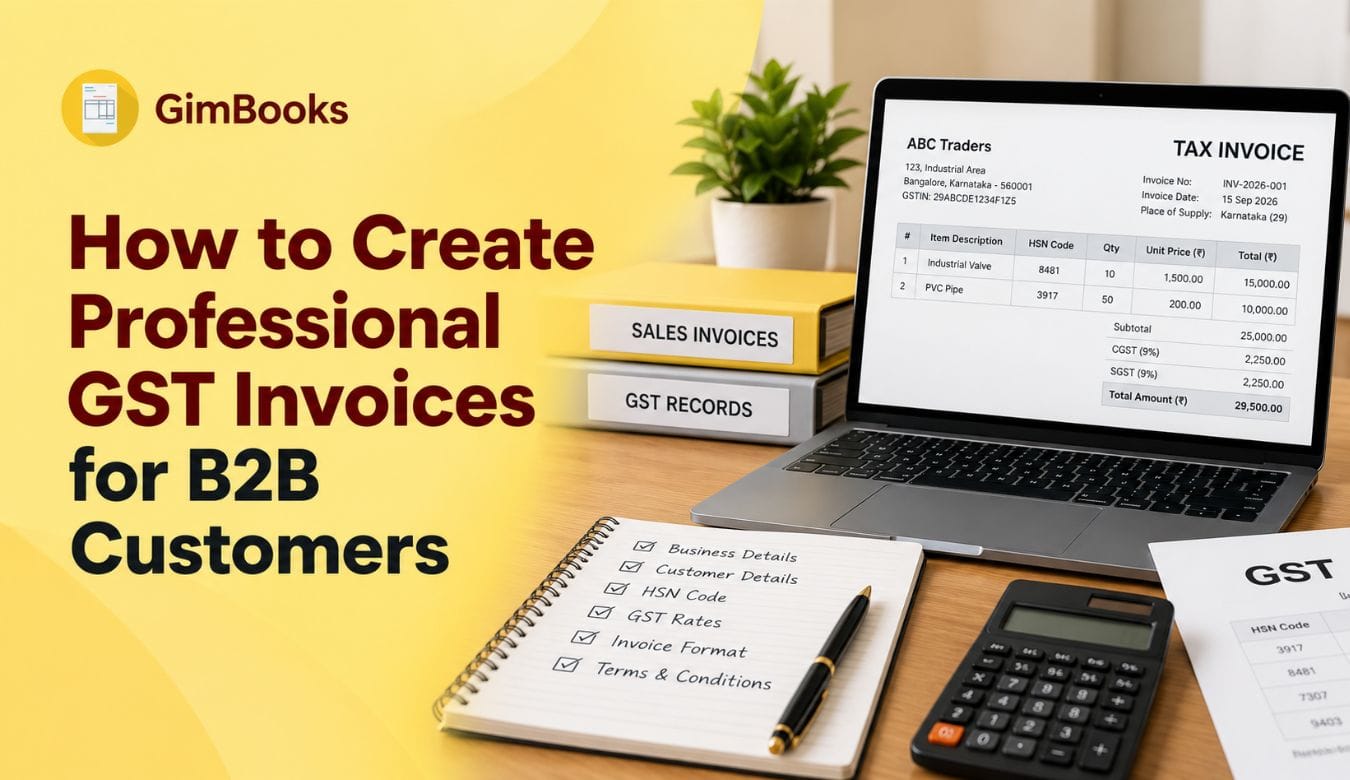
b2b gst invoiceWhen you sell goods or services to another GST-registered business, the invoice you issue does more than request payment. It records the transaction for GST reporting, gives your customer the information needed to account for the purchase, and, where applicable, supports their input tax credit records.
A correctly prepared B2B GST invoice should therefore be accurate, easy to understand and consistent with your accounting and GST records.
Whether you are a wholesaler supplying retailers, a distributor managing bulk orders, a service provider billing corporate clients, or a small business dealing with other GST-registered companies, following a standard invoicing process can reduce errors and make GST reporting easier.
This guide explains how to create a professional B2B GST invoice in India, what information to include and how billing software can simplify the process.
What Is a B2B GST Invoice?
A B2B GST invoice is a tax invoice issued when a GST-registered supplier sells taxable goods or services to another registered business.
For GST return purposes, B2B supplies generally refer to taxable outward supplies made to registered taxpayers. The GST Portal provides specific B2B invoice tables in GSTR-1 for reporting supplies made to registered recipients.
A B2B GST tax invoice should also not be confused with a quotation or proforma invoice. If you send customers a preliminary document before the final sale, see our guide to proforma invoice vs invoice to understand when each document is used.
For example:
Supplier: ABC Electricals Pvt. Ltd.Buyer: XYZ TradersSupplier GSTIN: RegisteredBuyer GSTIN: Registered
Because the recipient is GST registered, the supplier needs to capture the recipient's correct GSTIN and other required invoice information.
This is one of the main differences between routine B2C billing and GST invoicing for B2B customers.
Why B2B GST Invoices Need to Be Accurate
Incorrect invoices can create problems for both the seller and the buyer.
An incorrect GSTIN, tax rate, place of supply or taxable value can result in:
- GST return mismatches
- Incorrect customer records
- Delays in invoice processing
- Payment disputes
- Incorrect CGST, SGST or IGST treatment
- Problems during purchase and ITC reconciliation
- Additional corrections or amendments later
Invoice accuracy also matters after the invoice has been reported. Registered buyers may review supplier-uploaded documents through the GST Invoice Management System, making incorrect GSTINs, duplicate records and tax-value mismatches more visible during reconciliation.
For businesses issuing dozens or hundreds of invoices each month, even small manual mistakes can create considerable reconciliation work.
A professional invoicing process should therefore focus on both GST compliance and operational accuracy.
What Should a B2B GST Invoice Include?
Rule 46 of the CGST Rules specifies particulars that need to appear on a tax invoice. These include supplier details, invoice identification, recipient information, HSN/SAC, description, value and tax-related information, subject to the relevant circumstances.
For a typical B2B transaction, review the following details before issuing the invoice.
For a complete field-by-field review, use our GST invoice mandatory fields checklist under Rule 46 to verify supplier details, recipient information, HSN/SAC, taxable value, GST rates, place of supply and other applicable invoice fields.
How to Create a B2B GST Invoice Step by Step
Step 1: Add Your Business Details
Start with your own business information.
Normally, this includes:
- Business/legal name
- Registered or relevant business address
- GSTIN
- Contact information
- Logo, if you use branded invoices
Your GSTIN is particularly important because it identifies the GST registration under which the transaction is being invoiced.
If your business operates through multiple GST registrations, make sure the invoice is generated using the GSTIN relevant to the transaction.
Step 2: Enter the Customer's Correct GST Details
For a B2B GST bill, customer information needs more attention than simply entering a company name.
Check:
- Customer legal/business name
- GSTIN
- Billing address
- Delivery or shipping address where applicable
- State
- Place of supply
Avoid manually typing the GSTIN from memory or copying it from an old email without verification.
An incorrect recipient GSTIN can cause the invoice to be associated with the wrong GST registration when transaction data is reported.
For regular B2B customers, maintaining a saved customer master can reduce repetitive data entry.
Step 3: Generate a Proper Invoice Number
Each invoice should have an identifiable invoice number.
Under GST invoicing requirements, the serial number should be consecutive, unique for the financial year and follow the permitted format.
A business might, for example, use a series such as:
INV/26-27/001
and then continue:
INV/26-27/002INV/26-27/003
The exact internal format can depend on your invoicing system and business structure, provided it satisfies applicable GST requirements.
Avoid changing invoice numbering randomly during the financial year.
Step 4: Add the Goods or Services Supplied
Clearly describe what your customer is paying for.
For each line item, you may need to record:
- Product or service description
- HSN or SAC
- Quantity
- Unit
- Rate
- Discount, if applicable
- Taxable value
- GST rate
For services, quantity-related fields may work differently from goods depending on the transaction.
Clear descriptions are useful not only for GST purposes but also for customer approval, bookkeeping and future reconciliation.
Instead of writing:
“Service — ₹50,000”
use something more specific, such as:
“Monthly equipment maintenance service — September 2026”
This makes the invoice easier for both businesses to understand later.
Step 5: Determine Whether CGST + SGST or IGST Applies
The tax shown on the invoice depends on the nature and location of the supply.
Intra-state supply
If the applicable supplier location and place of supply are within the same state, the transaction will generally involve:
CGST + SGST
For example, if the applicable GST rate is 18%:
Taxable value: ₹1,00,000CGST @ 9%: ₹9,000SGST @ 9%: ₹9,000Total: ₹1,18,000
Inter-state supply
Where the transaction qualifies as an inter-state supply, it would generally involve:
IGST
Using the same example:
Taxable value: ₹1,00,000IGST @ 18%: ₹18,000Total: ₹1,18,000
Place of supply rules can vary by transaction, particularly for services, so businesses should not determine the tax type merely from the customer's office address.
If you sell physical goods, review our place of supply for goods invoices checklist before deciding whether a B2B invoice should charge IGST or CGST and SGST, especially for Bill-to/Ship-to and multi-state transactions.
Service providers should separately check the place of supply for service invoices because the applicable rule may depend on the recipient, service type, property location, event location or other transaction-specific factors.
Step 6: Check the GST Rate and HSN/SAC
Before finalising the invoice, check that the correct GST rate and classification have been selected.
A product invoice may require an HSN code, while services use the applicable service accounting classification.
Common invoice errors include:
- Selecting the wrong GST rate
- Using an incorrect HSN/SAC
- Reusing an old item configuration after tax treatment changes
- Manually entering different rates for the same product
If your business regularly sells the same products or services, maintaining a product/service master with GST information can make B2B invoicing considerably faster.
Step 7: Calculate the Invoice Total
The invoice should clearly show how the payable value has been calculated.
A simple B2B GST invoice calculation may look like this:
Your invoice should allow the customer to clearly distinguish between:
- Base value
- Discount
- Taxable value
- GST
- Final amount payable
This becomes particularly useful for large invoices containing multiple products with different GST rates.
Step 8: Add Payment Information
A professional GST invoice should also make it easy for the customer to understand how and when payment needs to be made.
You can include:
- Payment due date
- Bank details
- UPI information
- Payment link
- Payment terms
- Purchase order reference
- Customer reference number
- Notes relating to payment
For example:
Payment terms: Net 15 days from invoice date
Including clear payment terms can reduce unnecessary communication between the accounts teams of both businesses.
GimBooks also supports invoice-based payment collection features such as UPI/payment links and payment reminders for small-business billing workflows.
Step 9: Check Whether E-Invoicing Applies
A regular GST invoice and a GST e-invoice are related, but they are not exactly the same thing.
Businesses covered by India's e-invoicing provisions need to report applicable B2B and other prescribed documents to an Invoice Registration Portal and obtain an Invoice Reference Number (IRN) and QR code.
The current e-invoicing threshold applies to specified taxpayers with aggregate annual turnover of ₹5 crore or more in any relevant preceding financial year from 2017-18 onwards, subject to notified exemptions and applicable rules.
For businesses to which e-invoicing applies, the process generally works like this:
Create invoice → report invoice data to IRP → IRP validates data → receive IRN and QR code → issue authenticated invoice to customer
If your business falls under the e-invoicing mandate, see our step-by-step guide on how to create an e-invoice online using GimBooks, including buyer details, invoice information and e-way bill conversion.
GST guidance states that taxpayers continue creating invoices through their own accounting or billing system and report the applicable invoice information to an authorised IRP. After validation, the IRP returns the signed e-invoice containing the IRN and QR code.
Always verify current e-invoicing applicability before relying on a turnover threshold, as GST requirements can change.
Step 10: Generate an E-Way Bill Where Required
If your B2B invoice involves movement of goods, an e-way bill may also be required.
If you're unfamiliar with the process, start with our guide explaining what an e-way bill under GST is, what information it contains and when businesses may need to generate one.
Under the central Rule 138 framework, a registered person causing movement of goods with consignment value exceeding ₹50,000 generally needs to provide prescribed information before movement, subject to exceptions and specific circumstances.
The e-way bill may contain information such as:
- Supplier GSTIN
- Recipient GSTIN
- Invoice/document number
- Document date
- Goods description
- HSN
- Consignment value
- Transporter details
- Vehicle details
Businesses should separately check applicable state-specific and transaction-specific requirements rather than assuming that every B2B invoice automatically requires an e-way bill.
GimBooks allows businesses to create e-way bills from invoices and other supported business documents, while also providing status and validation features.
Example of a B2B GST Invoice
Here is a simplified example.
Supplier
ABC Distributors Pvt. Ltd.GSTIN: 27XXXXXXXXXXXXMumbai, Maharashtra
Customer
XYZ Retailers Pvt. Ltd.GSTIN: 27YYYYYYYYYYYYPune, Maharashtra
Invoice
Invoice No.: INV/26-27/154Invoice Date: 15 September 2026Place of Supply: Maharashtra
Total taxable value: ₹35,000CGST @ 9%: ₹3,150SGST @ 9%: ₹3,150Invoice total: ₹41,300
The exact HSN, rate and other tax treatment should always reflect the actual goods and transaction.
B2B GST Invoice vs B2C Invoice
The main operational difference is the recipient.
GST reporting identifies B2B invoices as supplies of goods or services made to a registered taxpayer.
Common B2B GST Invoice Mistakes
1. Entering the Wrong Customer GSTIN
A single incorrect character can associate the transaction with the wrong GST registration or create reconciliation issues.
Better practice: Save and verify customer GST details before recurring billing.
2. Choosing the Wrong Tax Type
Using CGST/SGST instead of IGST, or vice versa, can create incorrect tax reporting.
Better practice: Review place of supply before finalising the invoice.
3. Selecting the Wrong GST Rate
GST rates should not be chosen simply because the same rate was used on a previous invoice.
Better practice: Maintain properly configured product and service masters.
4. Missing HSN or SAC Information
Classification errors can affect invoice quality and GST reporting.
Better practice: Store HSN/SAC against frequently billed items.
5. Duplicate Invoice Numbers
Duplicate numbers can complicate accounts and GST return preparation.
Better practice: Use automated sequential invoice numbering.
6. Forgetting Credit or Debit Notes
Changes to the original transaction should be documented correctly rather than silently editing accounting records.
7. Missing E-Invoice Generation
If the supplier is covered by the e-invoicing mandate, simply creating a PDF invoice is not enough for the prescribed B2B transaction.
8. Creating Invoice and E-Way Bill Data Separately
Entering the same transaction repeatedly increases the chances of mismatched values, invoice numbers or customer data.
Using an integrated billing workflow can reduce duplicate data entry.
What Makes a B2B GST Invoice Look Professional?
Compliance is important, but your invoice is also a customer-facing business document.
A professional invoice should be:
Easy to scan
The customer should quickly find the invoice number, date, GSTIN, amount payable and due date.
Clearly branded
Include your business name, logo and consistent formatting.
Properly itemised
Avoid combining several unrelated products or services under vague descriptions.
Free from unnecessary clutter
Keep tax calculations organised and easy to understand.
Consistent
Use the same invoice structure, numbering pattern and customer records across transactions.
Easy to pay
Include clearly visible payment information or digital payment options.
For B2B customers with their own procurement and accounts teams, clean invoices can also reduce approval delays.
For additional invoice-format and presentation guidance, see our guide to creating professional invoices for business.
Manual B2B Invoicing vs GST Billing Software
Small businesses sometimes begin by creating invoices manually in Word or Excel. That may work when invoice volumes are low, but the process becomes harder to manage as transactions increase.
The value of billing software is therefore not simply creating a better-looking invoice. It can reduce repetitive work across billing, GST records, payments, inventory and reporting.
How GimBooks Helps Create B2B GST Invoices
GimBooks is designed for Indian small businesses that need to manage invoicing and related business records.
Businesses can use GimBooks to:
- Create professional GST invoices
- Save customer and supplier information
- Maintain products and services
- Configure GST rates
- Maintain HSN/SAC information
- Manage purchases
- Track inventory
- Generate e-invoices where applicable
- Generate e-way bills
- Create credit and debit notes
- Send payment links
- Track business records and reports
For businesses that regularly issue B2B invoices, keeping customer, inventory and transaction information in one billing system can reduce the need to recreate the same data across multiple tools.
B2B GST Invoice Checklist Before Sending
Before sharing the invoice with your customer, quickly verify:
- ☐ Correct supplier name and GSTIN
- ☐ Correct invoice number
- ☐ Correct invoice date
- ☐ Customer legal name
- ☐ Customer GSTIN
- ☐ Billing and delivery address where applicable
- ☐ Correct place of supply
- ☐ Product/service description
- ☐ HSN/SAC
- ☐ Quantity and rate
- ☐ Taxable value
- ☐ GST rate
- ☐ Correct CGST/SGST or IGST
- ☐ Discount or additional charges
- ☐ Payment terms
- ☐ Bank/UPI/payment details
- ☐ E-invoice IRN and QR code where required
- ☐ E-way bill where applicable
- ☐ Final invoice total
A quick check before sending an invoice can prevent considerably more time being spent correcting records later.
Frequently Asked Questions About B2B GST Invoices
What is a B2B invoice under GST?
A B2B GST invoice is a tax invoice relating to a supply made by a GST-registered supplier to a GST-registered recipient. GST reporting separately identifies B2B invoices for supplies made to registered taxpayers.
Is GSTIN mandatory on a B2B invoice?
Where the recipient is GST registered, the GST invoice rules require the recipient's GSTIN or UIN as applicable.
How do I create a B2B GST invoice?
Create the invoice using your supplier details, invoice number and date, customer's GSTIN and address, item/service details, HSN/SAC, taxable value, GST rate, appropriate CGST/SGST or IGST treatment, and other applicable particulars. If e-invoicing applies to your business, the invoice also needs to follow the prescribed IRP process.
What is the difference between a B2B invoice and an e-invoice?
A B2B invoice describes the business transaction between two registered businesses. An e-invoice refers to the prescribed electronic reporting and authentication mechanism applicable to specified taxpayers and transactions. Not every business issuing a B2B invoice is necessarily covered by the e-invoicing mandate.
Does every B2B GST invoice require an e-way bill?
No. E-way bill applicability depends on movement of goods, consignment value and other applicable conditions and exemptions. Under the central Rule 138 framework, movement of goods with a consignment value exceeding ₹50,000 generally triggers the requirement, subject to relevant rules and exceptions.
Can I create B2B GST invoices in Excel?
Businesses can prepare invoices using Excel provided the invoice meets applicable GST requirements. However, businesses with regular B2B transactions may find billing software easier for managing customer information, GST calculations, sequential numbering, inventory and related records.
Can GimBooks create B2B GST invoices?
Yes. GimBooks supports GST invoice creation along with customer records, products, GST calculations, inventory, e-invoicing, e-way bills, payments and reporting features.
Does the customer need a GST invoice to claim ITC?
A valid tax invoice is one of the important documentary requirements connected with input tax credit, but possession of an invoice alone does not automatically establish ITC eligibility. The recipient also needs to satisfy the applicable GST conditions.
Create Professional B2B GST Invoices Without Repetitive Manual Work
A good B2B GST invoice should do three things well: accurately record the transaction, provide the information required for GST purposes and make it easy for the customer to process payment.
For small businesses handling regular B2B transactions, the best approach is to standardise the process:
Save customer GST details → maintain products and GST rates → create invoice → verify tax treatment → generate e-invoice/e-way bill where applicable → collect payment → retain transaction records
Using GST billing software such as GimBooks can bring these activities into a single workflow, helping retailers, wholesalers, distributors and service businesses spend less time repeatedly entering billing data and more time managing their business.