E-Way Bill Distance and PIN Code Validation Checklist
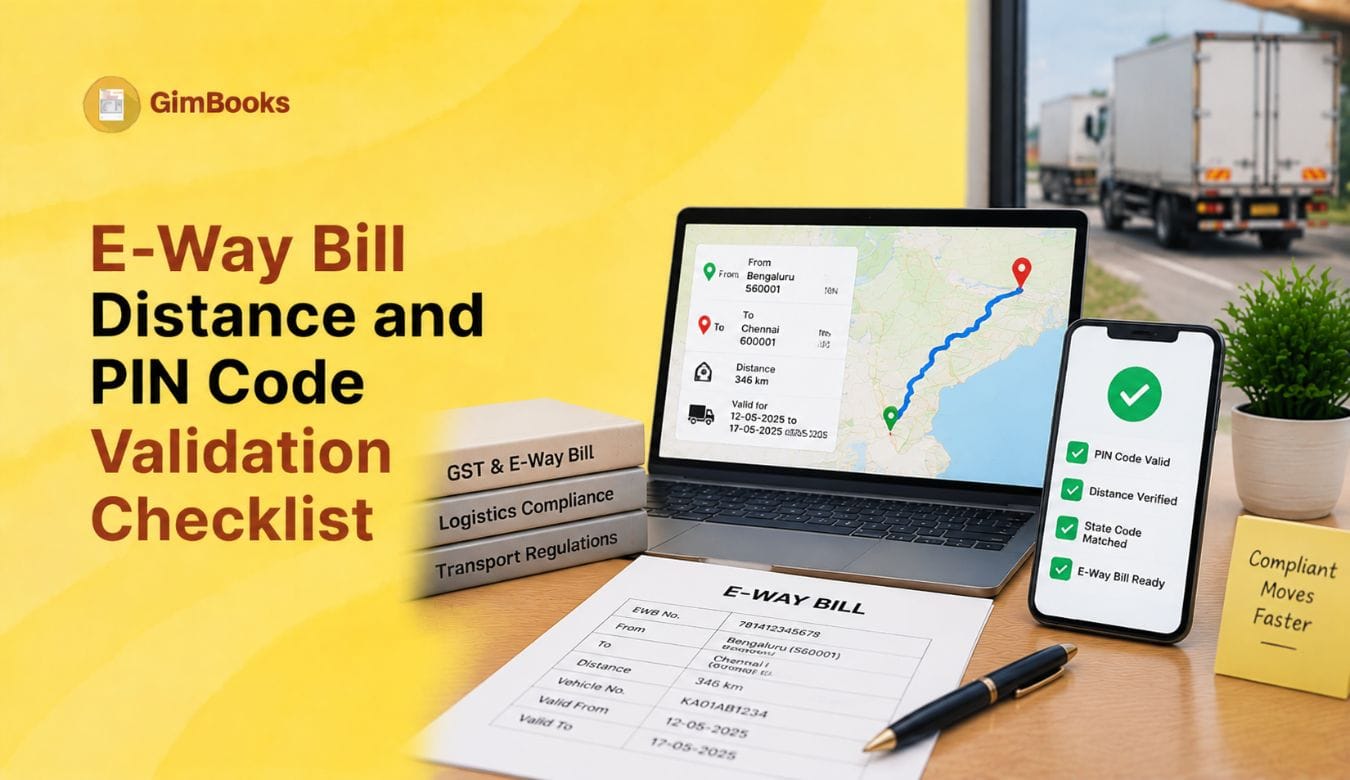
E-way bill generation can fail even when the invoice, GSTIN, HSN and tax values are correct. One of the most common reasons is a mismatch in distance, PIN code, state code or dispatch and delivery location details.
For dispatch teams, wholesalers, manufacturers, distributors and transporters, these errors can delay vehicle movement, create last-minute compliance pressure and affect delivery timelines.
The e-way bill system validates the distance between source and destination PIN codes, checks whether the PIN code belongs to the selected state and applies distance-related controls while generating or extending an e-way bill.
This guide explains how e-way bill PIN code and distance validation works, common error codes, and the checklist your team should follow before dispatch.
An e-way bill PIN code error usually happens when the dispatch PIN code or ship-to PIN code is invalid, does not match the selected state, or the distance entered does not match the system’s PIN-to-PIN distance logic. To fix it, verify the Dispatch From PIN code, Ship To PIN code, state code, actual route distance and vehicle movement details before generating the e-way bill.
Key Takeaways
- The e-way bill system can auto-calculate distance using Dispatch From and Ship To PIN codes.
- If distance is entered as zero and the system has PIN-to-PIN distance data, the system may use its own database distance.
- If the entered distance differs beyond the permitted tolerance, the system may return an error.
- If the source and destination PIN codes are the same, the maximum distance is generally limited.
- PIN codes are validated against the state they belong to.
- If PIN-to-PIN distance is not available in the e-way bill database, the generator may need to enter the correct distance manually.
- Distance determines e-way bill validity, so incorrect distance can create expiry and transit problems.
- E-way bill generation is restricted for documents older than 180 days.
- E-way bill extension is restricted up to 360 days from original generation.
- Dispatch teams should validate PIN code, state, distance and vehicle details before movement starts.
Why PIN Code and Distance Validation Matters
The e-way bill is not just a transport form. It controls how goods are moved and how long the movement document remains valid.
Distance and PIN code details affect:
- e-way bill generation;
- e-way bill validity;
- delivery timeline;
- vehicle movement records;
- e-way bill extension;
- transporter compliance;
- inspection risk;
- dispatch planning.
A wrong PIN code can result in an incorrect route distance. A wrong distance can result in shorter validity than required. A state-code mismatch can block generation or trigger a validation error.
For businesses handling high-volume dispatches, one wrong customer address or warehouse PIN code can delay multiple consignments.
Common E-Way Bill PIN Code and Distance Errors
Important E-Way Bill Distance Validation Rules
The e-way bill system uses Dispatch From and Ship To PIN codes to estimate motorable distance.
If distance is entered as zero
If the user passes distance as zero and the distance between the two PIN codes is available in the e-way bill database, the system may replace it with the database distance.
This is useful when the user wants the system to calculate distance automatically.
If manual distance is entered
The entered distance should generally remain within the permitted tolerance of the system-calculated PIN-to-PIN distance.
If the entered distance is too high or too low compared with the system’s distance, the request may fail or return an error.
If PIN-to-PIN distance is not available
If the system does not have distance data for the selected PIN codes, the e-way bill may require the user to provide the correct distance manually.
The person generating the e-way bill is responsible for entering a reasonable and correct distance in such cases.
If source and destination PIN are the same
Where From PIN and To PIN are the same, the permitted distance is limited. For line-sales movement, a higher local-distance limit may apply.
Do not use the same PIN code for unrelated locations simply to bypass address validation.
Maximum distance control
The e-way bill system applies a maximum distance control for actual source-to-destination movement. If the entered distance exceeds system limits, the e-way bill may not be generated.
E-Way Bill Distance and Validity
Distance is important because it determines how long the e-way bill remains valid.
Example
If regular cargo has to move 450 km, the e-way bill validity should cover three distance blocks:
- up to 200 km;
- next 200 km;
- remaining 50 km.
So, incorrect distance entry may either shorten the validity or trigger a system error.
For delayed trips, read the E-Way Bill Validity Extension for Vehicle Breakdown and Delivery Delays.
E-Way Bill Distance and PIN Code Error Codes
These codes are especially important for businesses using APIs, ERP systems, GSP integrations or billing software workflows.
E-Way Bill PIN Code Validation Checklist
Use this checklist before generating the e-way bill.
Supplier / Dispatch Details
- Dispatch From address is correct.
- Dispatch From PIN code is correct.
- Dispatch From state matches the PIN code.
- Actual dispatch location is entered, not only registered office.
- Warehouse, branch or job-worker location is selected correctly.
- State code matches the GSTIN and physical dispatch location.
Buyer / Delivery Details
- Ship To address is complete.
- Ship To PIN code is correct.
- Ship To state matches the PIN code.
- Delivery location is not confused with billing address.
- Bill-to/Ship-to details are handled correctly.
- Customer master record is updated before e-way bill generation.
For multi-party dispatch cases, read the E-Invoice Bill-to Ship-to Data Entry Checklist.
Distance Details
- PIN-to-PIN distance checked.
- Manual distance is realistic.
- Distance is not entered randomly to increase validity.
- Route diversion is considered only where genuine.
- Same-PIN movement distance is reviewed.
- Remaining distance is checked when extending validity.
- Transporter confirms actual route distance for long trips.
Vehicle and Transport Details
- Vehicle number is available.
- Transport mode is correct.
- Transporter ID is entered where required.
- Vehicle type is regular or over-dimensional, as applicable.
- Part-B is completed before movement.
- Vehicle details match the actual conveyance.
Document Details
- Invoice or delivery challan date is correct.
- Document is not older than permitted generation limits.
- Invoice number or challan number is correct.
- HSN code belongs to goods.
- Taxable value and total value are correct.
- Document type matches the movement type.
For invoice-field accuracy, read the GST Invoice Mandatory Fields Audit Checklist.
How to Check PIN-to-PIN Distance Before Generating E-Way Bill
Before creating the e-way bill, dispatch teams can check approximate distance between source and destination PIN codes.
Step 1: Identify the actual dispatch PIN
Use the PIN code of the location from where goods physically start moving.
This may be:
- factory;
- warehouse;
- branch;
- job-worker location;
- third-party logistics location;
- depot;
- supplier dispatch point.
Do not automatically use the registered office PIN if goods are moving from another location.
Step 2: Identify the actual delivery PIN
Use the PIN code of the place where goods will be delivered.
This may be:
- customer warehouse;
- consignee location;
- branch;
- retail outlet;
- project site;
- stock transfer destination.
Step 3: Use the official PIN-to-PIN distance tool
Use the official e-way bill PIN-to-PIN distance search facility to check the approximate motorable distance.
Step 4: Compare with transporter route
The system distance is an estimate. The transporter route may differ because of road closures, heavy-vehicle restrictions, diversions or practical route planning.
If manual distance is needed, it should be reasonable and defensible.
Step 5: Save route explanation for exceptions
If the entered distance is different due to route diversion, retain supporting notes such as:
- route map;
- transporter confirmation;
- road closure note;
- toll route;
- delivery instruction;
- internal dispatch remark.
Dispatch From PIN vs Ship To PIN
The e-way bill distance is based on the actual movement of goods, not only the billing addresses.
Example
A company in Mumbai bills a Delhi customer, but goods are dispatched from its Pune warehouse to the customer’s Jaipur warehouse.
The distance should not be based on Mumbai to Delhi.
The e-way bill should reflect:
- Dispatch From: Pune warehouse;
- Ship To: Jaipur warehouse;
- Bill To: Delhi customer;
- Bill From: Mumbai or relevant supplier details, depending on the transaction structure.
For such scenarios, read E-Invoice for Bill To–Ship To Transactions.
Common Scenarios and Correct Treatment
For branch movements, read the E-Way Bill for Branch Transfers Between GSTINs.
How to Fix E-Way Bill PIN Code Error
Step 1: Read the exact error message
Do not immediately change the distance or state. Identify whether the error relates to:
- invalid PIN;
- state mismatch;
- distance too high;
- distance unavailable;
- document date;
- vehicle or transport details.
Step 2: Check the Dispatch From address
Confirm the actual source of movement.
If goods are moving from a warehouse, the warehouse PIN should be used.
Step 3: Check the Ship To address
Confirm the final delivery location.
If goods are delivered to a consignee, branch or project site, the Ship To PIN should match that location.
Step 4: Match PIN code and state
If the system says invalid state code for PIN code, do not change only the state randomly.
Check the actual postal PIN code and select the correct state.
Step 5: Check system distance
Use the official PIN-to-PIN distance tool wherever possible.
If the portal has no distance data, enter a reasonable manual distance.
Step 6: Check manual distance tolerance
If the entered distance is too high compared with the system distance, reduce it only if the original entry was wrong.
If a longer route is genuinely required, keep internal evidence.
Step 7: Correct the source record
Do not fix only the e-way bill form if the customer master, warehouse master or branch master is wrong.
Update the source record so future e-way bills do not fail again.
How to Fix E-Way Bill Distance Error
Distance errors usually happen when the distance entered is inconsistent with PIN-to-PIN distance data.
Check these fields
- Dispatch From PIN
- Dispatch From state
- Ship To PIN
- Ship To state
- actual route distance
- vehicle route
- movement type
- same PIN or same city movement
- line sales, where applicable
If distance is too high
Review whether:
- wrong delivery PIN was entered;
- full route distance was entered instead of current leg;
- same PIN code was used with unrealistic distance;
- dispatch and delivery addresses were swapped;
- route diversion was not documented.
If distance is unavailable
Enter the correct distance manually and retain the source of calculation.
If distance is too low
Review whether:
- approximate distance was guessed;
- vehicle route is longer than assumed;
- delivery address is incomplete;
- wrong PIN was selected from customer master.
PIN Code Validation Before E-Way Bill Extension
PIN code validation is also important during e-way bill validity extension.
When goods are delayed due to vehicle breakdown, warehouse delay or delivery issue, the transporter may need to enter:
- current location;
- current PIN code;
- remaining distance;
- vehicle details;
- reason for extension.
Do not enter the original full trip distance during extension. Enter the approximate remaining distance from the current location.
Read the E-Way Bill Validity Extension Guide for the full extension workflow.
E-Way Bill PIN Code Checklist for API and Software Users
Businesses using APIs, ERPs, GSPs or billing systems should build validation before submission.
Master data controls
- Validate customer PIN code at the time of customer creation.
- Validate warehouse PIN code before dispatch.
- Store state and state code with every address.
- Maintain separate Bill To and Ship To addresses.
- Maintain separate Bill From and Dispatch From addresses.
- Keep transporter and vehicle details updated.
System controls
- Do not allow blank PIN codes for dispatch or delivery locations.
- Auto-fill state based on verified PIN code where possible.
- Flag PIN-state mismatch before e-way bill submission.
- Allow manual distance only with user confirmation.
- Create alert when entered distance is higher than normal.
- Maintain logs for distance overrides.
- Block e-way bill generation if source or destination address is incomplete.
Exception controls
- Store reason when manual distance is entered.
- Track repeated errors by customer, branch or warehouse.
- Review high-error addresses every month.
- Sync corrected master data across all branches.
Monthly E-Way Bill Validation Audit
Dispatch teams should audit e-way bill errors every month.
CTA: Reduce E-Way Bill Errors With GimBooks
E-way bill PIN code and distance errors often happen because dispatch, billing and transport data are maintained in separate spreadsheets or manual records.
GimBooks helps businesses manage GST invoices, customer records, item details and e-way bill workflows from a structured system.
With GimBooks, businesses can:
- create GST-compliant invoices;
- manage customer and shipping details;
- generate e-way bills;
- maintain item and HSN details;
- manage delivery challans;
- track invoice-linked dispatch records;
- reduce repeated manual data entry;
- access billing records from mobile and web;
- keep invoice and e-way bill data better organised.
Explore GimBooks e-way bill software to simplify invoice-linked e-way bill generation and reduce dispatch errors.
You can also explore GimBooks GST billing software for GST invoicing, inventory, reports and business billing workflows.
More about E Way Bill Pin Code
What is e way bill pin code error?
An e-way bill PIN code error occurs when the dispatch or delivery PIN code is invalid, does not match the selected state, or cannot be used for distance calculation in the e-way bill system.
Why does e-way bill show distance error?
The e-way bill system may show a distance error when the entered distance is too high, too low or unavailable for the selected PIN code pair.
How is e-way bill distance calculated?
The e-way bill system uses Dispatch From and Ship To PIN codes to estimate motorable distance. Users may also enter actual distance, subject to validation rules.
Can I enter zero distance in e-way bill?
If distance is entered as zero and the system has distance data for the PIN code pair, the system may use the database distance.
What should I do if PIN-to-PIN distance is not available?
Enter the correct distance manually and keep a reasonable basis for the distance used, such as transporter confirmation or route calculation.
Frequently Asked Questions
What is the common reason for e way bill pin code error?
The common reason is that the PIN code entered does not match the selected state or the dispatch and delivery PIN codes do not have valid distance data in the e-way bill system.
How do I fix invalid state code for PIN code in e-way bill?
Verify whether the PIN code belongs to the selected state. Correct either the state or the PIN code based on the actual dispatch or delivery location.
What does distance between PIN codes is too high mean?
It means the distance entered is higher than the permitted range compared with the system-calculated PIN-to-PIN distance. Recheck the route, dispatch PIN and ship-to PIN.
What does PIN-to-PIN distance not available mean?
It means the e-way bill system does not have stored distance data for the selected PIN code pair. In such cases, the user may need to enter the correct distance manually.
Does distance affect e-way bill validity?
Yes. E-way bill validity is calculated based on the distance to be travelled and the type of cargo.
Which PIN code should be used in e-way bill?
Use the actual Dispatch From PIN code and the actual Ship To PIN code. Do not use billing address PIN codes when goods are moving from or to different locations.
Can I use registered office PIN if goods are dispatched from warehouse?
No. The e-way bill should reflect the actual dispatch location. Use the warehouse PIN if goods physically move from the warehouse.
What is the maximum distance for same PIN code in e-way bill?
Where From PIN and To PIN are the same, the system applies a restricted maximum distance. Line-sales movement may have a higher permitted limit.
Can I change PIN code after e-way bill generation?
If the e-way bill has already been generated, correction options are limited. You may need to review whether cancellation, regeneration or another permitted action is appropriate.
How can billing software reduce PIN code errors?
Billing software can maintain structured customer, shipping and warehouse records, reducing repeated manual entry and helping teams use consistent dispatch and delivery details.
Conclusion
E-way bill distance and PIN code validation errors are preventable when billing, dispatch and transport teams maintain clean location data.
The most important checks are:
- use actual dispatch PIN;
- use actual delivery PIN;
- match PIN code with state;
- avoid random manual distance entry;
- verify route distance before dispatch;
- maintain separate Bill To, Ship To, Bill From and Dispatch From details;
- update customer and warehouse master data;
- monitor recurring errors every month.
A correct e-way bill begins with clean invoice, address and dispatch data.
Using GimBooks e-way bill software can help businesses create invoice-linked e-way bills, manage shipping details and reduce manual dispatch errors.
Create accurate e-way bills and reduce PIN code validation issues with GimBooks.
Source Notes
The e-way bill API documentation states that when distance is passed as zero and PIN-to-PIN distance exists in the system database, the system can use the database distance; if the entered distance differs beyond the permitted range, it may trigger an error. It also confirms same-PIN distance limits, maximum actual distance controls and PIN-code-to-state validation.
The official e-way bill error-code list includes distance and PIN-related errors such as 702 for distance too high, 709 for PIN-to-PIN distance not available, 710 for invalid state code for the given PIN code and 721 for unavailable distance requiring manual input.
The NIC e-way bill enhancement note explains auto calculation of distance based on PIN codes, PIN-to-PIN distance search, and that the system uses motorable-distance logic based on source and destination PIN codes.