
E-Invoice Reporting for Export Invoices Within 30 Days
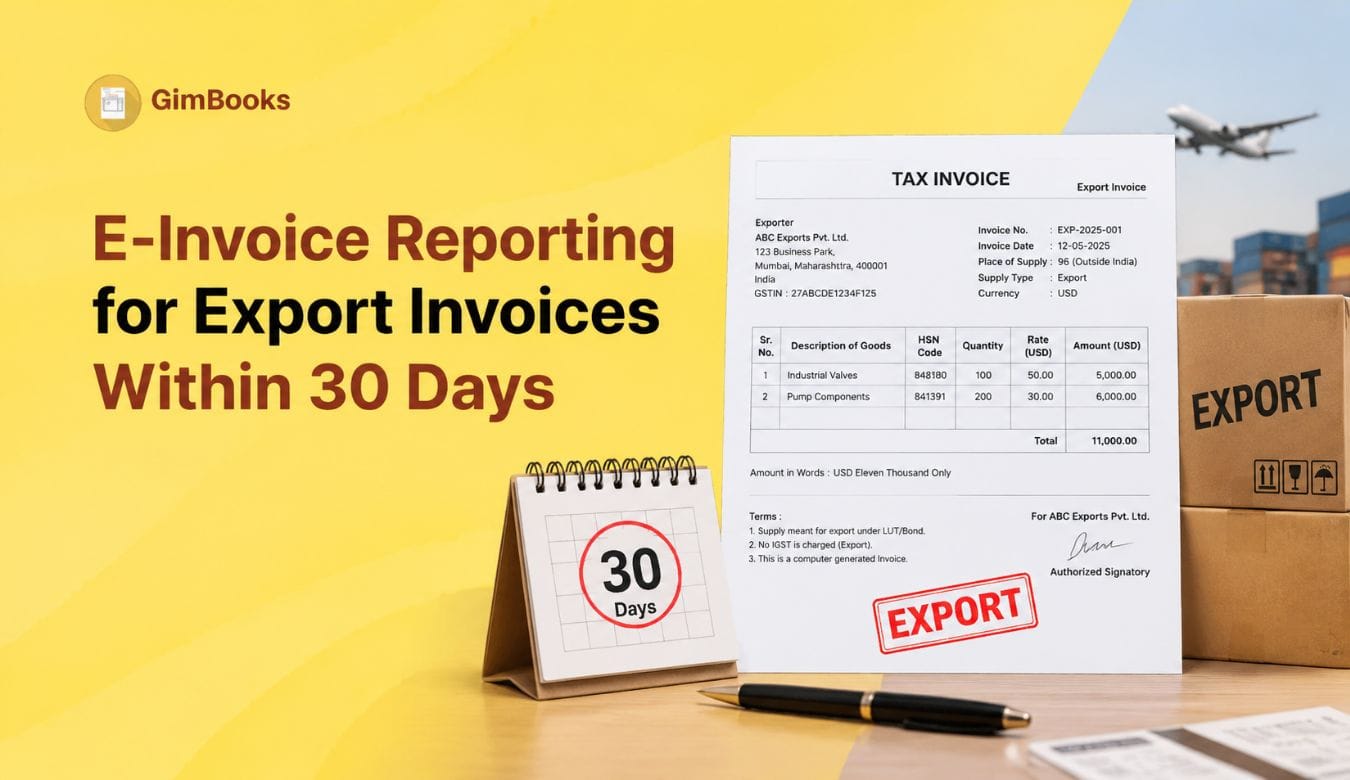
Export invoices need more attention under e-invoicing because they involve GST reporting, IRN generation, export classification, foreign customer details, shipping information and GSTR-1 reconciliation. For businesses with Aggregate Annual Turnover of ₹10 crore and above, the process has become even more time-sensitive because applicable e-invoices must be reported within the 30-day window.
From 1 April 2025, taxpayers with AATO of ₹10 crore and above must report applicable e-invoices within 30 days from the invoice date. The restriction applies to invoices, credit notes and debit notes where IRN generation is required. If the document is reported beyond the 30-day limit, IRN generation can be restricted by the IRP.
For exporters, this means export invoices should not be kept pending until shipping bill details, payment realisation or month-end GST filing. The export invoice should be validated, reported to the IRP and tracked within the 30-day timeline wherever e-invoicing applies.
This guide explains how to manage e-invoice reporting for export invoices within 30 days, what fields to check, which errors to avoid and how finance teams can keep export IRN reporting under control.
What Is E-Invoice Reporting for Export Invoices?
E-invoice reporting for export invoices means reporting applicable export invoice details to the Invoice Registration Portal so that an Invoice Reference Number, signed QR code and digitally signed invoice data can be generated.
Under GST, exports are generally treated as zero-rated inter-state supplies. Exporters may export without payment of integrated tax and claim refund of ITC, or pay IGST and claim refund of the IGST amount, subject to applicable rules. The GST Portal also clarifies that export invoices are reported in GSTR-1 and that shipping bill details can be furnished later if they are not available at the time of filing.
For businesses covered under e-invoicing, export invoices should be reported through the IRP before they are finalised for GST reporting and customer records. Once IRN is generated, e-invoice details can auto-populate into GSTR-1, including export invoice details in Table 6A.
For businesses already managing domestic e-invoices, the export process needs extra checks because the buyer is outside India, the place of supply is outside India and the invoice may be with payment or without payment of IGST.
You can also read GimBooks’ E-Invoice 30-Day Reporting Rule Checklist for the broader 30-day rule.
Who Needs to Track Export E-Invoice Reporting Within 30 Days?
The 30-day reporting restriction applies to taxpayers with AATO of ₹10 crore and above where IRN generation is applicable. This includes applicable invoices, credit notes and debit notes.
Export-focused businesses should be especially careful if they:
- Issue export invoices daily or weekly
- Export goods with shipping documentation
- Export services to foreign clients
- Use LUT for export without payment of IGST
- Export with payment of IGST and claim refund later
- Manage multiple GSTINs or branches
- Depend on manual Excel invoice preparation
- Generate IRNs in bulk at month-end
- Wait for shipping bill details before completing GST reporting
- Issue export credit notes or debit notes after reconciliation
For these businesses, the invoice date is the key control point. The 30-day e-invoice timeline runs from the document date, not from the date when shipping bill details, payment confirmation or internal approval is received.
30-Day Export E-Invoice Reporting Rule Summary
This table should be used by finance teams as a quick compliance reference. Export invoices should be tracked in the same pending IRN report as domestic B2B invoices.
Export Invoice vs Domestic B2B E-Invoice: Key Differences
The GST Portal states that e-invoice details auto-populate into GSTR-1, including Table 6A for export invoices.
Export Invoice Fields to Check Before IRN Generation
Export invoices should be validated before IRN generation. A small data error can cause IRP rejection, and if the correction is delayed, the export invoice may move closer to the 30-day deadline.
The IRP troubleshooting guidance shows export-specific validation errors, including POS issues where code 96 is expected for specified export transactions and recipient GSTIN errors where the recipient has to be URP for export transactions.
For a wider invoice validation list, use the GimBooks GST Invoice Mandatory Fields Audit Checklist.

Export With Payment vs Export Without Payment Under LUT
Export invoices may generally be prepared under two routes: export with payment of IGST or export without payment of IGST under LUT. The reporting workflow should clearly identify the route because the tax treatment and refund process differ.
The GST Portal explains that exports are generally zero-rated inter-state supplies and exporters may export without payment of integrated tax and claim ITC refund, or pay IGST and claim refund of IGST paid.
How to Track the 30-Day Deadline for Export Invoices
The export invoice date should be treated as the starting point for the reporting window. Businesses should not wait for shipment closure, payment receipt or month-end reconciliation before checking IRN status.
A simple tracking method is:
Businesses can also refer to GimBooks’ E-Invoice Cut-Off Control Sheet for ₹10 Crore+ Businesses to create a practical control sheet for all invoices, including export documents.
Do Not Wait for Shipping Bill Details Before IRN Tracking
For export goods, shipping bill details are important for export documentation and reconciliation. However, businesses should not use missing shipping bill details as a reason to ignore IRN tracking.
The GST Portal clarifies that export invoices can be furnished in GSTR-1 without shipping bill number and date if those details are not readily available. Shipping bill details can be furnished later through the amendment section in the month in which they are received.
This means the accounts team should separate two controls:
The key point is simple: do not let shipping bill follow-up hide an export invoice from the 30-day IRN report.
Common Export E-Invoice Reporting Errors
Export invoices often fail because teams use domestic invoice logic for export transactions. This can create IRP validation errors and reporting delays.
For common IRP rejection issues, use GimBooks’ E-Invoice Error Codes and Fixes.
Export IRN Reporting Checklist
Use this checklist before reporting export invoices to the IRP:
- Confirm whether e-invoicing applies to the business.
- Check whether the document is an invoice, credit note or debit note.
- Confirm invoice date and calculate the 30-day deadline.
- Confirm export type: with payment or without payment.
- Check LUT validity where export is without payment of IGST.
- Validate supplier GSTIN.
- Confirm foreign customer details.
- Use correct export recipient treatment.
- Use correct place of supply / Other Country treatment where applicable.
- Check HSN/SAC, taxable value and tax amount.
- Confirm currency and export value.
- Generate IRN as early as possible.
- Track shipping bill details separately where required.
- Reconcile export IRN data with GSTR-1 Table 6A.
- Track export credit notes and debit notes separately.
For businesses managing both goods and services, the Place of Supply Audit Checklist for Goods Invoices and Place of Supply Audit Checklist for Service Invoices can help reduce tax treatment errors before IRN generation.
How Export E-Invoice Data Appears in GSTR-1
After e-invoice generation, the IRP sends e-invoice details to the GST system. The GST Portal states that e-invoice data gets auto-populated into GSTR-1, including Table 6A for export invoices. It also shows fields such as source, IRN and IRN date for e-invoice details auto-populated in GSTR-1.
This makes reconciliation important. Exporters should compare:
If the e-invoice detail is edited inside GSTR-1, the GST Portal explains that source, IRN and IRN Date fields can become blank after changes. This is why businesses should carefully reconcile before editing auto-populated e-invoice data.
Export Credit Notes and Debit Notes Within 30 Days
The 30-day reporting restriction applies not only to invoices but also to credit notes and debit notes where IRN is required.
Exporters should create a separate tracker for:
- Export invoices pending IRN
- Export credit notes pending IRN
- Export debit notes pending IRN
- Rejected export documents
- Export documents older than 20 days
- Export documents close to 30 days
This is important because export credit notes and debit notes may be created after rate corrections, shipment quantity changes, customer disputes, rejected goods, invoice value changes or exchange-related reconciliation.
Practical Export Invoice Reporting Workflow for ₹10 Crore+ Businesses
A daily export e-invoice workflow should look like this:
- Review all export invoices created during the day.
- Identify export with payment and export without payment documents.
- Validate LUT status where export is without payment.
- Confirm foreign buyer details and export-specific fields.
- Check POS / Other Country treatment where applicable.
- Validate HSN/SAC, currency, value and tax fields.
- Generate IRN as early as possible.
- Mark rejected documents with error reason.
- Escalate export invoices older than 20 days.
- Update GSTR-1 Table 6A reconciliation once e-invoice data is available.
- Track shipping bill details separately and update when received.
- Review export credit notes and debit notes in the same dashboard.
This workflow helps exporters avoid last-minute reporting pressure and reduces the chance of missing the IRN generation time limit.
How GimBooks Helps with Export E-Invoice Reporting
Export invoice tracking becomes difficult when businesses depend on spreadsheets, email approvals and separate GST portals. This is especially true for ₹10 crore+ exporters handling daily invoices, multi-currency customer records, credit notes, debit notes and export documentation.
With GimBooks e-invoicing software, businesses can manage GST invoices, invoice validation and e-invoice workflows in a more organised way. GimBooks helps finance teams keep better visibility over invoice records, reporting status and GST-related documentation.
Businesses can also use GimBooks GST billing software to manage invoicing, inventory, billing records, customer data, GST reports and payment tracking in one workflow.
Practical Checklist to Avoid Missing Export E-Invoice Reporting Within 30 Days
Use this checklist for daily export invoice control:
- Report applicable export invoices within 30 days from invoice date.
- Do not wait for month-end to generate export IRNs.
- Do not delay IRN tracking because shipping bill details are pending.
- Validate export route: with payment or without payment.
- Check LUT status for export without payment.
- Use correct export place-of-supply treatment.
- Use correct foreign recipient treatment.
- Track export invoices, credit notes and debit notes together.
- Fix IRP validation errors immediately.
- Escalate export documents older than 20 days.
- Reconcile IRN data with GSTR-1 Table 6A.
- Update shipping bill details when available.
- Use billing software instead of scattered manual spreadsheets.
Conclusion
E-invoice reporting for export invoices within 30 days is a critical control for ₹10 crore+ businesses. Exporters cannot depend only on shipment documentation, payment realisation or month-end GSTR-1 preparation to manage compliance.
The safest approach is to report export invoices to the IRP as early as possible, track pending export IRNs daily, validate export-specific fields before upload, monitor credit notes and debit notes, and reconcile e-invoice data with GSTR-1 Table 6A.
A structured e-invoicing workflow helps exporters reduce IRP errors, avoid missed reporting windows and maintain cleaner GST records.
FAQs
Is e-invoice reporting required for export invoices?
Export invoices are part of GST e-invoice and GSTR-1 reporting workflows where e-invoicing applies. The GST Portal states that e-invoice details auto-populate into GSTR-1, including Table 6A for export invoices.
Does the 30-day e-invoice rule apply to export invoices?
For taxpayers with AATO of ₹10 crore and above, applicable e-invoices must be reported within 30 days from the invoice date. Export invoices requiring IRN should be tracked under the same 30-day reporting control.
What is the place of supply for export e-invoice reporting?
For specified export transactions, IRP validation guidance refers to Other Country code 96 for POS and highlights errors where POS is incorrect for export transactions.
Can export invoices be filed in GSTR-1 without shipping bill details?
Yes. The GST Portal clarifies that export invoices can be furnished in GSTR-1 without shipping bill number and date if those details are not readily available. They can be furnished later through the amendment section when received.
Does the 30-day rule apply to export credit notes and debit notes?
Yes, the 30-day reporting restriction applies to invoices, credit notes and debit notes where IRN generation is required.
How can businesses avoid missing export IRN reporting?
Businesses should generate export IRNs early, track invoice ageing daily, validate export fields, fix IRP errors quickly, monitor export credit/debit notes and reconcile IRN data with GSTR-1 Table 6A.