What Features Should I Look for in GST Invoice Billing Software?
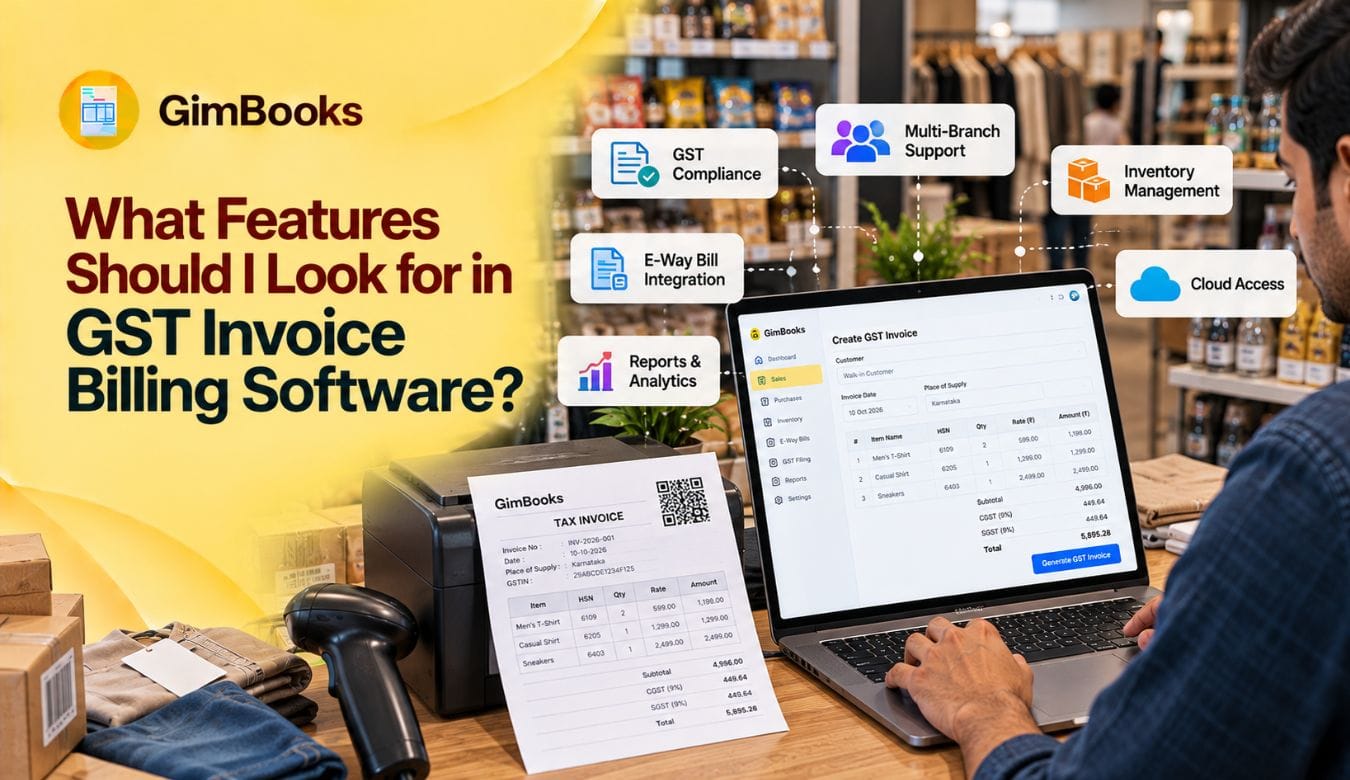
Choosing GST invoice billing software is not simply about creating attractive bills. Indian businesses also need reliable tax calculations, organised records and, where applicable, e-invoicing and e-way bills.
Short answer: Prioritise compliant invoice fields, correct CGST/SGST/IGST handling, HSN/SAC management, sales and purchase records, GST reports, payment tracking and accessible backups. Add inventory, e-invoicing and e-way bills according to your business. Test actual workflows and check plan limits before paying.
What Is GST Invoice Billing Software?
GST invoicing software creates and stores invoices with applicable GST details. Advanced systems connect billing with stock, purchases, balances and tax reports. Businesses remain responsible for correct tax treatment.
11 Features to Look for in GST Invoice Billing Software
1. GST Invoice Creation and Customisation
Look for sequential invoice numbering, customer GSTIN fields, professional templates, PDF sharing and credit/debit notes. Test whether your invoice displays the details relevant to your transactions, not just your logo.
2. Automatic GST Calculations
Good automatic GST calculation software should distinguish CGST plus SGST/UTGST from IGST using the applicable supply rules.
For example, a supplier making an intrastate supply may generally charge CGST and SGST; an interstate supply may attract IGST. Verify place-of-supply and rate settings rather than trusting a default.
3. HSN/SAC Codes and Mandatory Fields
Check item-wise HSN (goods) and SAC (services), tax rates, quantity, value and recipient information.
Rule 46 of the CGST Rules sets invoice particulars, subject to applicable conditions. A detailed GST invoice mandatory fields checklist can help you test a sample bill.
4. E-Invoicing and IRN Generation
If e-invoicing applies, check direct IRP connectivity, Invoice Reference Number (IRN) generation, signed QR codes, error messages and cancellation handling.
Under the current notification, this generally covers eligible taxpayers whose aggregate turnover exceeded ₹5 crore in any financial year since 2017–18, subject to exemptions.
Ask whether IRN generation is included in the subscription or costs extra.
5. E-Way Bill Integration
For businesses transporting goods, check whether an invoice can feed into an e-way bill without re-entering item and dispatch details.
E-way bills generally apply to specified goods movements where consignment value exceeds ₹50,000, subject to exceptions. Test transporter, vehicle and validity workflows.
6. Inventory and Stock Controls
GST billing software with inventory management should update stock when relevant sales and purchases are recorded.
Traders may need low-stock alerts; wholesalers may need units, batch details or different selling prices. Test returns and stock adjustments too.
7. Sales and Purchase Tracking
Choose software that records purchase bills, customer and supplier balances, returns, expenses and outstanding invoices.
A useful check is whether your accountant can trace a sales total back to the underlying invoices.
8. Payment Reminders and Receivables
Look for due dates, part-payment recording, customer-wise outstanding reports, payment links and reminders.
For example, a wholesaler offering 30-day credit should be able to identify overdue invoices without maintaining another spreadsheet.
9. GST Reports and Accounting Support
Useful reports include outward sales, purchase summaries, tax breakdowns and information supporting GSTR-1 and GSTR-3B preparation.
Ask whether reports export cleanly and whether they allow correction review. Reports are not a substitute for filing checks.
10. Mobile Access, Security and Backups
Test access from the devices your team actually uses.
Ask vendors about backup frequency, exportable data, user permissions, recovery and support if internet access fails. Do not assume every cloud application works offline.
11. Ease of Use, Support and Total Cost
Try creating an invoice, recording a purchase and sending a reminder.
Check setup assistance, training and language requirements. Compare renewal price, taxes, user limits and charges for e-invoices, e-way bills or extra businesses—not just the headline monthly price.
Which Features Matter Most for Your Business?
An affordable GST billing software plan is valuable only if it supports your daily transactions and likely growth.
A Five-Minute GST Software Buying Test
Before committing, request a trial and check each workflow:
If required, test e-invoices and e-way bills separately with authorised access. Request a demonstration of corrections and exports.
How Does GimBooks Fit These Requirements?
GimBooks offers GST invoices, quotations, purchases, inventory tracking, payment reminders, accounting reports and mobile/web access.
Its inventory tools include stock-level tracking and inventory reports, making it relevant for traders, retailers and distributors managing physical products.
Businesses with applicable requirements can explore GimBooks e-invoicing and its e-way bill generation tools.
The current pricing page lists separate e-invoice plan usage and credit requirements for e-way bills. Check plan eligibility rather than assuming both are included in a basic subscription.
Common Mistakes When Choosing GST Billing Software
Avoid choosing software solely because it is free.
Common mistakes include ignoring GST applicability, overlooking credit notes, skipping backup tests, neglecting accountant exports and missing paid add-ons.
Key Takeaways
- Start with invoice accuracy, tax handling and usable reports.
- Prioritise inventory or logistics tools when your workflow needs them.
- Test sample transactions before committing.
- Compare full plan costs, security and customer support.
Frequently Asked Questions
Which features are essential in GST billing software for small businesses?
GST invoice fields, tax calculations, HSN/SAC, sales records, payment tracking, exports and backups are the baseline. Add stock management when selling physical products.
Can GST billing software calculate CGST, SGST and IGST automatically?
Many tools can, provided GST rates, supplier details and place-of-supply settings are configured correctly. Review unusual transactions manually.
Is e-invoicing compulsory for every GST-registered business?
No. It applies to notified taxpayer categories and turnover thresholds, with exemptions. Check your aggregate turnover history and current rules.
Does every GST invoice need an e-way bill?
No. E-way bill requirements concern specified movements of goods, not every invoice or service transaction. Value thresholds and exceptions matter.
Should freelancers buy software with inventory management?
Not necessarily. Freelancers providing services often benefit more from professional invoices, client ledgers, expenses and payment reminders.
What should I check in GST billing software pricing?
Compare subscription term, tax, renewal cost, users, storage, e-invoicing access, e-way bill credits, support and data-export charges.
Can GST software file returns automatically?
Some products support filing workflows or generate return-ready data. Always review liability, input tax credit and applicable return details before submission.
Is cloud-based GST billing software safe?
Evaluate encryption, account controls, backup and recovery procedures, vendor support and export access. Cloud hosting alone does not guarantee security.
Choose GST Billing Software That Matches Your Work
The right GST invoice billing software should make everyday billing easier while giving you accurate, reviewable records.
Explore GimBooks GST billing software for small businesses and check current plans and feature inclusions before subscribing.
GimBooks also offers a free trial, helping businesses evaluate relevant features before choosing a paid plan.
Disclaimer: GST provisions and software plans may change. Confirm current legal requirements and product entitlements before acting.