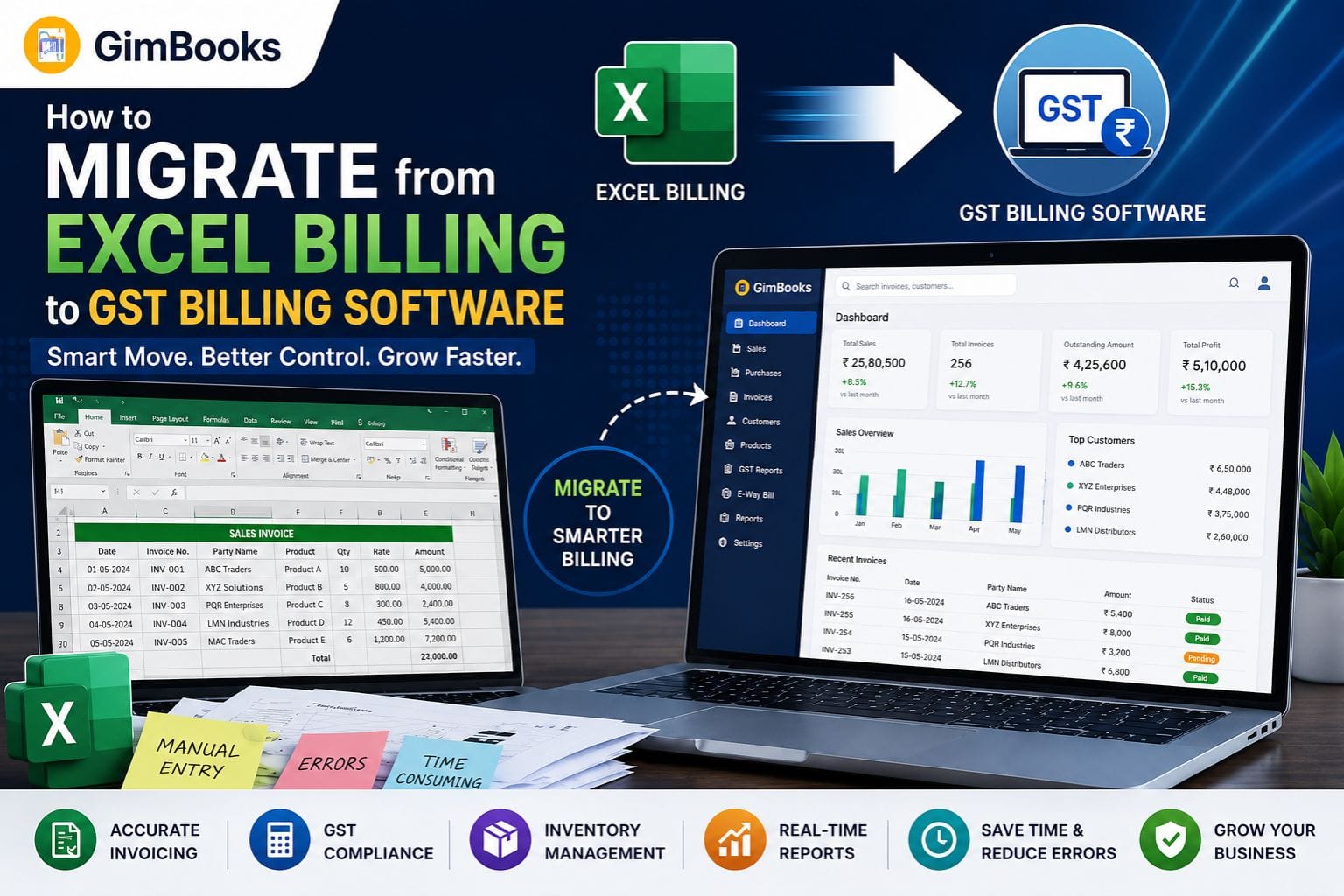
How to Migrate from Excel Billing to GST Billing Software (2026 Guide)
Key Takeaways
- Excel is useful for basic invoicing but becomes difficult to manage as businesses grow.
- GST billing software reduces manual work, invoicing errors, and compliance risks.
- Businesses can migrate from Excel to GST software within a few days with proper planning.
- Modern billing software combines invoicing, inventory, accounting, payment tracking, and GST compliance in one system.
- Data migration is easier when customer records, product lists, and transaction data are cleaned beforehand.
- Businesses using GST billing software often save significant time on billing, reporting, and reconciliation.
Introduction
For years, many Indian businesses have relied on Excel spreadsheets for billing, invoice management, and basic record-keeping. While Excel remains a flexible tool, it was never designed to handle the growing compliance and operational demands of modern businesses.
With GST compliance requirements becoming increasingly digital in 2026, businesses need more than spreadsheets. Managing invoices, inventory, payment tracking, GST calculations, e-Way Bills, e-Invoicing requirements, and business reporting manually often leads to errors, delays, and compliance risks.
If your business still uses Excel for billing, now may be the right time to upgrade. This guide explains how to migrate from Excel billing to GST billing software, the benefits of switching, common migration mistakes, and how to ensure a smooth transition without disrupting daily operations.
Why Businesses Still Use Excel for Billing
Many small businesses started with Excel because it is accessible, familiar, and inexpensive.
For businesses handling a small number of invoices, spreadsheets can initially appear sufficient.
Common Reasons Businesses Use Excel
- No software subscription costs
- Easy to create invoice templates
- Familiar interface
- Flexible customization
- No training required
However, these advantages often disappear as business operations become more complex.
Why Excel Billing Becomes a Problem as Businesses Grow
As transaction volumes increase, Excel starts creating operational challenges that affect efficiency and compliance.
Businesses often spend more time maintaining spreadsheets than running their operations.
Common Challenges of Excel Billing
Manual Data Entry
Every invoice requires manual updates, increasing workload and mistakes.
GST Calculation Errors
Incorrect tax calculations can result in compliance issues.
Duplicate Records
Multiple spreadsheet versions create confusion and inconsistencies.
Inventory Mismatches
Stock levels are difficult to track accurately.
Delayed Reporting
Business reports require manual compilation.
No Automation
Tasks such as payment reminders, invoice generation, and reconciliation remain manual.
Signs You've Outgrown Excel Billing
Before exploring migration steps, it helps to identify whether Excel is slowing down your business.
You Generate More Than 50 Invoices Per Month
Invoice management becomes increasingly time-consuming.
GST Compliance Takes Too Much Time
Preparing GST reports manually can consume valuable business hours.
Inventory Tracking Is Difficult
Stock records become unreliable as transaction volumes increase.
Payment Follow-Ups Are Missed
Manual tracking often results in delayed collections.
Multiple Team Members Need Access
Excel files are not ideal for collaborative workflows.
Business Data Is Scattered
Information spread across multiple spreadsheets creates inefficiencies.
Excel Billing vs GST Billing Software
Understanding the differences helps business owners evaluate the long-term benefits of migration.
Comparison Table
The gap becomes more noticeable as businesses scale.
Benefits of Migrating to GST Billing Software
Moving beyond spreadsheets provides benefits that extend far beyond invoicing.
Faster Billing
Invoices can be generated in seconds rather than minutes.
Improved GST Compliance
Automatic tax calculations reduce errors.
Better Inventory Control
Stock movements update automatically with sales and purchases.
Faster Payment Collection
Automated reminders improve cash flow.
Real-Time Business Insights
Reports become available instantly.
Reduced Administrative Work
Automation frees teams to focus on growth rather than paperwork.
What Data Should Be Migrated from Excel?
Many businesses assume migration means moving every spreadsheet ever created.
In reality, most businesses only need active operational data.
Customer Information
- Customer names
- GSTIN details
- Contact information
- Billing addresses
Product Catalog
- Product names
- HSN codes
- GST rates
- Pricing details
Supplier Records
- Vendor information
- GST details
- Contact records
Inventory Data
- Current stock levels
- Warehouse locations
- Opening balances
Outstanding Invoices
- Unpaid invoices
- Credit notes
- Payment history
How to Prepare for Migration
Preparation significantly reduces migration issues.
Before importing data, businesses should clean and organize their records.
Create a Backup
Always maintain a copy of original spreadsheets.
Remove Duplicate Entries
Duplicate customer and product records create confusion.
Standardize Data
Ensure naming conventions remain consistent.
Verify GST Details
Validate GSTIN numbers and tax settings.
Review Inventory Records
Confirm stock quantities before migration.
Step-by-Step Migration Process
A structured migration approach minimizes disruption.
Step 1: Select the Right GST Billing Software
Choose software that matches your business requirements.
Evaluate:
- GST compliance features
- Inventory management
- Reporting capabilities
- Mobile accessibility
- Pricing
- Customer support
Step 2: Export Excel Data
Prepare data in import-friendly formats.
Typical exports include:
- Customer list
- Product catalog
- Supplier database
- Opening stock
Step 3: Import Data
Most modern billing software supports bulk imports.
Common import categories include:
- Customers
- Products
- Inventory
- Vendors
Step 4: Configure GST Settings
Review:
- GST registration details
- Tax rates
- HSN codes
- Invoice formats
Step 5: Test Transactions
Generate sample invoices before going live.
Step 6: Train Staff
Ensure employees understand new workflows.
Step 7: Go Live
Begin using the new system for daily operations.
Common Data Migration Mistakes to Avoid
Migration projects often fail because businesses underestimate preparation requirements.
Importing Duplicate Data
Duplicate records create reporting problems.
Incorrect GST Mapping
Wrong tax settings can affect compliance.
Ignoring Product Cleanup
Outdated SKUs increase complexity.
Skipping User Training
Teams may continue relying on spreadsheets.
Not Testing Before Launch
Testing helps identify issues early.
Features to Look for in GST Billing Software
Not every billing solution offers the same functionality.
Businesses should focus on long-term operational needs.
Essential Features
GST-Compliant Invoicing
Automated GST calculations and tax reporting.
Inventory Management
Real-time stock tracking.
E-Way Bill Integration
Supports logistics compliance.
E-Invoicing Readiness
Helps future-proof operations.
Payment Tracking
Improves collection efficiency.
Business Reports
Provides actionable insights.
Cloud Accessibility
Enables work from anywhere.
Why Growing Businesses Are Switching from Excel in 2026
The shift toward digital compliance is accelerating.
Businesses increasingly need systems that support:
- GST automation
- E-Invoicing
- E-Way Bills
- Inventory management
- Multi-user collaboration
- Real-time reporting
Excel remains a useful analysis tool, but it is no longer sufficient as a primary billing platform for many growing businesses.
Why GimBooks Is a Practical Upgrade from Excel
Designed for Businesses Moving Beyond Spreadsheets
Many businesses want software that is easy to adopt without requiring extensive training.
GimBooks helps businesses transition from manual billing to a more streamlined workflow through:
- GST-compliant invoicing
- Inventory tracking
- Customer management
- Expense tracking
- Business reporting
- Payment reminders
- Multi-business management
- Mobile billing capabilities
- Cloud-based access
For traders, retailers, distributors, service providers, and MSMEs, it provides a practical path from spreadsheet-based operations to a more organized billing system.
Real-World Example
Consider a wholesale business generating 200 invoices per month.
Before Migration
- Billing managed in Excel
- Manual GST calculations
- Inventory tracked separately
- Delayed payment follow-ups
- Frequent reporting errors
After Migration
- Automated invoice generation
- Integrated inventory management
- GST-ready reporting
- Faster collections
- Improved business visibility
The result is reduced administrative workload and greater operational control.
Future of Billing Software for Small Businesses
Billing software continues evolving beyond invoice generation.
Emerging capabilities include:
- AI-powered reporting
- Automated compliance monitoring
- Smart payment reminders
- Inventory forecasting
- Real-time GST reconciliation
- Integrated business dashboards
Businesses adopting digital systems today will be better prepared for future regulatory and operational requirements.
Conclusion
Migrating from Excel billing to GST billing software is no longer simply a technology upgrade—it is a business efficiency decision. While spreadsheets may work during the early stages of a business, growing operations require stronger controls, automation, and compliance support.
By moving to GST billing software, businesses can improve invoicing accuracy, automate tax calculations, simplify inventory management, strengthen reporting, and reduce administrative work. With proper planning and data preparation, migration can be completed smoothly with minimal disruption.
The sooner businesses move beyond manual spreadsheets, the sooner they can focus on growth rather than managing data across multiple Excel files.
Ready to Move Beyond Excel?
If you're spending hours managing invoices, inventory, GST calculations, and payment tracking in spreadsheets, it may be time to switch to a smarter system.
GimBooks helps businesses simplify billing, manage inventory, automate GST compliance, track payments, and gain better visibility into daily operations—all from a single platform.
Whether you're a retailer, trader, distributor, manufacturer, or service provider, moving from Excel to a modern GST billing solution can help save time, reduce errors, and improve business efficiency.
FAQs
Can I directly import Excel data into GST billing software?
Yes. Most modern GST billing software allows importing customer records, product catalogs, inventory data, and supplier information through Excel or CSV files.
How long does it take to migrate from Excel billing?
For most small businesses, migration can be completed within a few days depending on data quality and transaction volume.
Will I lose old invoice records during migration?
No. Businesses should maintain backups of historical records and can import relevant transaction data into the new system.
Is GST billing software better than Excel?
For growing businesses, GST billing software offers automation, compliance support, inventory management, reporting, and multi-user access that Excel cannot efficiently provide.
Can GST billing software manage inventory?
Yes. Most modern solutions integrate inventory tracking with sales and purchase transactions.
What should I clean before migrating?
Review customer records, product lists, GSTIN details, duplicate entries, and inventory balances before importing data.
Is cloud billing software better than desktop-based systems?
Cloud-based platforms generally provide better accessibility, automatic backups, and multi-user collaboration.
Can small businesses afford GST billing software?
Yes. Many solutions are designed specifically for MSMEs and offer affordable pricing compared to the operational costs of manual billing processes.