How to Make a Sale Return Bill in GST (Step-by-Step Guide)
Learn how to create a credit note in GimBooks for sales returns, invoice corrections, and price adjustments. This beginner-friendly guide explains the complete process, when to issue a credit note, and how it supports accurate GST-compliant business records.

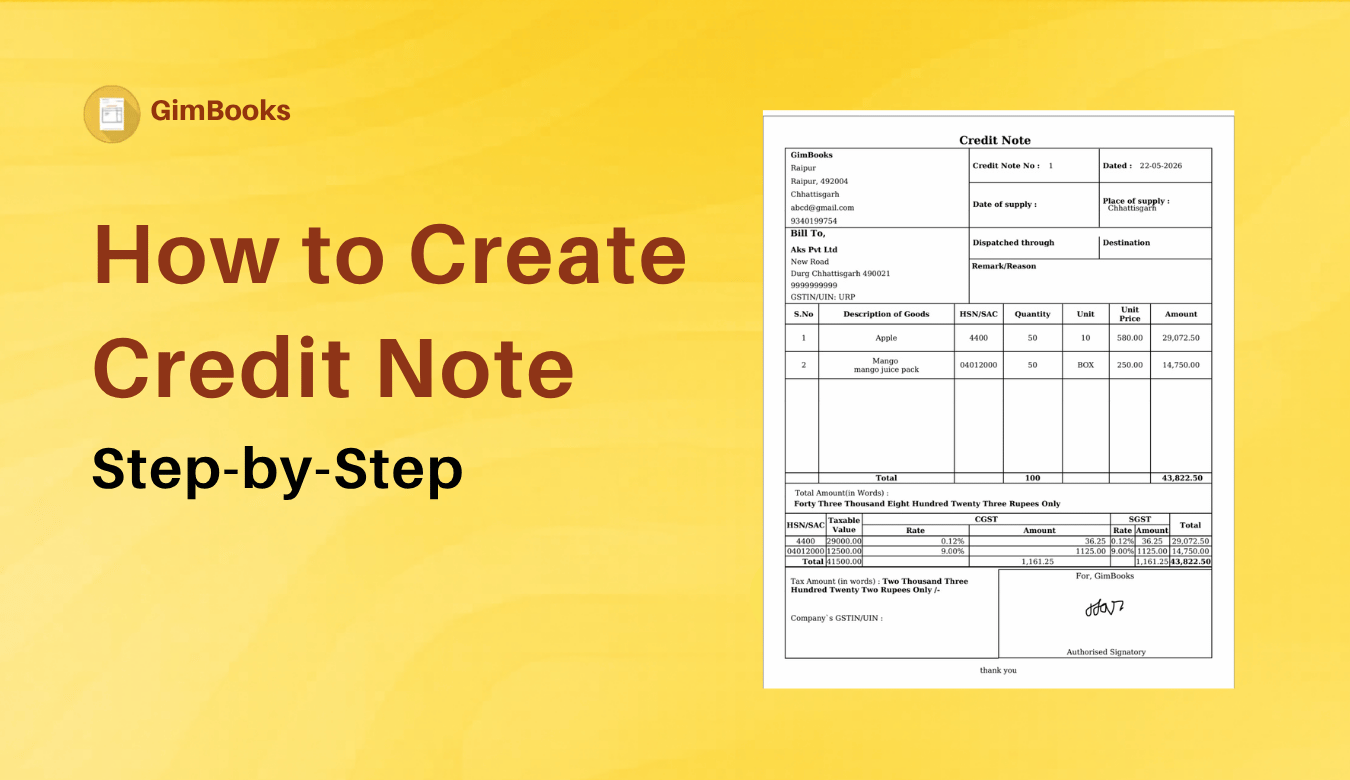
How to Create Credit Note Quickly
Sometimes customers return goods because they received the wrong product, the item is damaged, or they no longer need it. In such cases, simply cancelling the original invoice isn't the correct approach. Instead, you should create a sale return bill, also known as a credit note, to record the returned goods and adjust your sales records.
This guide explains what a sale return bill is, when you should issue one, and how to create it using GimBooks.
What is a Sale Return Bill?
A sale return bill is a document issued when a customer returns goods after a sale has been completed. It reduces the value of the original sale and updates your inventory and accounting records.
Under GST, a sale return is generally recorded by issuing a Credit Note against the original tax invoice.
Example
- Original Invoice: INV-1056
- Amount: ₹15,000
- Customer returned goods worth: ₹3,000
You issue a Credit Note for ₹3,000 to adjust the sale.
When Should You Create a Sale Return Bill?
You should create a sale return bill when:
- The customer returns damaged goods.
- Incorrect products were delivered.
- The customer received excess quantity.
- Goods are returned due to quality issues.
- An order is cancelled after invoicing but before final settlement.
Why Use a Credit Note Instead of Editing an Invoice?
Once an invoice has been shared with your customer, editing or deleting it can lead to mismatched records.
Creating a credit note helps you:
- Maintain a clear audit trail.
- Keep accounting records accurate.
- Adjust GST liability where applicable.
- Record sales returns properly.
- Improve payment reconciliation.
How to Make a Sale Return Bill in GimBooks
Creating a sale return bill in GimBooks is simple.
gimbooks credit note video
Step 1: Open the GimBooks App
Log in to your GimBooks account.
Step 2: Go to Credit Note
Navigate to the Sales Return or Credit Note section.
Step 3: Select the Sale Return or Credit Note Option
Choose Create Credit Note or Sale Return against the original invoice.
Step 4: Enter Return Details
Fill in:
- Original Invoice Number
- Customer Name
- Returned Products
- Quantity Returned
- Return Reason
- GST Details (if applicable)
- Add Transaction Details:Select the buyer from your list and link the credit note to the original invoice number.Enter the reason for adjustment, item description, quantity, and the amount being credited.
- Verify and Save: Review the prefilled tax and transportation fields. Save the document and immediately download or share it with your buyer. [1]
Step 5: Check and Save
Verify all the details and save the sale return bill. You can then share it with your customer if required.
Explore credit note template and sales return format.
Information Included in a Sale Return Bill
A sale return bill should contain:
- Credit Note Number
- Original Invoice Number
- Customer Details
- Product Details
- Quantity Returned
- Return Value
- GST Amount
- Date of Return
- Reason for Return


Credit Notes in GimBooks
Why is a Sale Return Bill Important?
Creating a proper sale return bill helps you:
- Maintain accurate sales records
- Update inventory automatically
- Adjust GST liability correctly
- Avoid accounting discrepancies
- Keep customer transactions transparent
- Declare Sales return in GSTR-1 The credit note details must be reported in Table 9 of your GSTR-1 for the month in which the credit note was issued. This will automatically adjust your outward tax liability in the portal.
- Declare Credit Note in GSTR-3B The adjustments from your GSTR-1 will be visible in your GSTR-3B. Your adjusted net tax liability will be calculated automatically by the GST Portal.
Sale Return Bill vs Credit Note
| Sale Return Bill | Credit Note |
|---|---|
| Records the return of sold goods | Official GST document issued to reduce the invoice value |
| Common business term | Legal document under GST |
| Usually created when goods are returned | Used to adjust tax and invoice amount |
In most GST billing software, a sale return is recorded by generating a Credit Note.
Know more: Difference between credit note and debit note.
Common Mistakes to Avoid in Credit Note
- Deleting the original invoice instead of issuing a credit note
- Forgetting to reference the original invoice number
- Entering the wrong quantity or GST amount
- Delaying the recording of returned goods
- Not updating inventory after the return
Conclusion for Quick Credit Note Adjustment
Returns are a normal part of running a business, but they should be recorded correctly. Instead of deleting or editing the original invoice, issue a sale return bill (credit note) to maintain accurate accounting records and comply with GST requirements.
With GimBooks credit note, you can create a sale return against the original invoice in just a few steps, helping you keep your inventory, customer records, and GST reporting accurate and up to date.
FAQs for Creating Credit Notes in GimBooks
How do I create a credit note in GimBooks?
Open the credit notes section, enter the invoice adjustment required details, review the information, and save the credit note.
When should I issue a credit note?
You should issue a credit note when goods are returned, the invoice amount needs to be reduced, incorrect items were billed, or a post-sale discount is given.
Can I create a credit note after generating a GST invoice?
Yes. A credit note can be issued after a GST invoice has been generated to adjust the invoice value or tax, subject to applicable GST rules.
Does a credit note affect GST?
Yes. A credit note may reduce the taxable value and GST liability of the original invoice, provided it complies with GST regulations.
Can I edit an invoice instead of creating a credit note?
It's generally recommended to issue a credit note instead of editing an already-issued invoice. This maintains accurate accounting records and provides a proper audit trail.
How do I make a sale return bill?
Create a sale return or credit note by selecting the original invoice, entering the returned items, and saving the return details.
Is a sale return bill the same as a credit note?
Under GST, a sale return is generally recorded using a credit note issued against the original invoice.
Can I create a sale return bill after generating a GST invoice?
Yes. If goods are returned after invoicing, issue a credit note referencing the original GST invoice.
What details are required in a sale return bill?
A sale return bill should include the original invoice number, customer details, returned items, quantity, value, GST details, and return date.
Does a sale return affect GST?
Yes. A correctly issued credit note can adjust the taxable value and GST liability, subject to the applicable GST provisions.