How to Create a Digital Signature on an Invoice (GST & Sales Invoice Guide)
Learn how to create a digital signature on an invoice, GST invoice, or sales invoice with this step-by-step guide. Discover how GimBooks lets you add a digital signature with a simple one-time setup for faster, more professional invoicing.

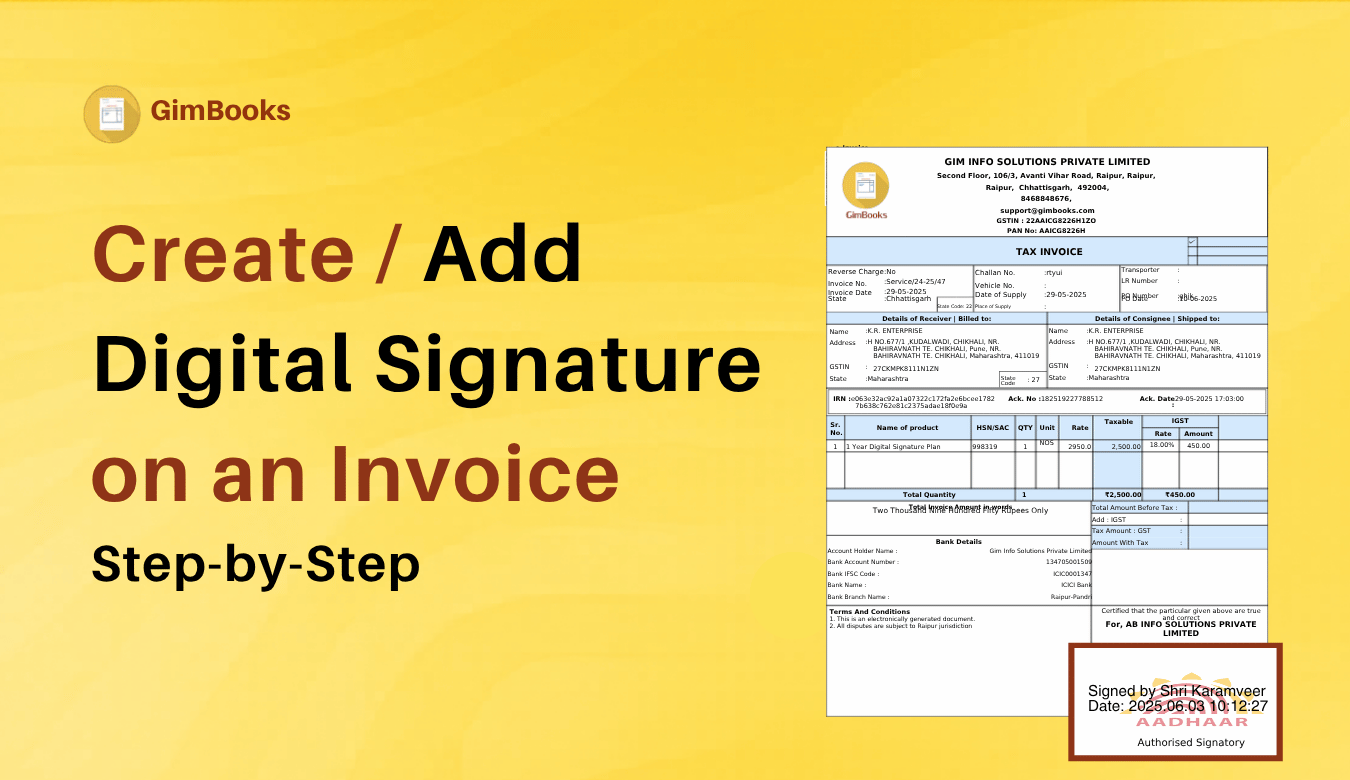
As businesses move towards paperless billing, digitally signed invoices have become a faster and more secure way to share invoices with customers. Instead of printing, signing, scanning, and sending invoices manually, businesses can add a digital signature directly to their invoices within seconds.
Whether you run a retail store, wholesale business, or manufacturing unit or provide professional services, adding a digital signature helps make your invoices look more professional while reducing paperwork.
In this guide, you'll learn how to create a digital signature on an invoice, understand when it's required, and see how GST billing software like GimBooks simplifies the entire process with a one-time digital signature setup.
What Is a Digital Signature on an Invoice?
A digital signature is an electronic signature that is added to an invoice to verify the identity of the issuer and confirm that the document has not been altered after signing.
Unlike a scanned image of a handwritten signature, a digital signature uses cryptographic technology to improve authenticity and document security.
Businesses commonly use digital signatures on:
- GST invoices
- Sales invoices
- Tax invoices
- MCA forms
- e-tender
- Government contracts
- Proforma invoices
- Credit notes
- Debit notes
- e-Invoices
Why Should Businesses Use a Digital Signature?
Adding a digital signature offers several benefits:
- Makes invoices look professional
- Saves time by eliminating manual signing
- Reduces paperwork
- Improves document security
- Speeds up invoice sharing
- Supports paperless business operations
- Helps maintain a consistent invoicing process
Is a Digital Signature Mandatory on GST Invoices?
For many businesses issuing regular GST invoices, a digital signature is not always mandatory under GST law, provided the invoice meets the prescribed requirements. However, businesses often use digital signatures to increase authenticity, streamline workflows, and support electronic document management for legal purposes.
Tip: Always check the latest GST rules or consult your tax advisor, or the digital signature tool provider if you're unsure about the signing requirements for your business.
How to Create a Digital Signature on an Invoice
Method 1: Using GST Billing Software (Recommended)
The easiest way is to use billing software that supports digital signatures.
Step 1
Log in to your GST billing software, GimBooks.
Step 2
Navigate to Settings or Business Profile.
Step 3
Upload or configure your digital signature through the available setup option.
Step 4
Complete the one-time verification process.
Step 5
Generate your invoice.
Your digital signature is automatically added to future invoices, eliminating the need to sign each invoice manually.
How to Create a Digital Signature in a GST Invoice
The process is similar:
- Generate your GST invoice.
- Enable the digital signature option.
- Save the invoice.
- Download or share the digitally signed invoice PDF.
The signature appears automatically on every GST invoice after the initial setup.
How to Create a Digital Signature in a Sales Invoice
Whether you're creating a retail invoice or a B2B sales invoice:
- Generate the invoice.
- Apply your saved digital signature.
- Download the invoice.
- Email or share it with customers.
No repeated signing is required.
How to Add a Digital Signature to an Invoice
With digital signature GST billing software, you can:
- Generate the invoice.
- Automatically embed the digital signature.
- Download a signed PDF.
- Share it instantly through email or messaging apps.
This avoids the extra step of signing PDF documents manually.
Features to Look for in Digital Signature Invoice Software
Before choosing a solution, check whether it offers:
| Feature | Benefit |
|---|---|
| One-time digital signature setup | No repeated uploads |
| Automatic signature on invoices | Saves time |
| GST-compliant invoicing | Supports tax compliance |
| PDF invoice generation | Easy sharing |
| Cloud storage | Secure document access |
| Mobile and desktop support | Work from anywhere |
| Customer management | Organize business records |
| Invoice history | Quick access to past invoices |
How GimBooks Simplifies Digital Signatures
GimBooks makes invoice signing simple with a one-time digital signature setup.
Once configured, every invoice you generate automatically includes your digital signature.
With GimBooks, you can:
- Create GST-compliant invoices. (Watch : How to create GST invoice)
- Add digital signatures automatically by clicking on perform digital signature.
- Generate professional invoice PDFs
- Share invoices instantly
- Manage products and customers.
- Track payment status
- Access invoices from mobile, desktop, and web
- Store invoice records securely in the cloud
This saves time, reduces repetitive tasks, and maintains a consistent invoicing experience.
5 Digital Signature Mistakes to Avoid
When using digital signatures:
- Uploading low-quality signature files
- Using outdated business details
- Forgetting to verify signature placement
- Sharing unsigned invoices by mistake
- Not updating the signature after an authorised signatory changes
Review your invoice template to ensure the digital signature appears correctly.
Call now for accessing gimbooks digital signature.
Conclusion
Digital signatures make invoicing faster, more secure, and more professional. Instead of manually signing every invoice, businesses can automate the process and reduce paperwork while maintaining a consistent customer experience.
With GimBooks, you only need to complete the digital signature setup once. After that, your digital signature is automatically added to every GST invoice, sales invoice, or invoice PDF you generate. Combined with GST billing, customer management, payment tracking, and cloud access, GimBooks helps Indian MSMEs streamline invoicing and spend less time on repetitive tasks.
Frequently Asked Questions on Digital Signature in Invoice
How do I create a digital signature on an invoice?
You can create a digital signature by using GST billing software that supports digital signature setup. Once configured, the software automatically adds the signature to future invoices.
Can I add a digital signature to a GST invoice?
Yes. Many GST billing solutions allow businesses to add digital signatures to GST invoices through a one-time setup process.
Is a digital signature mandatory on GST invoices?
For standard GST invoices, a digital signature is generally not mandatory if the invoice complies with GST rules. Requirements may differ for specific business scenarios, so businesses should refer to the latest GST notifications.
Can I digitally sign invoice PDFs?
Yes. Most modern billing software generates invoice PDFs with embedded digital signatures, making them ready to share.
Which is the best digitally signed invoice software?
Businesses should look for software that combines GST billing, digital signatures, invoice management, customer records, and cloud access. GimBooks offers these features in one platform with a one-time digital signature setup.