How to Manage Credit in Billing Software
To manage credit in billing software, create customer profiles, set credit limits, raise credit bills, track outstanding payments using aging reports, and send automated reminders. This helps MSMEs control udhar, improve cash flow, and recover payments faster.

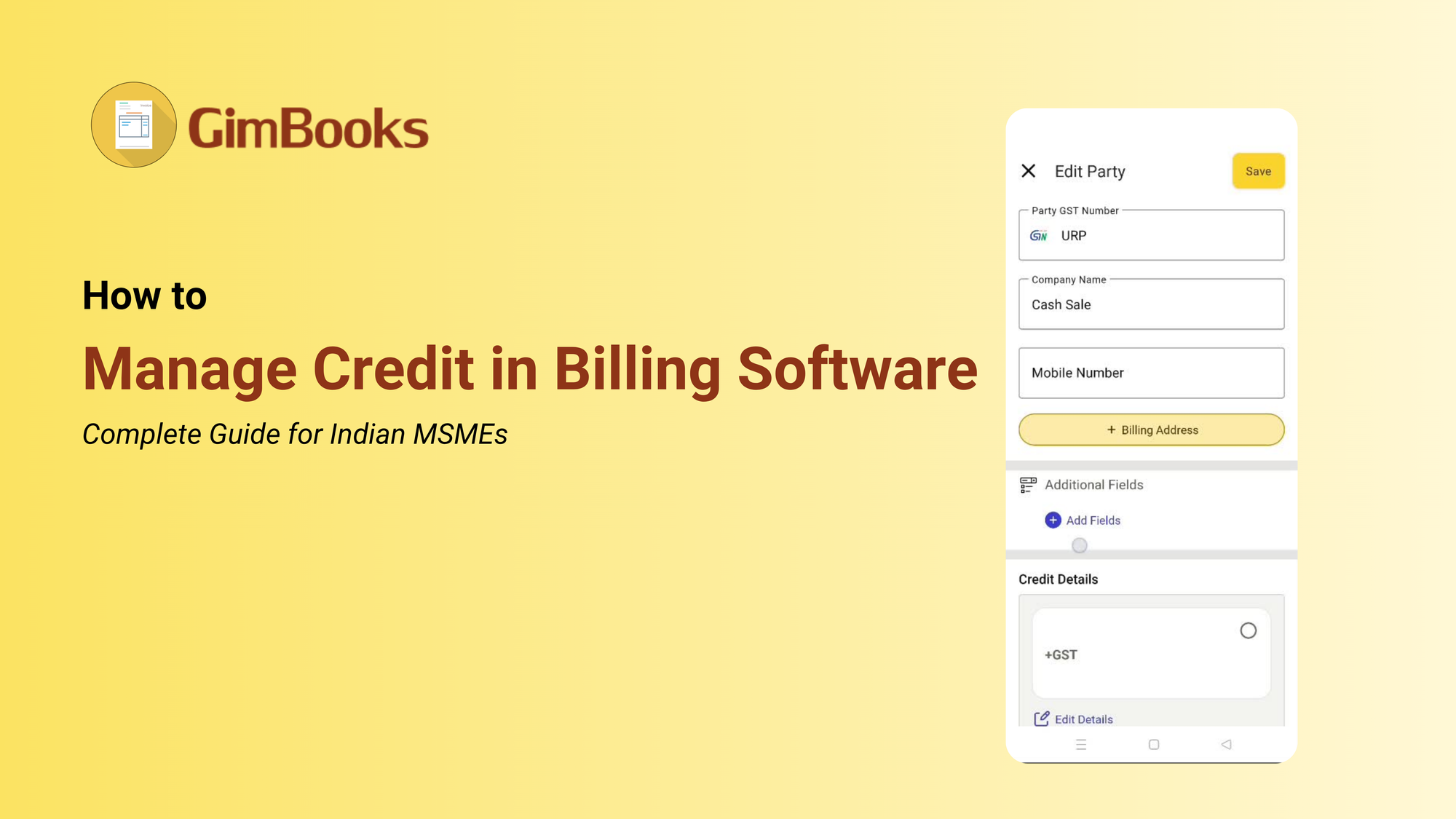
The complete guide for Indian shop owners, traders, and MSMEs to stop losing money to untracked udhar.
Every Indian shopkeeper, trader, and MSME owner knows this pain: a customer walks in, takes goods worth ₹5,000, says "kal de dunga" and three months later, you are still waiting.
Udhar (credit) is the backbone of how Indian business works. Your customer trusts you. You trust them. But without a system, trust turns into loss.
India's MSMEs collectively lose thousands of crores every year, not because customers don't pay but because there is no proper record, no reminder, and no follow-up.
Digital GST billing software has made credit management simple, automated, and completely paperless. This guide shows you exactly how to manage credit in billing software step by step, feature by feature, so that not a single rupee of udhar goes missing.
What Is Credit Management in Billing Software?
Credit management in billing software means using digital tools to record, track, limit, and recover credit (udhar) issued to your customers, within the same software you use to create bills and manage your shop.
Instead of a paper bahi khata that gets torn, lost, or misread, your billing software becomes your permanent, searchable, automated udhar register.
Features in a credit (udhaar) management billing software:
- Recording who bought on credit and how much they owe.
- Setting a credit limit so no customer takes more than you allow.
- Tracking how old each outstanding payment is.Sending automated WhatsApp or SMS reminders.
- Generating reports showing the total outstanding across all customers.
- Collecting partial payments and updating balances automatically.
- Issuing and tracking credit notes for returns or adjustments.
Why it matters in 2026: The Section 43B(h) amendment under the Income Tax Act now requires buyers to pay MSMEs within 45 days. If they don't, the buyer loses the tax deduction. This law has made proper credit records even more important, as you need a digital system to collect payments on time.
The Real Cost of Unmanaged Udhar
Before going into how to manage credit, understand what poor credit management actually costs you.
The hidden losses of unsecured, informal credit:
- You forget who owes how much so you never follow up.
- Customers take more credit than you intended because there is no limit.
- Your cash flow dries up even when your sales are strong.
- Disputes arise because there is no clear written record.
- You feel awkward asking regulars to pay, and they take advantage of that.
Example of unmanaged credit-
A shopkeeper in Ahmedabad found ₹45,000 in missing udhar entries in his first week of using the GST billing software. That wasn't new money, it was money he had already lost to a paper system that couldn't track properly.
If you have 50 credit customers,
average outstanding of ₹3,000= ₹1.5 lakh sitting outside your business. At any given time, 20–30% of that is overdue by more than 60 days.
Impact- That is dead cash, and billing software is the tool that brings it back.
How to Manage Credit in Billing Software: Step-by-Step
Step 01: Create a Party/Customer Master with Credit Settings
Every credit customer in your billing software should have a dedicated party or customer master record. This is their permanent profile in your system.
What to add when creating a party master:
- Full name and mobile number
- Business name: (if B2B) and GSTIN (for GST customers)
- Opening balance: how much they already owe you
- Credit limit: the maximum amount you will allow on credit
- Credit days: how many days before payment is due (typically 15, 30, or 45 days)
Once this is set up, every bill you raise for that customer automatically links to their ledger. You never have to maintain a separate register.
How to manage credit in the GimBooks billing app?
→ Go to Masters in Menu, click on Buyer, fill in Credit Limit and Credit Days, and save.
Step 02: How to set Credit Limits
A credit limit is the maximum amount a customer can owe you at any time. Most billing software allows you to set this per customer in their party master.
How to set a credit limit:
- Open the buyer / seller in master.
- Find the Credit Limit field.
- Enter the amount for example, ₹10,000.
- Save.
Step 03: Create Bills Marked as Credit or Udhar
When a customer buys on credit, create the bill as usual but select Credit or Party as the payment mode instead of Cash.
What this does -
- The invoice amount is added to that customer's outstanding balance.
- The sale is recorded in your books for GST and reporting purposes.
- No cash is recorded, so your cash book stays accurate.
- The customer's ledger updates in real time
Always print or WhatsApp the bill to the customer at the time of sale.
This creates a shared record that prevents disputes later. If a customer says, "I didn't buy that," you have timestamped digital proof.
In GimBooks billing software, you can also add a due date to each credit bill, the date by which payment is expected. The software auto-flags it as overdue after that date.
Step 04: Record Partial and Full Payments When Received
When a credit customer pays, whether fully or partially, record it as a payment receipt in GimBooks billing software.
Steps to record a payment:
- Go to Payments → Receive Payment.
- Select the customer name.
- Enter the amount received.
- Choose payment mode: Cash, UPI, Bank Transfer, or Cheque.
- Save the outstanding balance, which adjusts automatically
Partial payments are fully supported. If a customer owes ₹8,000 and pays ₹3,000, the outstanding balance automatically becomes ₹5,000.
UPI payments: Many billing apps let you share a UPI payment link via WhatsApp.
The customer pays, and the software automatically marks that invoice as paid no manual entry needed.
Cheque payments: Record the cheque number and bank name.If the cheque bounces, reverse the entry and restore the outstanding balance.
Step 5: How to check who owes me money in the GimBooks billing software?
You can check the money from the payment receipt by looking at the Due Amount column.
Businesses using automated reminders collect 40% faster than those relying on manual follow-up.
You can share a payment reminder with the person's WhatsApp directly from the GimBooks App.
Why does WhatsApp work better than calling for credit recovery?
It is convenient, works like a concrete proof, and the customer can act immediately by clicking the UPI link QR code added in the invoice.
Timing tip: Send the first reminder 3 days before the due date as a gentle nudge, and a second reminder on the due date itself.
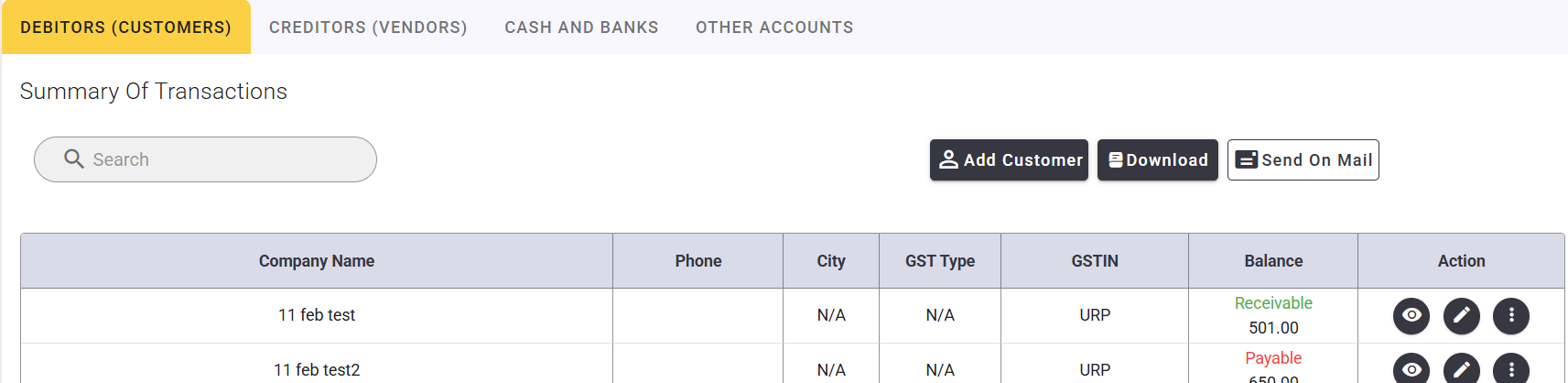
Step 6: View the Party Ledger: Complete Credit History
Every credit customer has a party ledger in GimBooks billing software, a complete, chronological record of every bill raised and every payment received. How to view a party ledger:
- Go to Reports → Party Ledger or Customer Ledger.
- Search for the customer name.
- Select the date range.
- View, print, or share as PDF
What you see in the ledger:
- Date-wise list of all bills with invoice numbers.
- Date-wise list of all payments received.
- Running balance after each transaction.
- Current outstanding balance at the bottom.
Step 7: Write Off Bad Debt When Recovery Is Impossible
Sometimes, despite reminders and follow-ups, a customer simply does not pay.At that point, write off the bad debt in your billing software to keep your books accurate.
How to write off bad debt:
- Go to Journal Entry in your billing software
- Debit Bad Debt Expense account
- Credit the customer's ledger for the amount
The outstanding balance clears from your books
Income Tax note: Bad debt written off may be deductible as a business expense under Section 36(1)(vii) of the Income Tax Act. Consult your CA before writing off.
GST note: If you already paid GST on that sale, you may be able to recover the GST component by issuing a credit note consult your CA for the correct procedure.
Prevention is better: Writing off bad debt should be rare if you follow Steps 1–6 consistently.
Credit Management Features to Look for in GST Billing Software
| Feature | Why It Matters |
|---|---|
| Credit limit billing software India MSME | Prevents excess udhar |
| Aging report billing software | Tracks overdue payments |
| Outstanding payment report billing software | Shows total receivables |
| Party ledger billing | Full transaction history |
| WhatsApp reminders | Faster collections |
| UPI payment link | Instant payment |
| Credit note GST | Adjust returns correctly |
Section 43B(h): 45-Day Payment Rule (Important for MSMEs)
Under Section 43B(h):
- Buyers must pay MSMEs within 45 days
- Else, they lose tax deduction
What this means:
- You now have legal backing for faster payments
- Your billing software becomes proof
How to Recover Pending Payment from Customer
Instead of chasing manually:
- Send payment reminder before the due date.
- Follow up on the due date.
- Escalate after 45 days.
- Share the ledger statement.
Combine system + discipline = easy credit recovery.
How to Fix Top 7 Common Credit Management Mistakes
| ❌ Mistake | What Happens | ✅ Fix |
|---|---|---|
| No credit limit set | You let customers take unlimited credit, increasing risk | Set even a small limit (₹5,000) to control exposure and trigger conversations early |
| Giving credit without a bill | No proof of sale → disputes and unpaid dues | Always print or WhatsApp the bill at sale. No bill = no proof |
| Not running aging report weekly | You don’t know who is overdue until it’s too late | Check aging report every week (make it a Monday habit) |
| Waiting too long to send reminders | You avoid follow-ups → payments get delayed further | Automate reminders at day 25 and day 45 |
| Accepting cash but not recording it | Payments received but not updated → wrong outstanding | Record every payment (cash, UPI, cheque) immediately |
| Using multiple tools for tracking | Data scattered → confusion and missed follow-ups | Use one billing software as a single source of truth |
| Not reviewing credit limits | Old limits don’t match customer behavior | Review every 6 months; increase for good payers, reduce for risky ones |
Fix these = immediate cash flow improvement
Quick Summary on Managing Credit with GimBooks Billing Software
- Credit is not risky; untracked credit is.
- Use billing software for payment status tracking + reminders.
- Checking party-wise balance report.
- Set limits + credit due dates.
- Share payment reminder on WhatsApp.
Conclusion
Credit is not the problem. Untracked credit is. Every rupee of udhar you give is a business decision. With the right billing software, you know exactly who owes what, for how long, and what action to take. You are not chasing customers awkwardly; the software sends the reminder for you. You are not writing off losses at year-end; the credit limit stopped the exposure before it grew.
The steps are simple: create a party master with a credit limit, raise bills on credit, record every payment the moment it arrives, check the party-wise report, and let WhatsApp payment reminders do the follow-up work. That is how you manage credit in billing software. And that is how Indian MSMEs stop losing money to untracked udhar.
Frequently Asked Questions for Credit Management in Billing software in 2026 India
How do I manage udhar in billing software?
Create a customer master with a credit limit and credit days. Raise credit bills, record every payment, track using outstanding reports, and send WhatsApp reminders for follow-up.
How to track pending payments in billing software?
Use the outstanding payment report or aging report to view all dues and identify overdue payments.
What is an aging report in billing software?
An aging report shows customer dues categorized by delay such as 0–30, 30–60, 60–90, and 90+ days.
How to recover pending payment from customer?
Use automated reminders, regular follow-ups, and share ledger statements to collect dues faster.
What is Section 43B(h) 45-day rule MSME?
Buyers must pay MSMEs within 45 days, failing which they lose tax deduction benefits under the Income Tax Act.
Can I set a credit limit for a customer in billing software?
Yes. Open the customer master, enter the credit limit, and save. The software will alert or block sales if the limit is exceeded.
How do I send a payment reminder to a credit customer?
Open the party ledger or outstanding report, select the customer, and click “Send Reminder.” Most software sends WhatsApp messages with a UPI payment link.
What is a credit limit in billing software?
A credit limit is the maximum amount a customer can owe. If exceeded, the software warns or blocks further credit sales.
How to record partial payment from a credit customer?
Go to Payments → Receive Payment, select the customer, enter amount, and save. The remaining balance stays outstanding.
How do I check total outstanding from all credit customers?
Open the Outstanding Payment Report or Debtor Summary to view all dues and totals. You can filter and export reports.
Can billing software track credit without internet?
Yes. Offline billing software stores data locally and syncs when internet is available.
How do I add a UPI payment link to a credit invoice?
Enable UPI in settings. The invoice will include a QR code or link. Payment auto-updates in the system.
What is a credit note and when do I issue one?
A credit note reduces customer dues for returns or discounts. Under GST, issue it before 30 November of the next financial year or annual return filing.
How to write off bad debt in billing software?
Use Journal Entry: Debit Bad Debt Expense and credit customer ledger. This clears outstanding. Consult your CA for tax treatment.