
How to Add Bank Account in GST Portal (2026 Guide with New Validation Rules)
If you’ve just registered for GST or need to update your bank details, this quick guide shows how to add bank account in GST portal easily, online, for free, and within minutes. Learn the steps to validate your account, fix errors, and link it securely with your GSTIN.

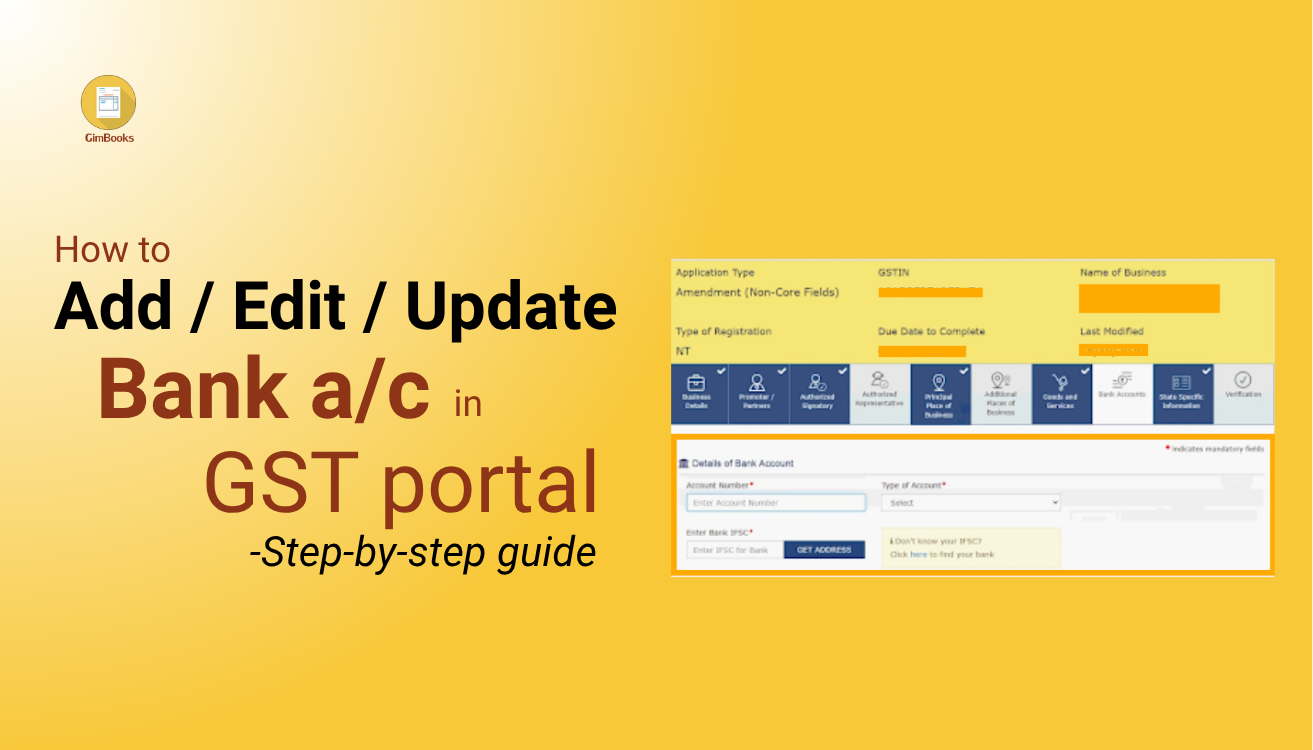
The process of how to add bank account in the GST portal is completely online, free, and available to every registered taxpayer. By linking a bank account to the GST portal, you can ensure eligibility for a refund, smoother return filing, and validation under GST compliance rules.
Let's go over the step-by-step process, the importance of updating bank information on the GST portal, which documents to keep accessible, and more.
What Documents Are Required to Add Bank Account in GST?
Before adding your bank account in the GST portal, keep the following details ready:
- Active GSTIN and login credentials
- Business bank account number and IFSC code
- Scanned copy of a cancelled cheque, passbook, or bank statement (if required)
- DSC or EVC for verification
2026 Update: In many cases, the GST portal now supports auto-validation of bank accounts through banking networks (NPCI integration). If your bank supports this, you may not need to upload any documents.
File Guidelines (Latest):
- Format: PDF or JPEG
- Size: Typically up to 1–2 MB (as per portal limits)
This helps you complete the process faster with fewer rejections.
Steps to Add Bank Account in GST Portal Easily Online
Adding or updating bank details on the GST portal is simple. Here’s how you can do it:
Step 1: Log in to GST Portal
Visit gst.gov.in and log in with your GSTIN and password.
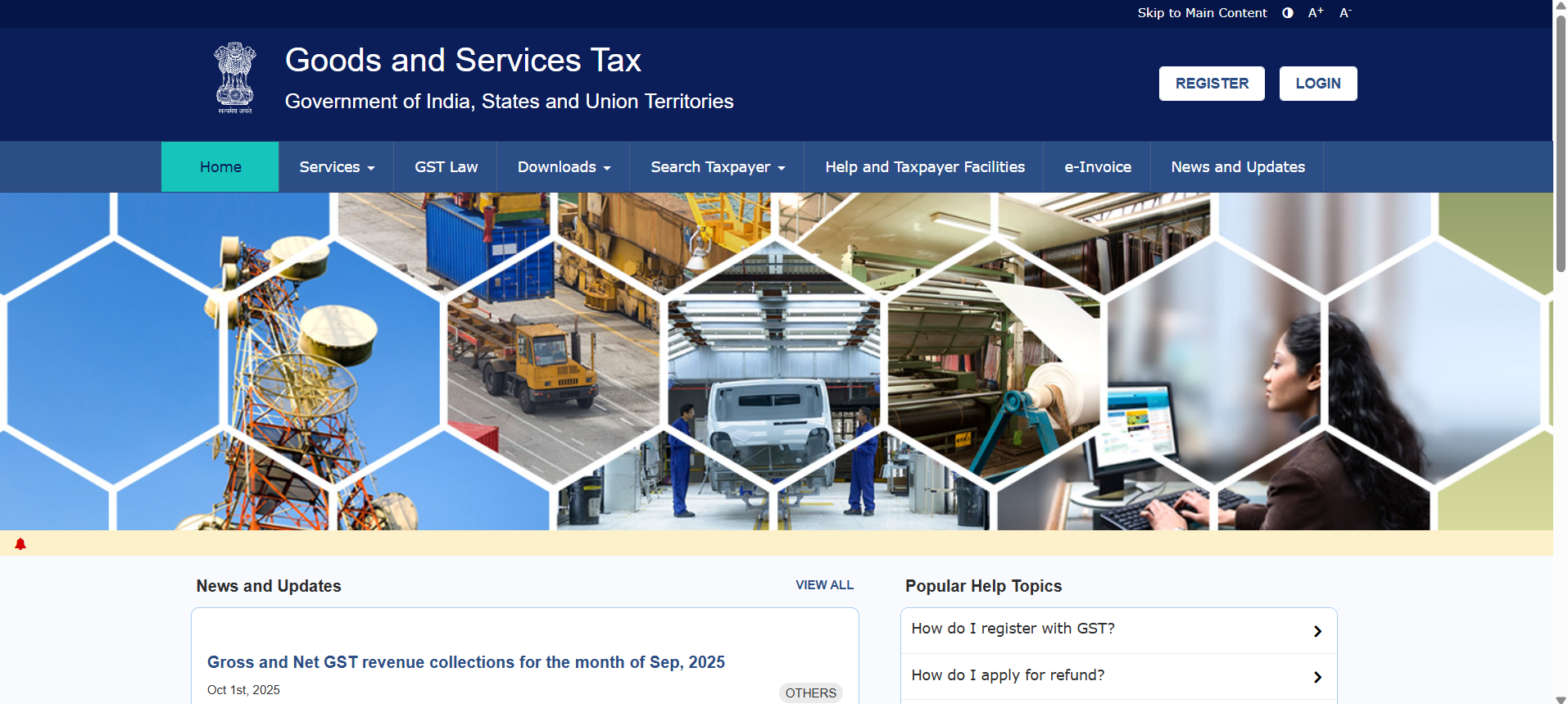
(If you’re wondering how to add bank account in GST Portal easily login, this is where you start.)
Step 2: Go to Non-Core Field Amendment
From the dashboard, navigate to:
Services → Registration → Amendment of Registration (Non-Core Fields)
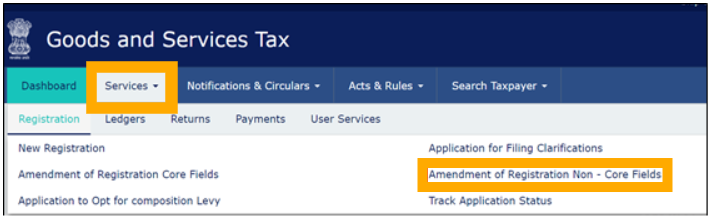
This is where you add or change bank account in GST portal without any departmental approval.
Step 3: Select the “Bank Accounts” Tab
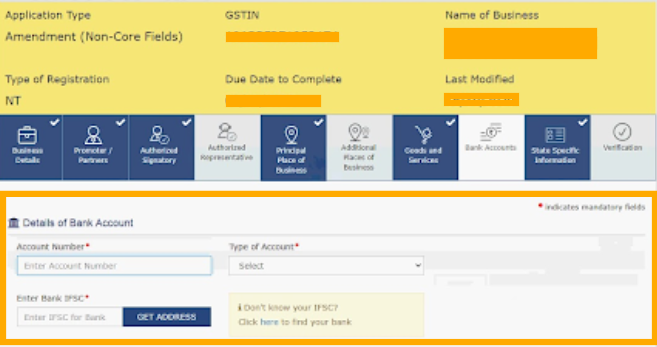
Under this section, click on Bank Accounts.
You’ll see your existing account details (if any) and the option to “Add New”.
Step 4: Add Your Bank Details
Click Add New and fill in the following fields:
- Account Number
- Type (Savings / Current)
- IFSC Code
- Bank Name and Branch (auto-fills after IFSC)
This is the key step in how to add bank details in GST portal correctly.
Step 5: Validate Your Bank Account
After entering your bank details, click “Validate Account Details.”
- GST portal now performs real-time or near real-time validation through banking systems (NPCI/core banking integration).
- Your account holder name must exactly match your PAN and GST registration name.
- Even small mismatches (like spelling differences or abbreviations) can lead to validation failure.
- Some banks support instant validation, while others may take a few hours.
Only after successful validation can you proceed to save and submit your details.
Step 6: Upload Supporting Documents
Upload a cancelled cheque, bank statement, or the first page of your passbook that clearly shows your name and account number. Make sure the document size and format match portal requirements.
Step 7: Submit Using DSC or EVC

After saving, go to the Verification tab, select the authorized signatory, and submit using either a Digital Signature Certificate (DSC) or Electronic Verification Code (EVC).

Step 8: Confirmation

Once submitted, your request is processed and verified. You can check the status under.
Dashboard → My Profile → Bank Account Status.
That’s how to add bank account in the GST Portal easily after registration in less than 10 minutes.
How to Add Bank Account in GST Portal Easily for Free
Here’s the good news: There’s no fee or charge for this process.
Whether you’re adding, changing, or validating, everything is available for free through the GST portal. All you need is your login access and documents.
You don’t need an agent or intermediary. The GST system is created in a way that taxpayers can do it by themselves, which means the process of updating bank account in GST Portal is easily and freely accessible to everyone.
 Noorleen Kaur Bhatia
What If You Need to Change Your Bank Account?
If you’ve closed your old account or switched banks, you can update your account easily.
Important 2026 Rule:
- You must always have at least one active and validated bank account in your GST profile.
- You cannot delete your only bank account without adding a new one first.
Follow these steps:
- Log in to your GST account
- Go to Services → Registration → Amendment of Registration (Non-Core Fields)
- Open the “Bank Accounts” tab
- Click Edit/Delete next to your old account
- Add a new account and validate it
- Submit using DSC or EVC
Once updated, GST will use your new account for refunds and transactions.
Solutions for Issues on Editing GST Info Update
Even though the process of editing GST info is straightforward, users sometimes face errors. Let's understand the reason and fix it with proper solutions.
If you’re unsure, contact GST Helpdesk via helpdesk@gst.gov.in or 1800-103-4786.
GST Check by Bank: Why It Happens
The GST portal primarily performs bank account validation, not the other way around.
2026 Clarification:
- The GST system verifies your bank account using PAN, GSTIN, and banking network data.
- Banks may perform limited checks for compliance or KYC, but they do not actively monitor GST filings.
This validation ensures that refunds and financial transactions are processed only to verified accounts.
Why Adding Your Bank Account in GST Portal Matters
- Without a validated bank account, GST refunds may fail or get delayed
- As per Rule 10A of CGST Rules, bank details must be added within 45 days of registration
- 2026 Update: Non-compliance may lead to:
- Suspension notices
- Restriction on return filing
- GST now uses automated validation systems to prevent fraud and incorrect claims
Adding and validating your bank account ensures smooth compliance and uninterrupted GST activities.
Read more- Guide on updating GST details
Best Practices to Add Bank a/c in GST for MSMEs
- Use a bank account in the same legal name as your GST registration
- Avoid using personal accounts unless compliant (especially for proprietors)
- Validate your bank account immediately after adding it
- Regularly check validation status on the GST portal
- Keep documents clear and properly formatted
- Monitor refunds to ensure they are credited correctly
- Stay updated with GST notifications for revalidation requirements
How to Add Bank Account in GST Portal Easily Available 24/7
One major advantage is that the GST portal operates 24/7. This means you can update or validate your bank account from your GST dashboard. So, whether you’re adding after registration or changing details mid-year, the process for how to add a bank account in the GST Portal is easily available, always open, and instant.
Conclusion
With increasing automation and stricter validation checks in 2026, adding and verifying your bank account on the GST portal has become more important than ever.
The GST system now relies on real-time validation and data matching to ensure accuracy and prevent fraud. A correctly added and validated bank account helps you avoid refund delays, compliance issues, and account suspension risks.
If you haven’t updated your bank details yet, it’s best to complete the process immediately. It’s quick, free, and essential for smooth GST operations.
If you’re newly registered or have recently changed your bank, don’t delay. Log in, add, validate, and you’re done. The process is free, available anytime, and takes under 10 minutes. That’s how to add bank account in GST Portal easily online.
Check How to Move from Tally to GST Billing App in 1 Day
FAQ for Adding Bank Account in GST after Registration
1. How to add a bank account in GST portal?
Log in to the GST portal, go to Services → Registration → Amendment of Non-Core Fields → Bank Accounts, click “Add New”, enter your details, validate the account, and submit using DSC or EVC.
2. Why is my GST bank account validation failing?
Validation usually fails due to name mismatch between PAN and bank records, incorrect IFSC, or invalid account details. Even small spelling differences can cause failure.
3. How long does GST bank account validation take in 2026?
Validation is usually instant or completed within minutes. In some cases, it may take a few hours depending on your bank.
4. Is adding a bank account mandatory for GST refunds?
Yes, a validated bank account is mandatory to receive GST refunds. Without it, refunds may be delayed or rejected.
5. What happens if I don’t add a bank account within 45 days?
Failure to add bank details within 45 days may lead to:
- GST registration suspension
- Restrictions on return filing
- Compliance notices
6. Can I use a personal bank account for GST registration?
Yes, proprietors can use a personal account if it matches the GST registration name. For companies and LLPs, a business account is required.
7. How do I fix name mismatch in GST bank validation?
Ensure your bank account name exactly matches your PAN. Avoid abbreviations and update your bank records if needed before revalidating.
8. How do I update or change my bank account in GST?
Go to Amendment of Registration (Non-Core Fields), edit or delete old details, add a new account, validate it, and submit. Keep at least one active bank account at all times